
For FIFO and DIDO crews in mining and oil & gas
Your swing,
sorted.
Roster, bag, tickets, check-ins, a pre-start list and a pay estimate, on your phone, in plain English, with one tap to text your roster home. Line your roster up with your mates' too. Built for 02:00 in a donga, not for a desk. Set it up whenever suits you — no pressure, no sign-up.
Everything stays on your phone. Not affiliated with any miner. Used to be called Donga Days.
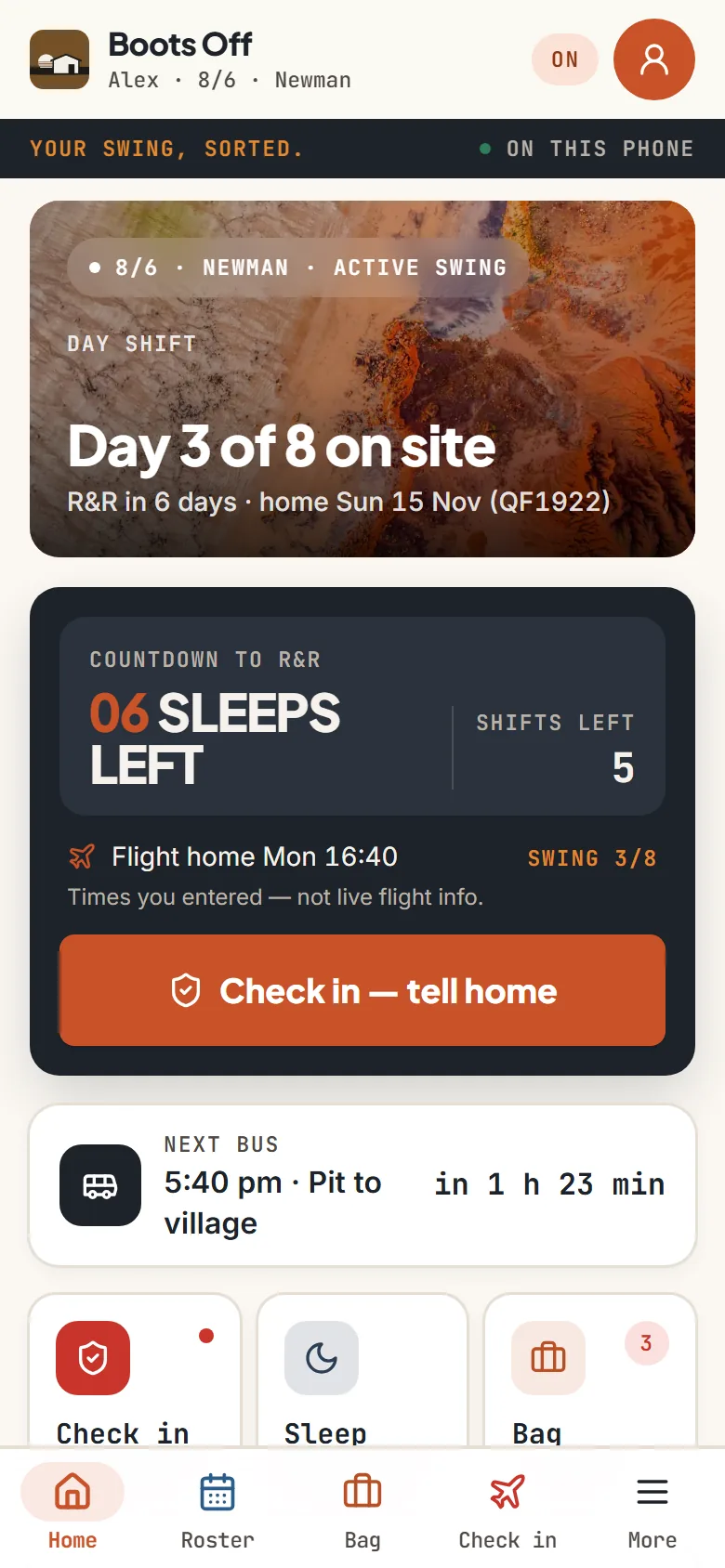
- 8/6, 2/1 (14/7), 14/14 and the rest, twelve months ahead.
- Sleeps till R&R, your flight and the next camp bus on Home.
- Crew Sync: your roster beside a mate's or your partner's.
- Tickets and licences with expiry reminders, offshore ones too.
- One tap texts your roster home. No app for them, no tracking.
- Light, dark and a night theme that doesn't blow your eyes out.
What it does
The things you'd otherwise keep in your head, a notes app and a photo of the roster on the fridge.
-
Roster
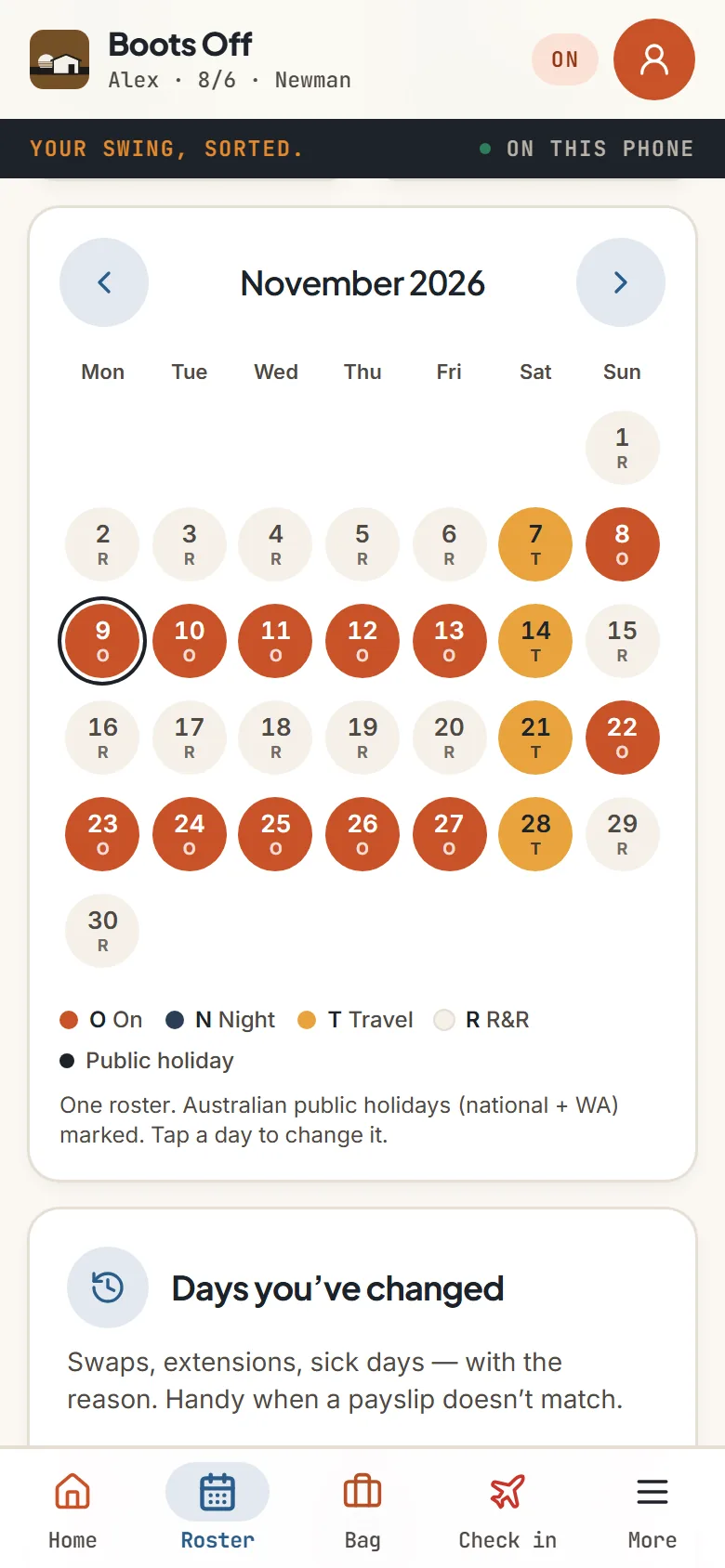
Pick your pattern and your next fly-in. Boots Off works out every swing and every R&R for the year, and copes when the pattern shifts. On-site days in rust, travel days in gold, R&R left plain.
-
Bag and kits
A list for going north and one for coming home, plus reusable kits you copy in with one tap, and ready-made ones for an offshore soft bag, night shift and the wet season. Tick it on the way out the door.
-
Tickets and licences
White Card, first aid, HR, working at heights, and offshore ones like BOSIET, HUET and MSIC. Keep them in one place, see each site's together, and get a nudge at 90, 60, 30 and 7 days before they lapse.
-
Check in, and text home
One tap says you've landed or you're off shift. No signal? It waits with the time you tapped, and once you're back in signal, Send now puts it in a message. Your roster goes home as a normal text too: on swing or home, the sleeps till you're back, the next few swings. Nothing for them to install.
-
Pay and the year so far
A gross pay estimate you can compare across rosters, a rough take-home after tax, and your year in numbers: swings, night shifts, weekends away, public holidays worked. Share it as a picture, save it as a spreadsheet, or hand your tax agent the days away by month.
-
Crew Sync
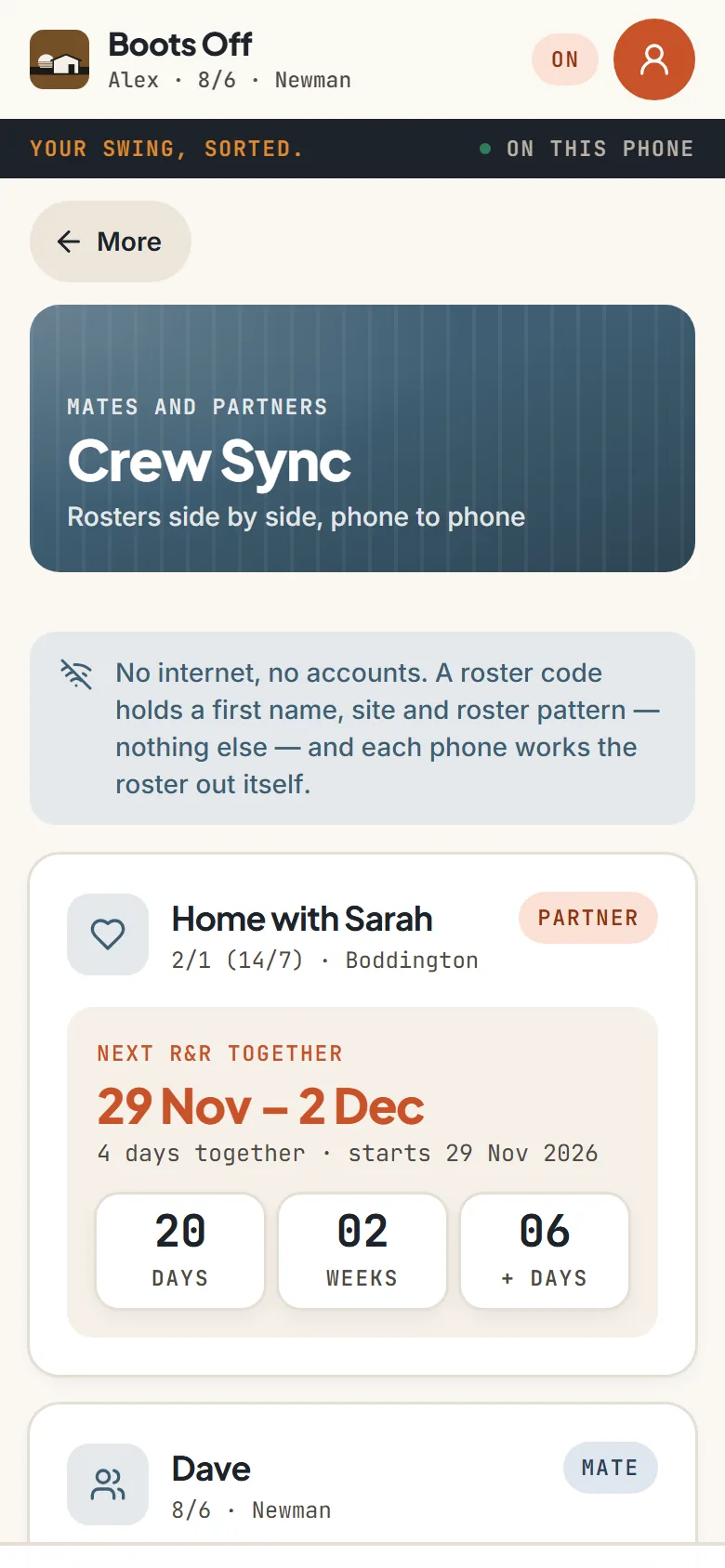
Swap roster codes with a mate or your partner by QR or text, and see your next R&R together, three weeks side by side, and who covered whose shift. Phone to phone: no accounts, no server.
-
Pre-start and camp
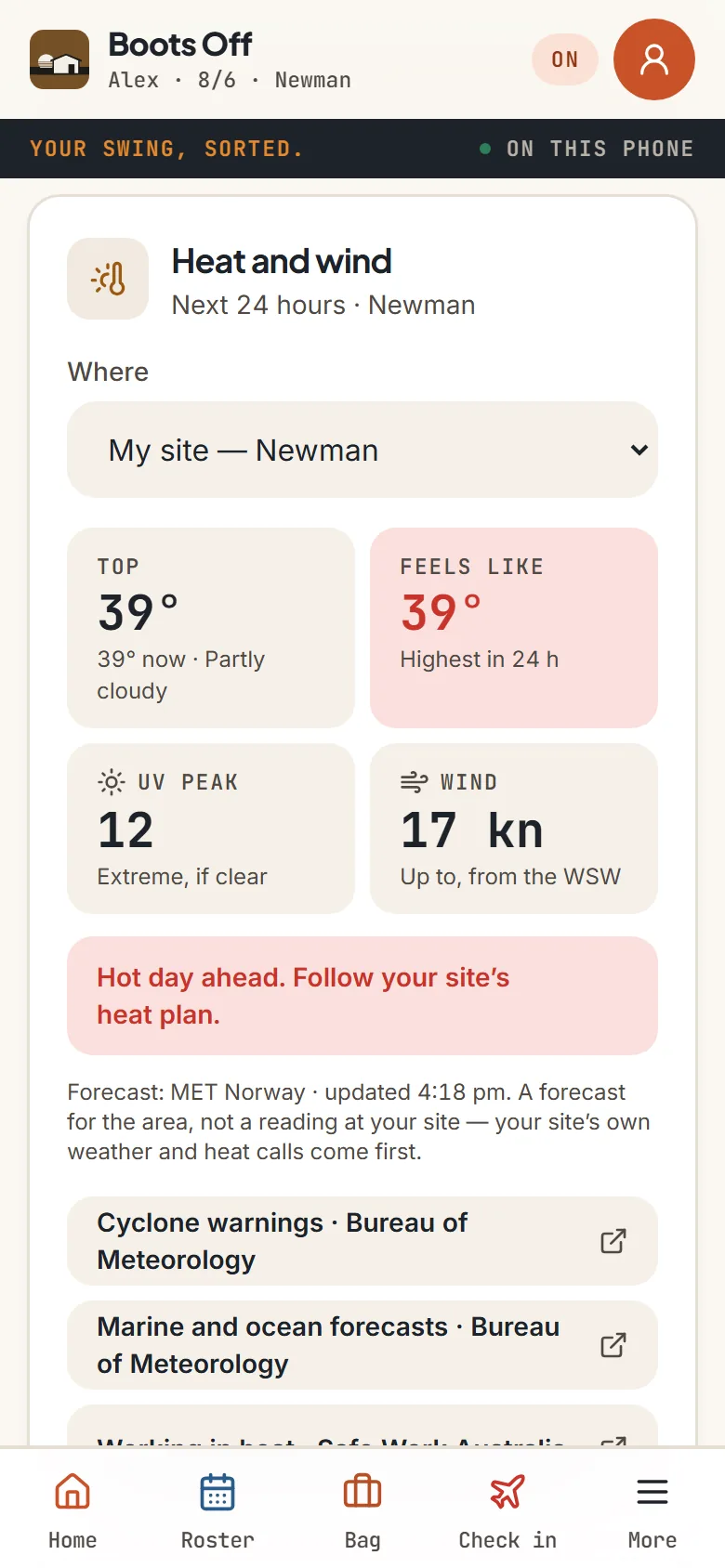
Your own checklist before heading out, the day's heat, UV and wind at your site or an offshore area, emergency numbers you can tap to call, bus times, radio channels, and tips for getting signal in a donga.
-
Sleep, a workout and a diary
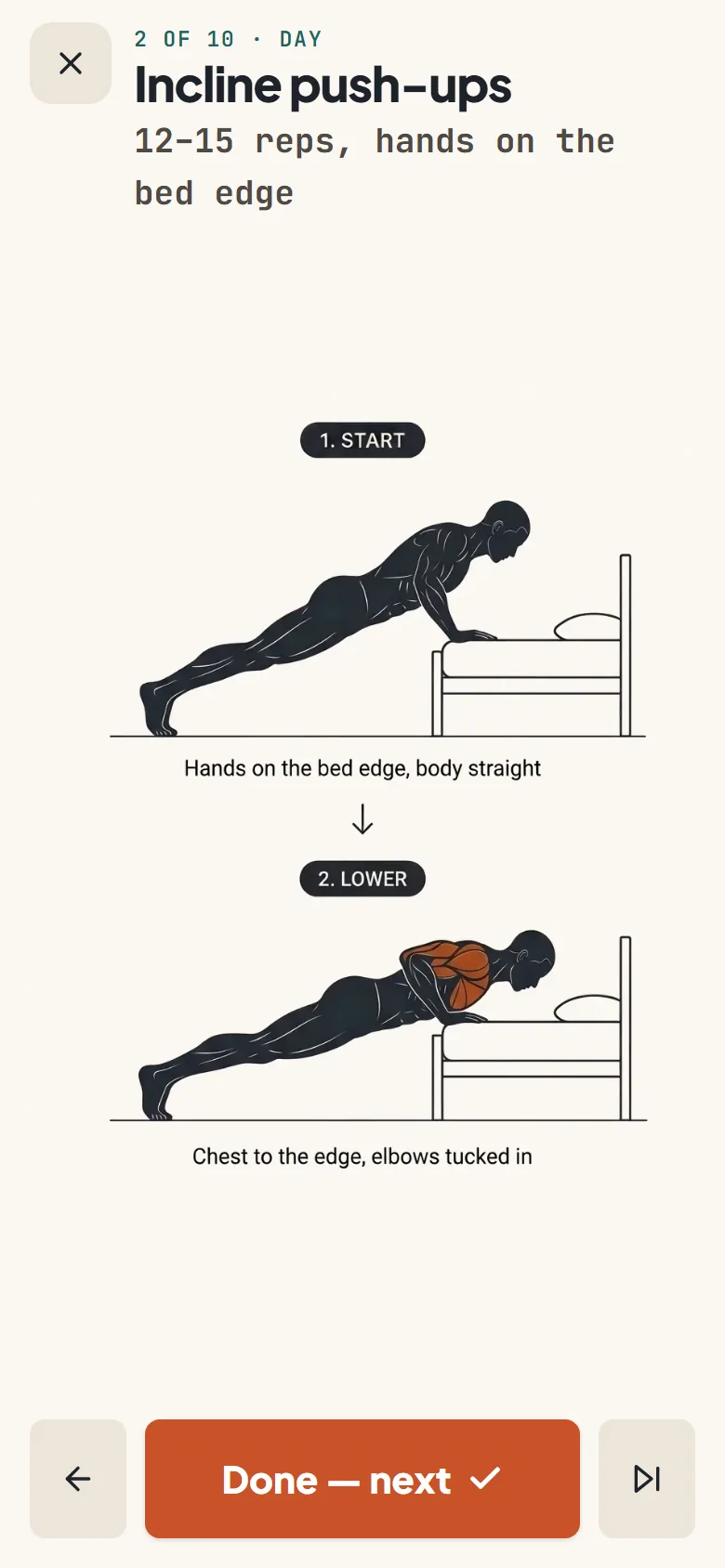
Sleep and body helpers for the day-into-night swaps, a bodyweight workout with a picture for every move (a quiet set for nights, nothing that thumps through the wall), and a diary with voice notes.
A look inside
Real screens from Boots Off, showing its example data.
How it works
Set up your swing
Home base, site, pattern, next fly-in. Eight quick screens, and you can skip the rest.
Pack and go
Bag list ticked, tickets checked, roster on the fridge as a PDF if you like.
Check in
Landed, on the bus, in my room. One tap texts it home, so nobody's waiting on a call. No signal? Send now, once there is.
Count down
Home counts the sleeps until R&R, with your flight home and the next camp bus.
Pricing
One plan with everything in it. Free for 14 days, no card needed.
Monthly
A$6.99 a month
The whole app: the roster twelve months ahead, bag and kits, tickets with expiry reminders, check-ins, texting your roster home, Crew Sync, pre-start, the pay estimate and rough take-home, sleep and body helpers, the diary, and every export. Cancel any time.
Yearly
A$59 a year
The same, paid once a year: about A$25 less than monthly. Skip it after the 14 days and nothing is deleted. The app goes view-only, and your backup still works.
Straight talk
- Not fitness-for-work. The sleep and body helpers are helpers, nothing more.
- The pay and take-home figures are estimates, not advice and not payroll.
- Heat and wind is a forecast, not a reading at your site. Your site's procedures come first.
- Not affiliated with, or endorsed by, any mining or oil & gas company.
- A missed check-in is "queued, no signal", never anything scarier.
Where your data lives
- Your roster, bag, tickets and diary stay on your phone
- No account and no sign-in for the worker
- What goes home goes as your own text message. Nothing is stored online.
- Crew Sync codes go phone to phone, by QR or text: a first name, site and roster pattern, nothing else
- Nothing is held on a server, in Australia or anywhere else
Put it on your phone
Boots Off is a web app that installs like a normal app. No app store, and it works with no signal. On a phone or tablet it opens from its home-screen icon, so the first time you open it in the browser, it walks you through adding it.
iPhone
- Open Boots Off in Safari.
- Tap the Share button at the bottom.
- Choose Add to Home Screen, then Add.
Android
- Open Boots Off in Chrome.
- Tap the three-dot menu.
- Choose Add to Home screen or Install app.
For the person at home
- In the app, open More, then Share.
- Add their mobile once.
- Tap Text my roster. Nothing for them to install.
Help sheets
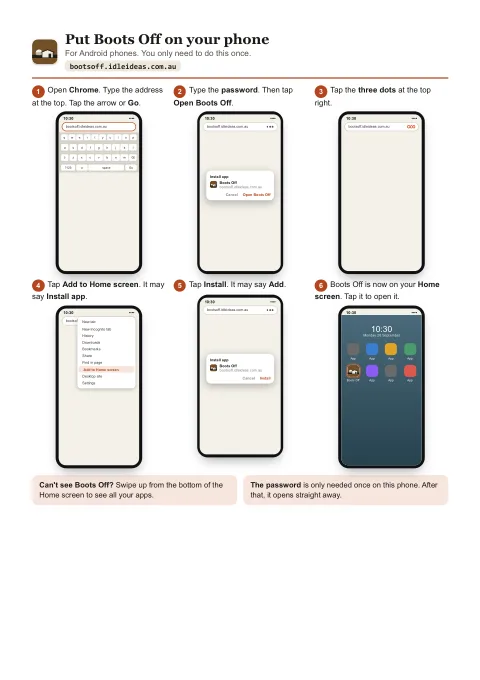
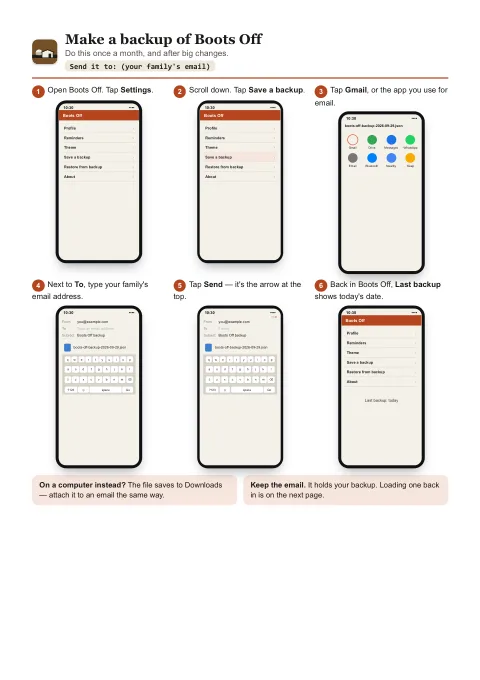
Step-by-step sheets with a picture for every step, for iPhone, iPad and Android. Print them, or keep them on the phone.
Put Boots Off on your phone
Six steps for Android, then six for iPhone and iPad, from opening the browser to Boots Off's icon on your Home screen.
Open the sheetPDF, two A4 pages, 399 KB.
Backups: make one, load one
Page one emails a backup to yourself or family. Page two puts it back, on the same phone or a new one.
Open the sheetsPDF, two A4 pages, 351 KB.
Questions
Does it work with no signal?
Yes. Everything is on your phone. A check-in made with no signal is kept with the time you tapped; once you're back in signal, Send now opens Messages with it, times included. The heat and wind card needs signal to update and shows the last forecast it got until then.
What does my partner get?
Only the messages you choose to send: your roster, a check-in, a sleep note or a “sleeps till home” picture. They don't need the app, there's no location, and nothing is stored online.
What if my roster changes?
Shift the next fly-in or change the pattern and the calendar re-does itself. Your bag, tickets and diary stay exactly as they were.
Is the pay estimate accurate?
It's a gross estimate from the numbers you enter, with a rough take-home at this year's ATO rates. It's there to compare an 8/6 with a 2/1, not to replace your payslip.
Boots Off is looking for testers.
It's going through a last swing of testing before it opens. If you work FIFO or DIDO and want to try it on your own roster, email bootsoff@idleideas.com.au and say whether you're on an iPhone or Android.