

For growers and makers who do the weekend markets
What to pack,
and which markets pay.
Put in what you sell and the markets you do. Stallie fills each market's pack list from how it went there last time — more of what sold out early, less of what came home — and tells you what to make or pick before the weekend. Tick it into the ute on the morning. At pack-down, log what came home and the takings, and it works out what you actually made after the stall fee, the goods and the driving, and whether that market's worth going back to. It isn't a till: keep your card reader. Everything stays on your own device.
14 days free from when you name your stall or add your first product or market, then A$39.99 a year or A$4.99 a month. Works offline.
- Your products once: the price, the unit (jars, kilos, bunches, litres), how long they keep, and when they're in season.
- Each market's usual day, hours, site, stall fee and what's provided — power, tables, shade.
- A pack list filled from what sold out, and when, and what came home last time there.
- Load mode: big ticks for loading the ute, with the gear the day needs.
- Log the day in a couple of minutes: what came home, what sold out and when, the takings.
- The net after the fee, the goods and the travel, dollars an hour, and a plain verdict: Worth going, Just OK or Weak day.
- A make or pick list for the week, less the good stock already at home.
- Scores to compare markets, a season report for your records, and fee due dates in your calendar.
- The phone and the iPad kept in step, with no account. Every byte stays on your devices.
On the phone at the market, the iPad or laptop at home
Big buttons and big text on the phone, readable in full sun. On an iPad or a computer there's room to sit back and look at how the season's going.
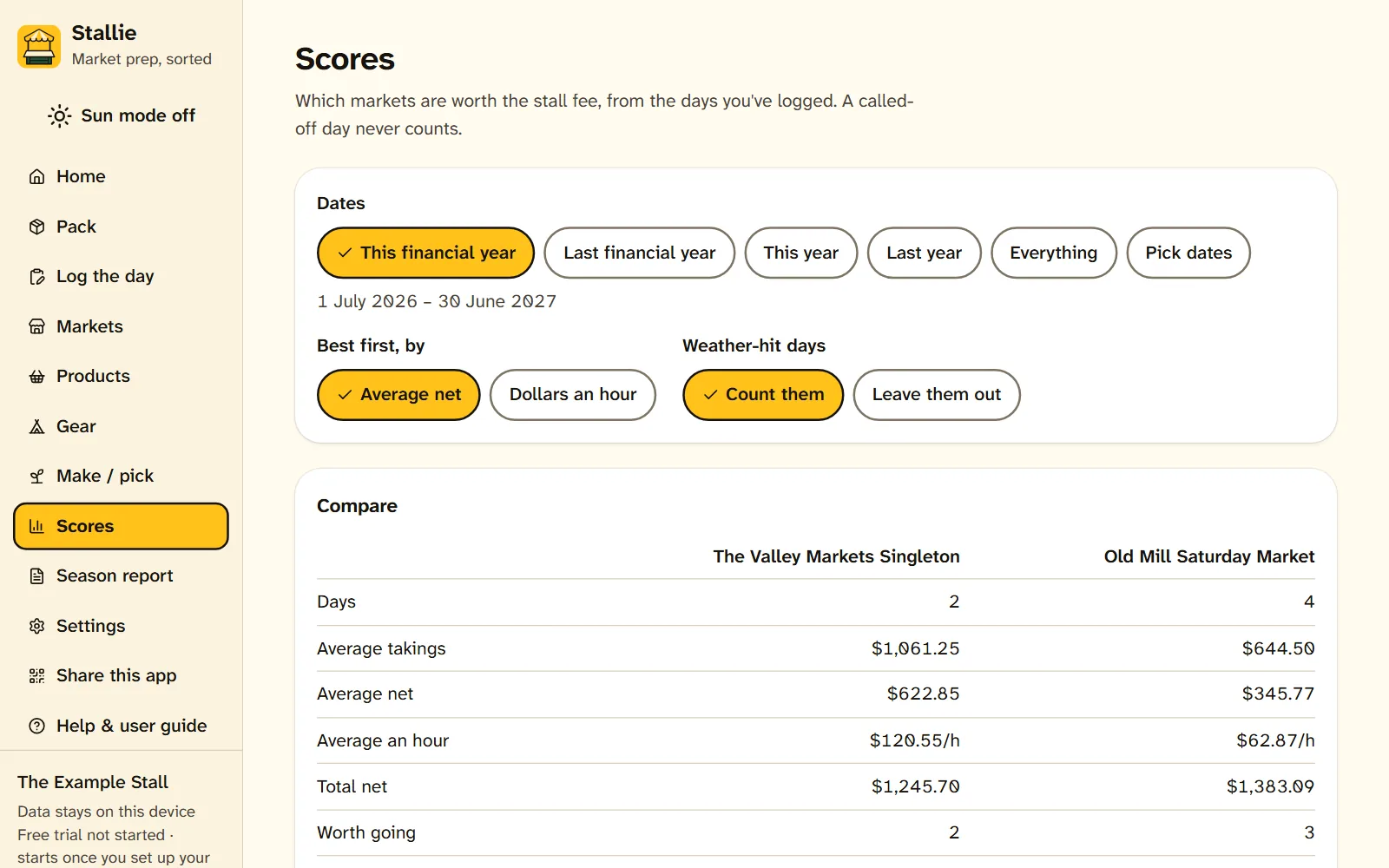
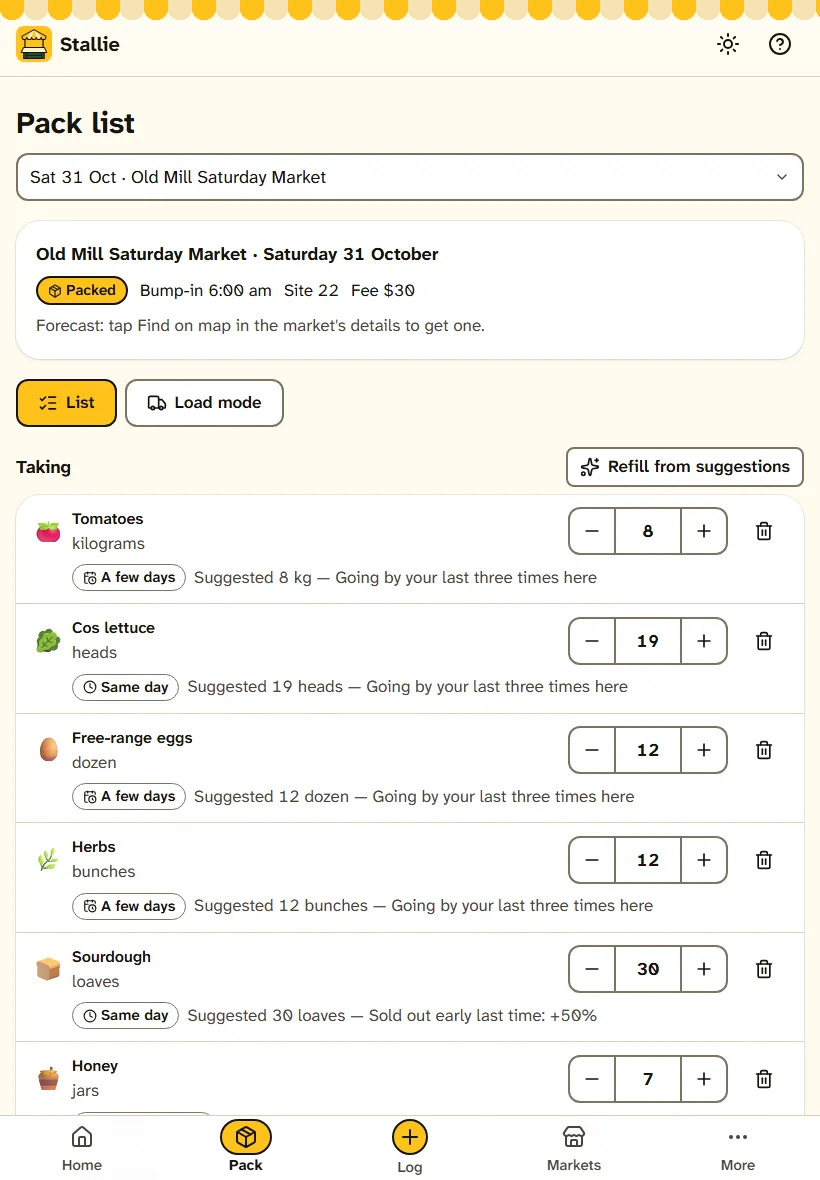
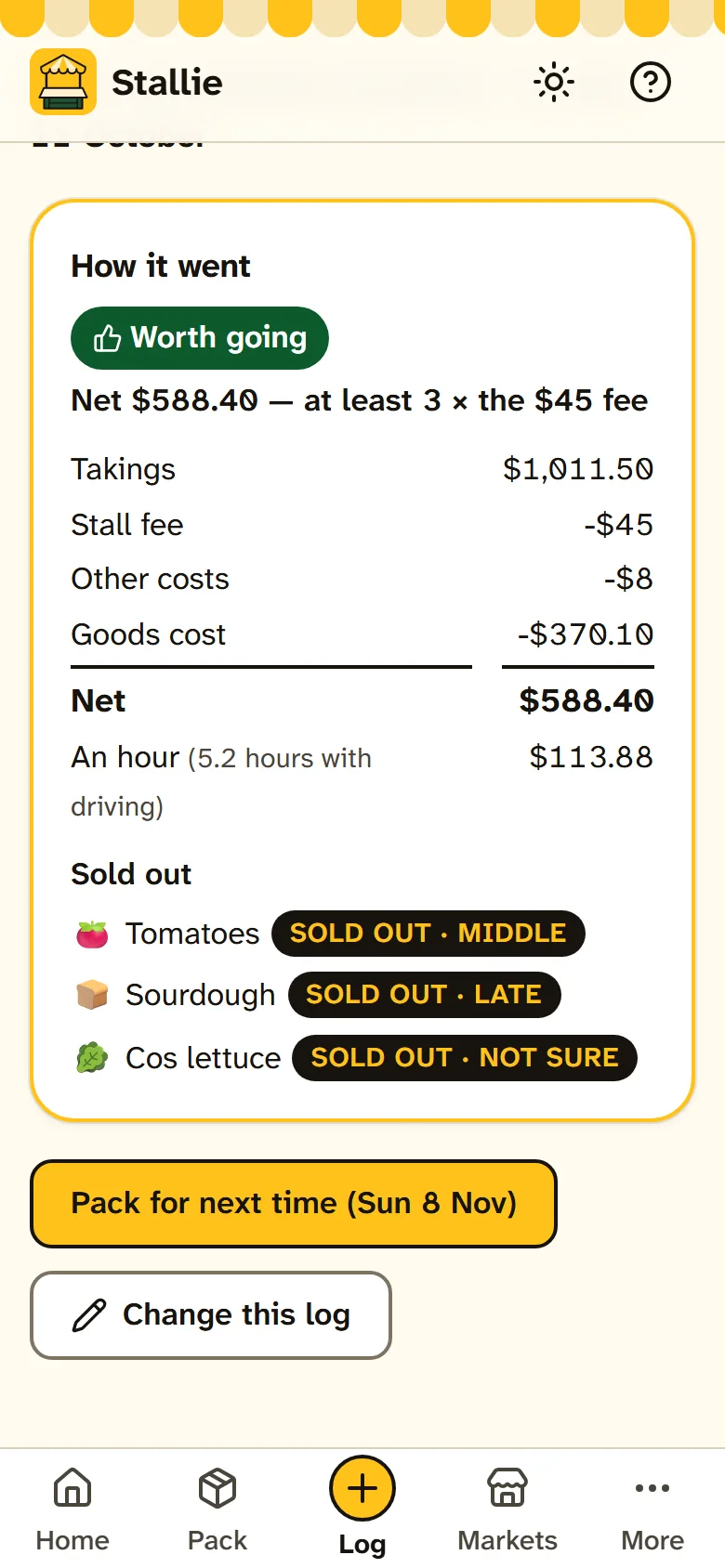
The example stall that comes with Stallie, on a laptop, an iPad and a phone. Tap any screen to see it full size.
What it does
The notebook in the esky, the sums on the back of the float bag, and the gut feeling about which market's worth the drive.
-
A pack list that learns
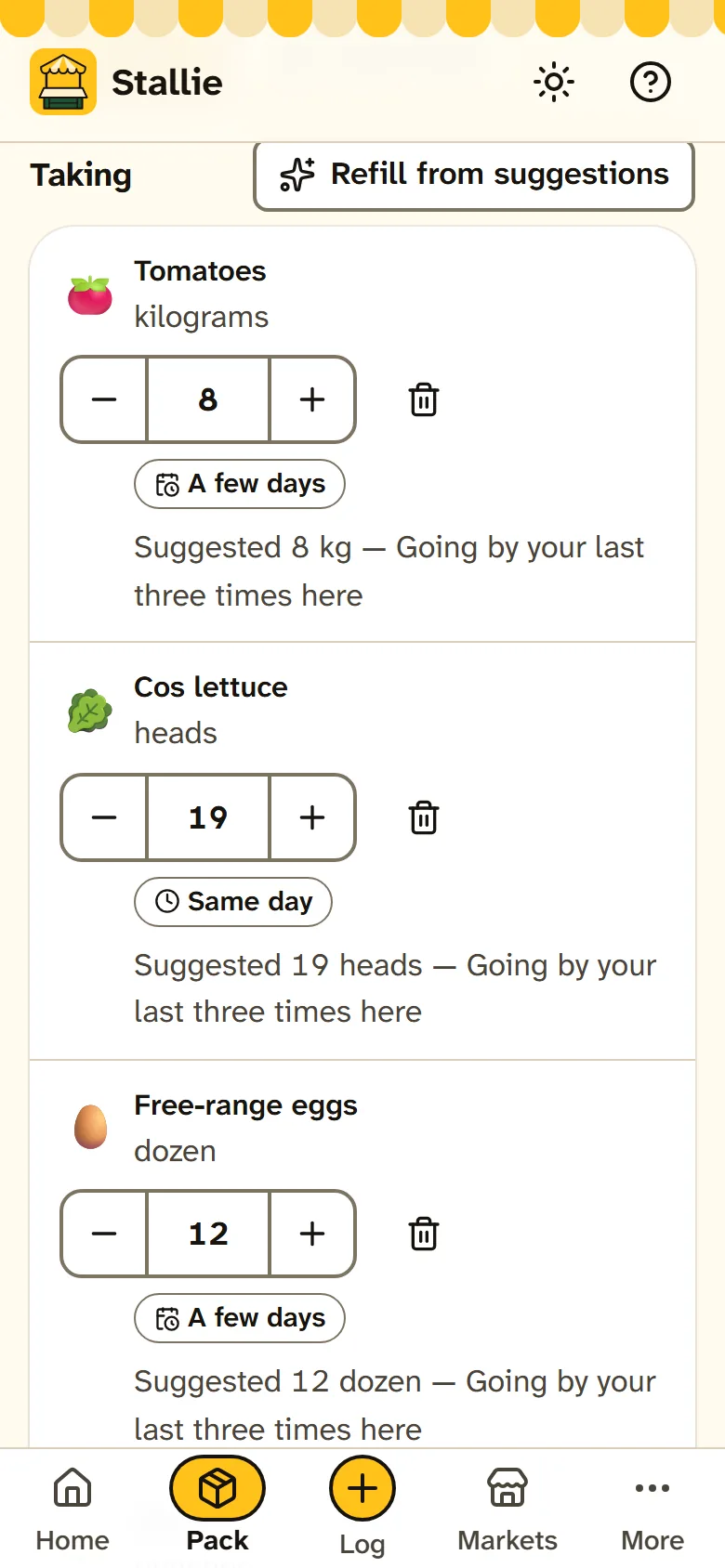
Tap Fill and each product comes in at what's worked at that market: more if it sold out early last time, less if a pile came home, left off after a couple of days with none sold or when it's out of season. Every number says why, and you can change any of them.
-
Load mode, gear and all
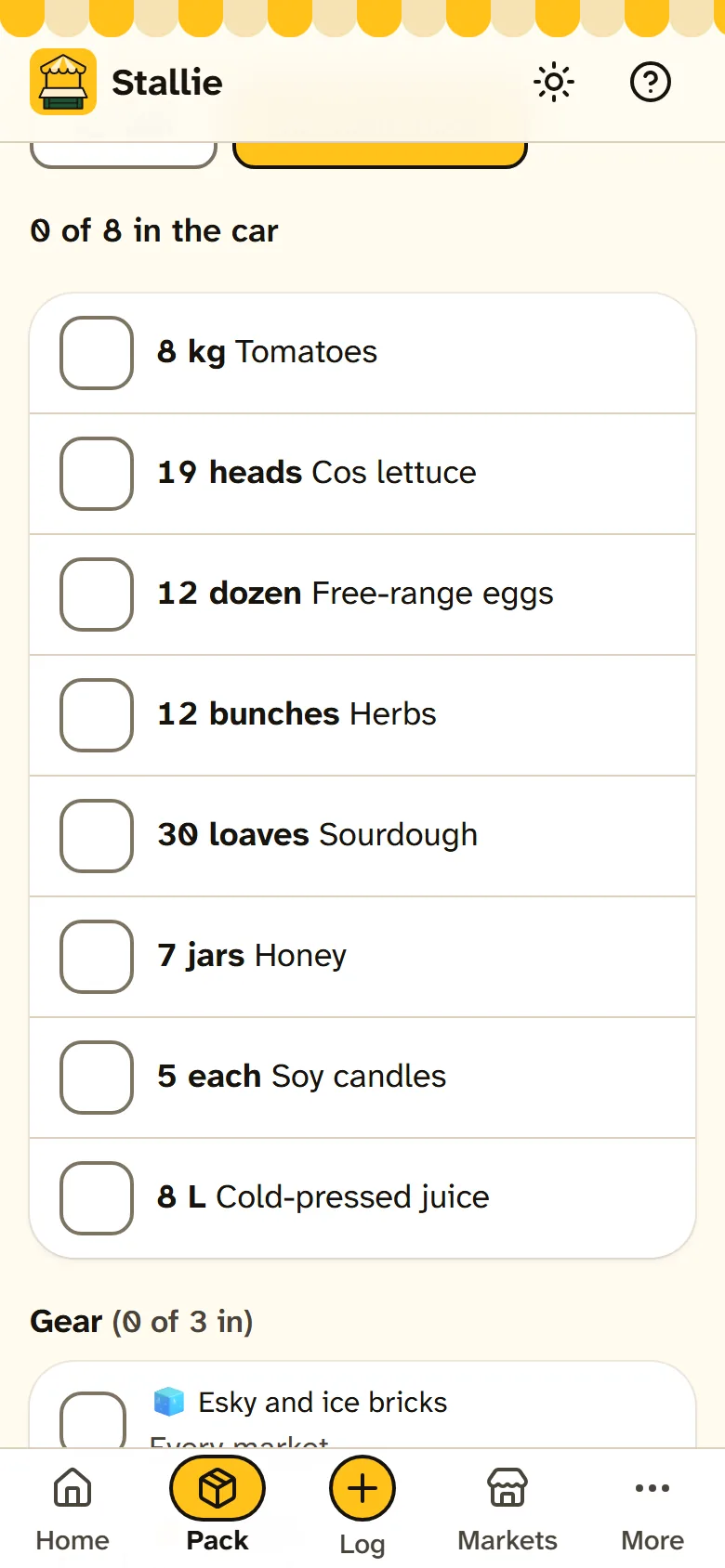
Big tick rows for loading the ute in the dark, ticked things out of the way. The gazebo, weights, trestles and float tin come along from your gear lists, plus whatever you've marked for certain days: the extension lead at a power site, the tarp when rain's forecast.
-
Log the day at pack-down
What came home, line by line, or All sold with when it went: early, middle or late. Count the cash against the float, add the card takings from your reader's summary, and the stall fee's worked out for you. Two minutes in the car park.
-
Was it worth going?
Takings less the fee, the other costs, the cost of what sold and, if you like, the driving: the net, and dollars an hour with the travel counted. Then a plain verdict — Worth going, Just OK or Weak day — by your own bar. A washed-out day is marked, so it doesn't sink a good market.
-
What to make or pick
For the next week or two, across every market you're doing: how much of each thing you'll take, less the good stock at home — jam keeps, lettuce doesn't — so you know how many loaves to bake and how much to pick. Tick it done and it goes into stock.
-
Markets, dates and fees
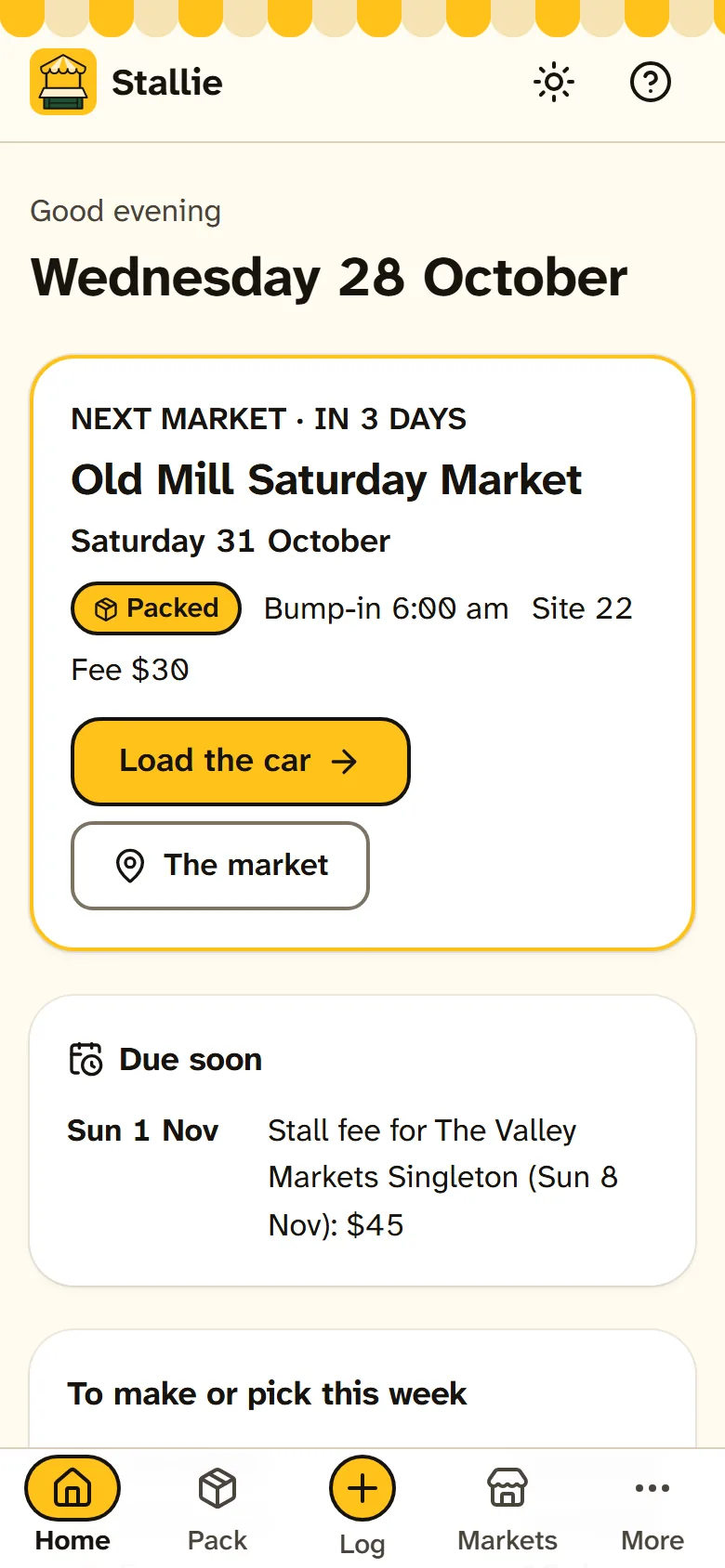
Each market's usual day ("2nd Sunday of the month"), hours, site and fee — flat, a percentage of takings, or both, plus power or table hire. Call a date off when it rains out. Fee due dates and application deadlines show on Home and go in your phone's calendar.
-
The weather for market hours
The forecast for the hours the market's open, not the whole day: rain, wind and the temperatures. Gear you've marked for wet, windy, hot or cold days comes onto the pack list when the forecast says so, and the log starts with it. Switch it off if you'd rather.
-
Scores and the season report
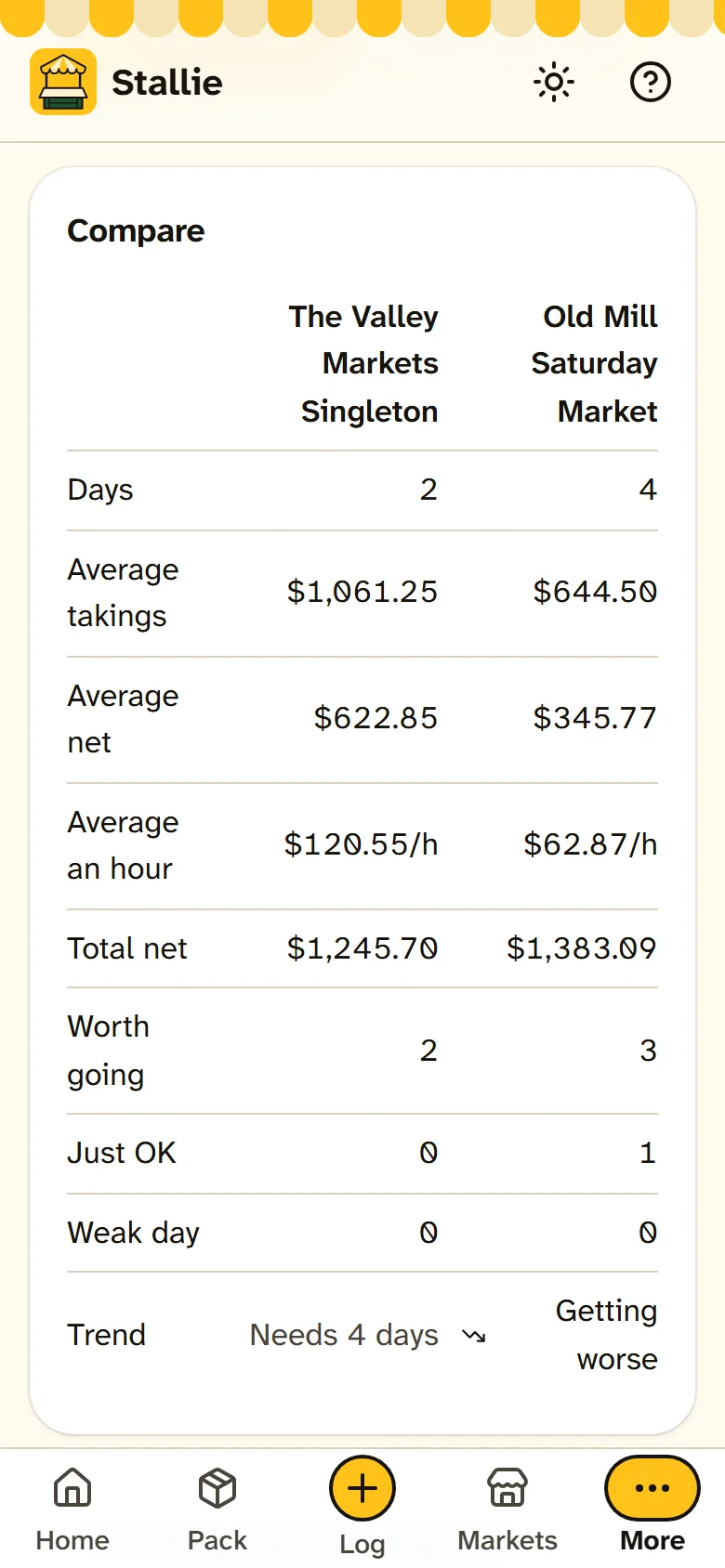
Every market side by side for the financial year or any dates you like: average takings, net and dollars an hour, the verdicts and the trend. The season report adds it all up market by market, to print or save as a spreadsheet for your records or your accountant.
-
Made for the outdoors
Sun mode turns it black on white with heavy edges, for reading at the stall in full sun. Big buttons for cold fingers, text you can read at arm's length, and nothing that needs signal at the showground.
A look inside
Real screens from Stallie, with the example stall it comes with.
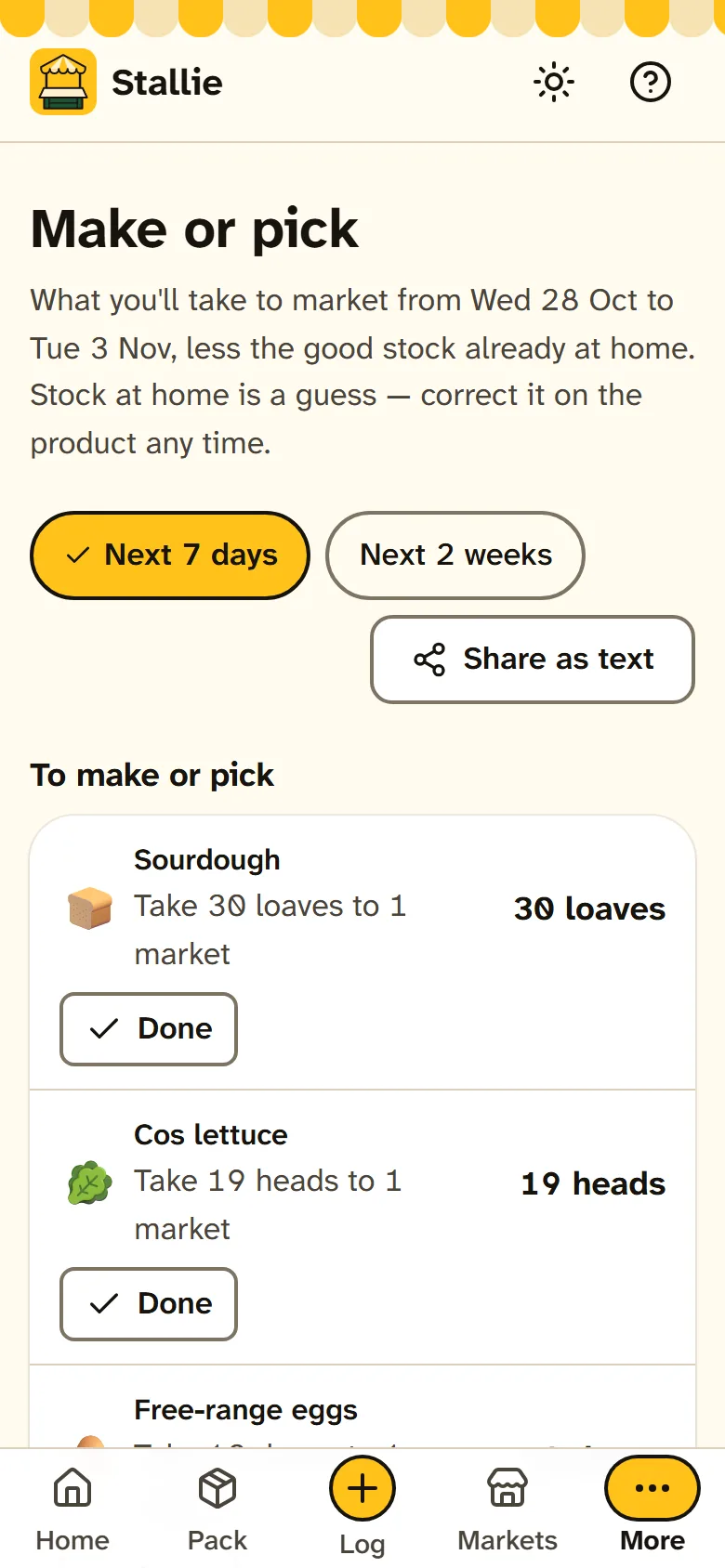
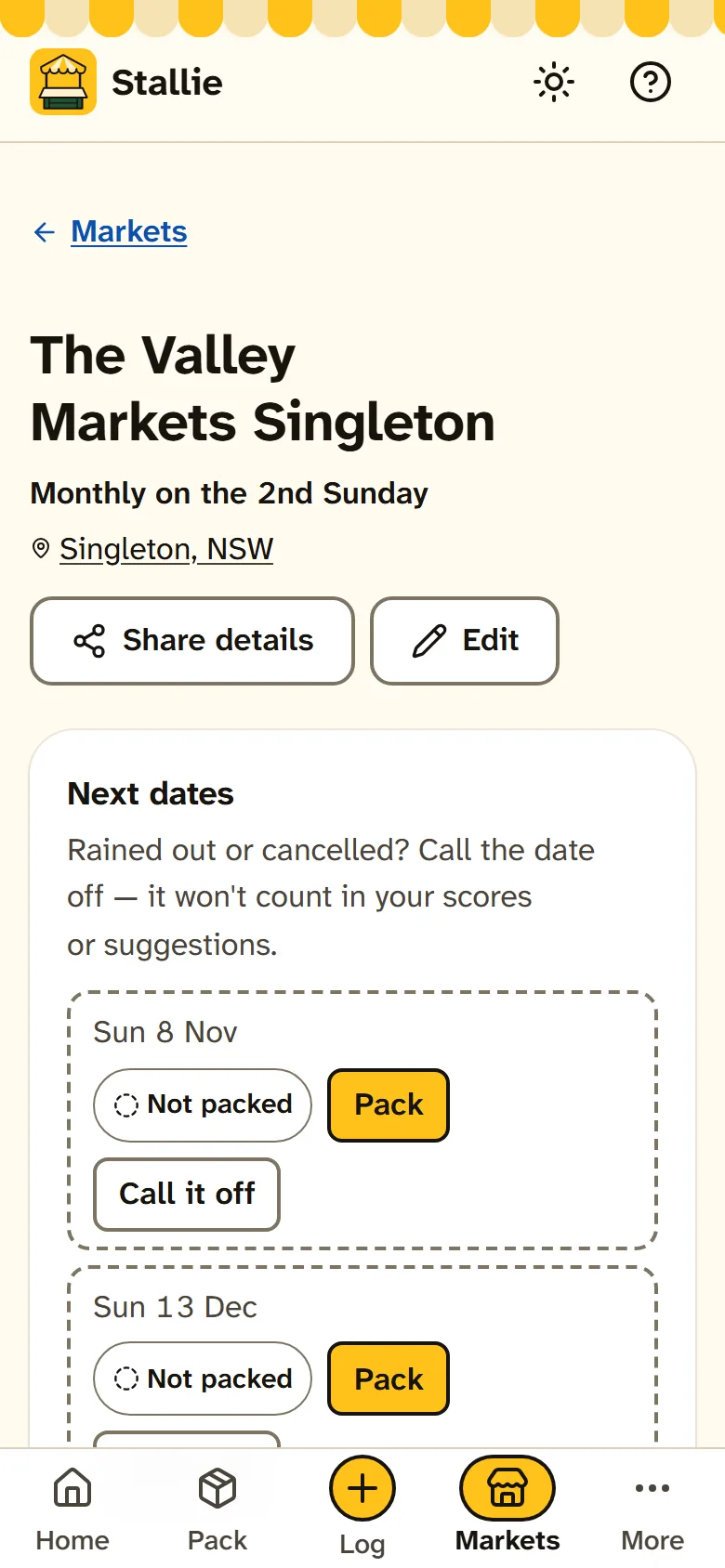
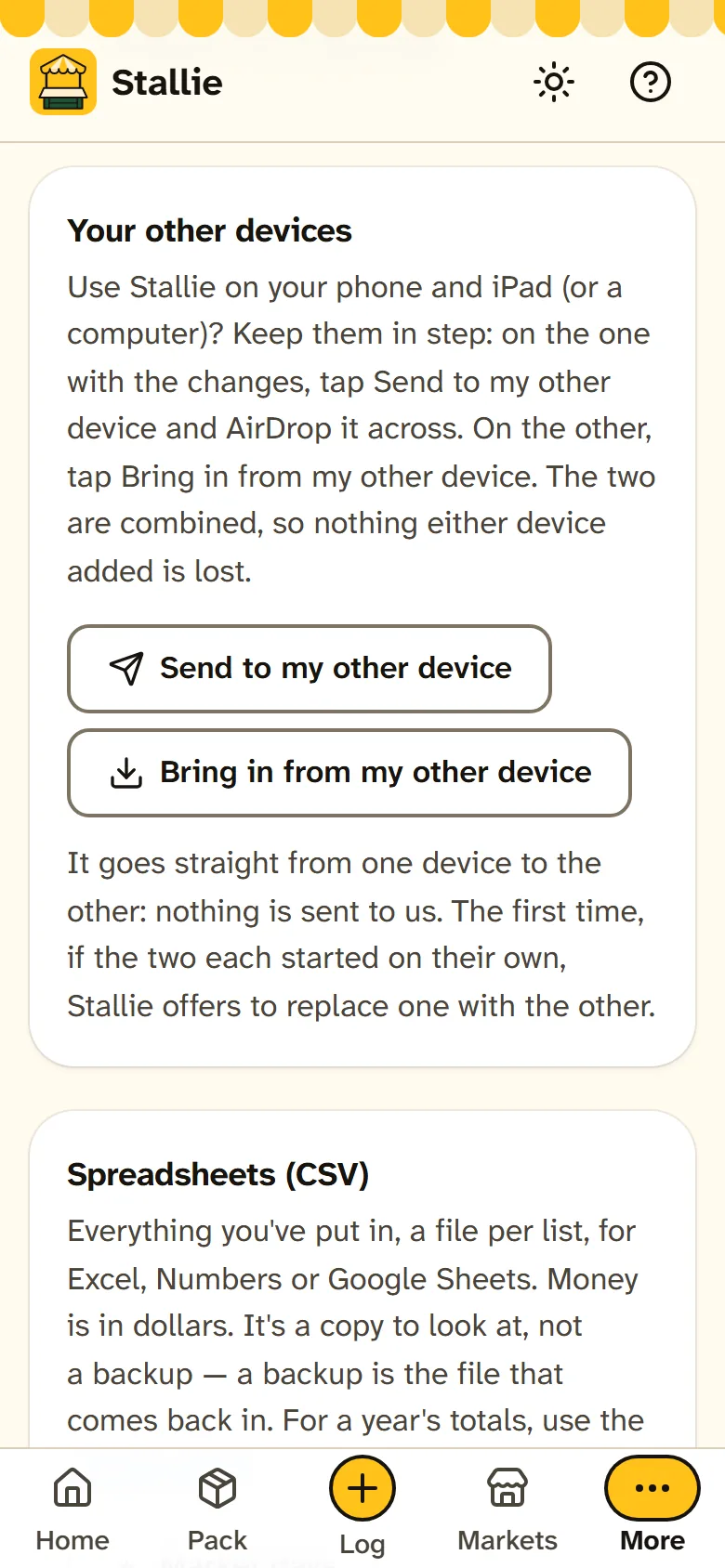
How it works
Put in what you sell
Each product once, with its price and unit. Say you grow, make or both, and the units and wording follow.
Add your markets
Name, usual day and the stall fee are enough to start. The dates come up by themselves.
Pack and load
Fill the list from last time, change what you like, then tick it into the car on the day.
Log it, and look back
What came home and the takings at pack-down. The next list gets smarter, and Scores shows which markets pay.
Pricing
Pay yearly or monthly. Either covers your stall on up to three devices, with every feature. No tiers.
Trial
Every feature 14 days
No card and no sign-up. The 14 days start when you name your stall or add your first product or market — looking around the example stall doesn't use them up.
Yearly
A$39.99 a year
The whole price — no GST on top. Renews once a year, with a reminder email about seven days before. Cancel any time in the billing portal or from your receipt email, with no fee.
Monthly
A$4.99 a month
The same app, a month at a time, for a season of markets. Without a subscription Stallie goes read-only: nothing is deleted, a market day you've already packed can still be ticked off and logged, and everything stays on your device.
Where your data lives
- Your products, markets, takings and notes are stored in your browser on your device
- There is no account, no database and no sign-in
- A backup is one file, saved to iCloud Drive or emailed to yourself
- Keeping two devices in step sends a file from one of yours to the other, by AirDrop or iCloud Drive, never to us
- The forecast sends only a market's place (to find it on the map, when you tap Find on map) and its position (for the weather), never your dates or takings, and switches off in Settings
- Activating sends only the licence key, to check it
What it isn't
- A till. There's no tap-to-sell screen and no payments: keep your Square, Zettle or EFTPOS reader, and type its total in at pack-down.
- Tax software. The season report adds up what you logged for your records or your accountant; it doesn't do GST or BAS.
- A cloud service, or stock sync with an online shop. Your devices are kept in step by a file you send from one to the other.
Put it on your phone
Stallie is a web app that installs like a normal app. No app store needed, and it works with no signal at the showground.
iPhone or iPad
- Open Stallie in Safari.
- Tap the Share button.
- Choose Add to Home Screen, then Add.
Android
- Open Stallie in Chrome.
- Tap the three-dot menu.
- Choose Add to Home screen or Install app.
Laptop or desktop
- Open Stallie in Chrome or Edge.
- Click the install icon at the right of the address bar.
- It opens in its own window from then on.
Questions
Is it a till?
No, on purpose. Keep taking money the way you do now — cash, and your Square, Zettle or EFTPOS reader. Stallie is everything around it: what to make or pick, what to pack, what came home, and whether the day was worth it. At pack-down you type in the cash and the card total from your reader's summary.
How does it know how much to pack?
From your last three days at that market. Sold out early: about half as much again. Sold out late: a little more. Plenty came home: less. None sold the last two times, or out of season: left off, with one tap to add it back. It adds a spare and rounds to how you sell it. Every number shows its reason, and you can change it.
Does it work with no signal?
Yes. Once it's on your home screen it runs fully offline, at the stall or out on the farm. Only the weather forecast, and activating it the first time, need a connection.
Can my phone and iPad have the same stall?
Yes. Each device keeps its own copy, and Settings keeps them in step: Send to my other device on one (by AirDrop or iCloud Drive), then Bring in from my other device on the other. The two are combined, so the list packed on the iPad and the day logged on the phone both stay. There's no account, and nothing goes through us.
Does it do my tax?
No. The season report adds up each market's takings, fees, costs, kilometres and cost of goods for the financial year, to print or save as a spreadsheet. It's for your records or your accountant; Stallie doesn't do GST or BAS.
What happens if I lose my phone?
Your stall was only on that phone, so you'd restore from your last backup — or from your other device, if you keep two in step. Stallie reminds you to make a backup every week.
What if I stop paying?
Nothing is deleted. Stallie goes read-only: you can still see everything, back up and restore, and finish a market day you'd already packed — tick it off while loading and log it at the end of the day. Activate again any time and carry on.
Stallie is looking for testers.
It's in a private testing round before it opens up more widely. If you sell at weekend markets and want to try it at yours, email stallie@idleideas.com.au and say what you sell and which markets you do.