

For cellar door days, from the Hunter to the Barossa
Only two types of wine.
The ones you like, and the ones you don’t.
Tastings get busy. The pourer's onto the next bottle, the sheet's covered in ticks, and by the third winery it's a blur. Sip or Tip asks for two taps: snap the bottle, then Like, Meh or Don't. The names, years and notes can wait until you're home, when Tidy up reads the label for you. Every tasting day adds itself up, it learns what you keep liking, and in a bottle shop it tells you whether you've tried one. Everything stays on your phone: no account, no cloud.
Free for your first two tasting days, then A$9.99 once. Works offline. For adults 18 and over.
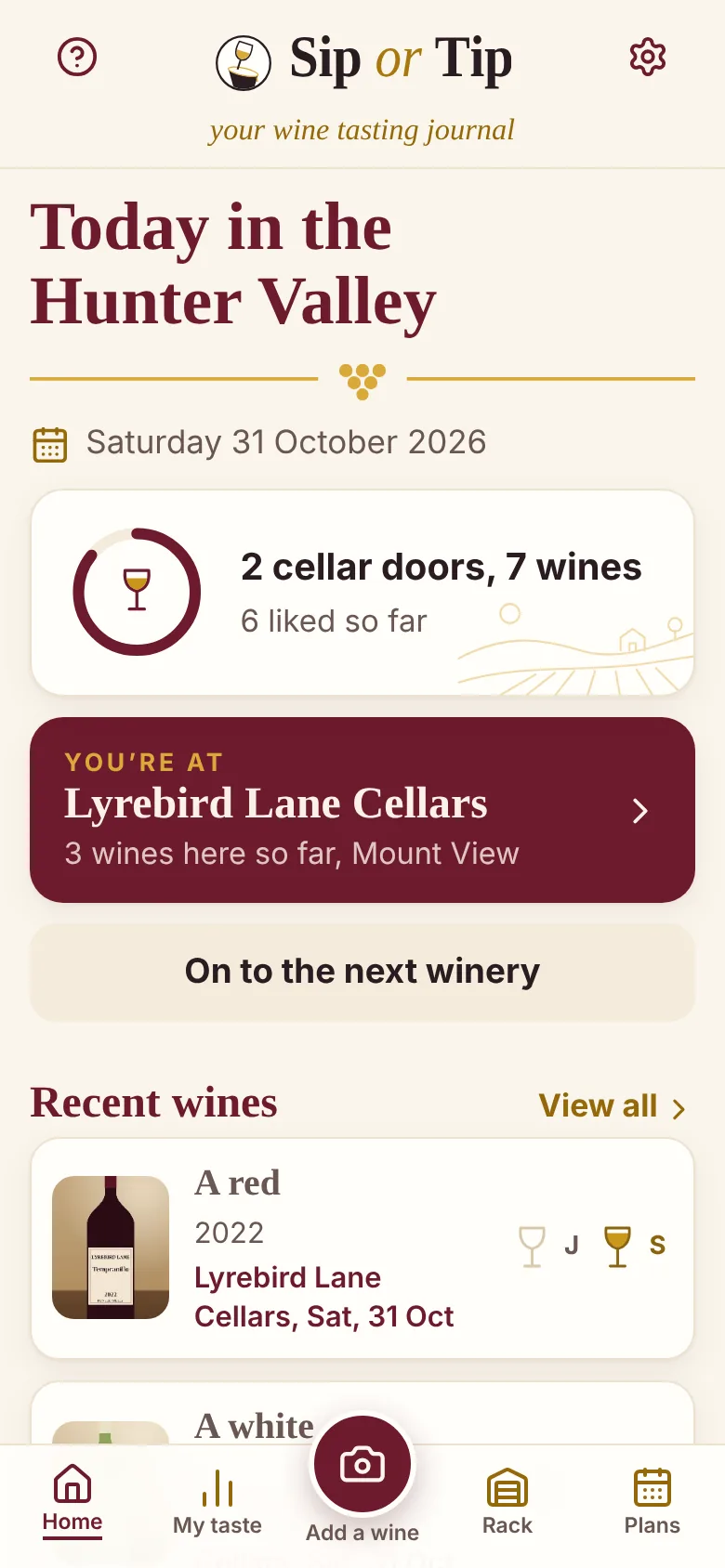
- At the counter: a photo and Like, Meh or Don't. That's all it needs.
- Two of you? A verdict each on every wine, on one phone.
- Tidy up later: it reads the label or the tasting sheet, on the phone.
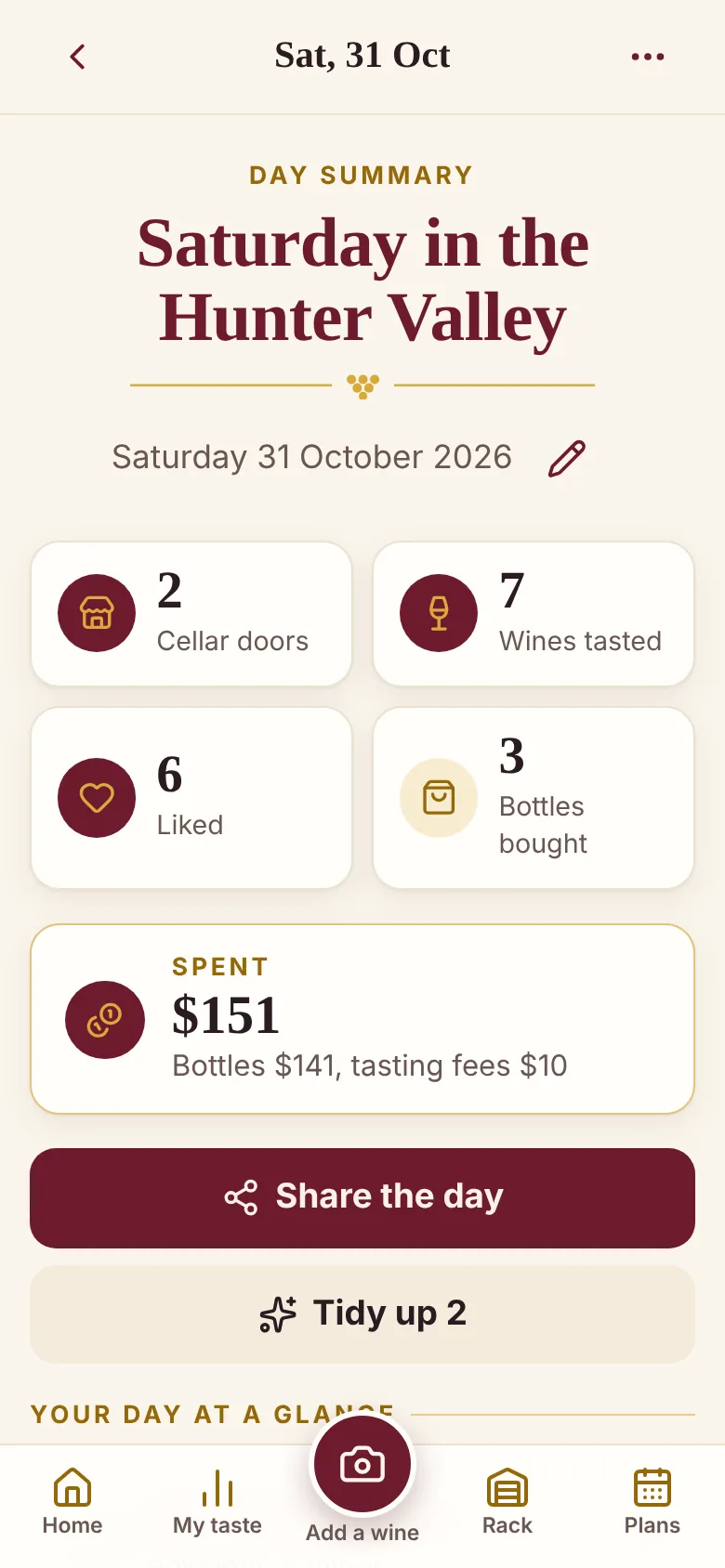
- Every tasting day added up: cellar doors, wines, likes, bottles and spend.
- Have I tried this? Type a name or snap a label in the bottle shop.
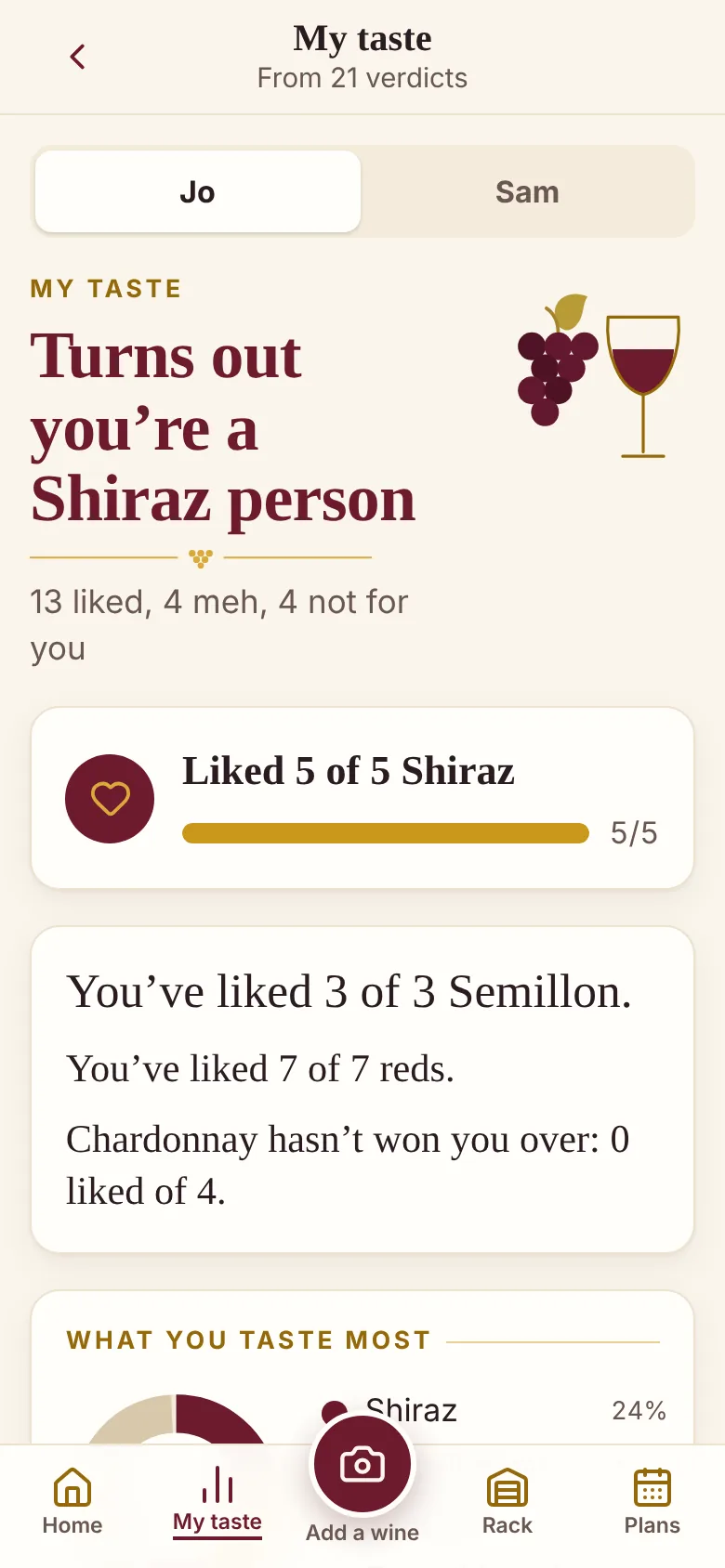
- My taste: “Turns out you’re a Shiraz person.”
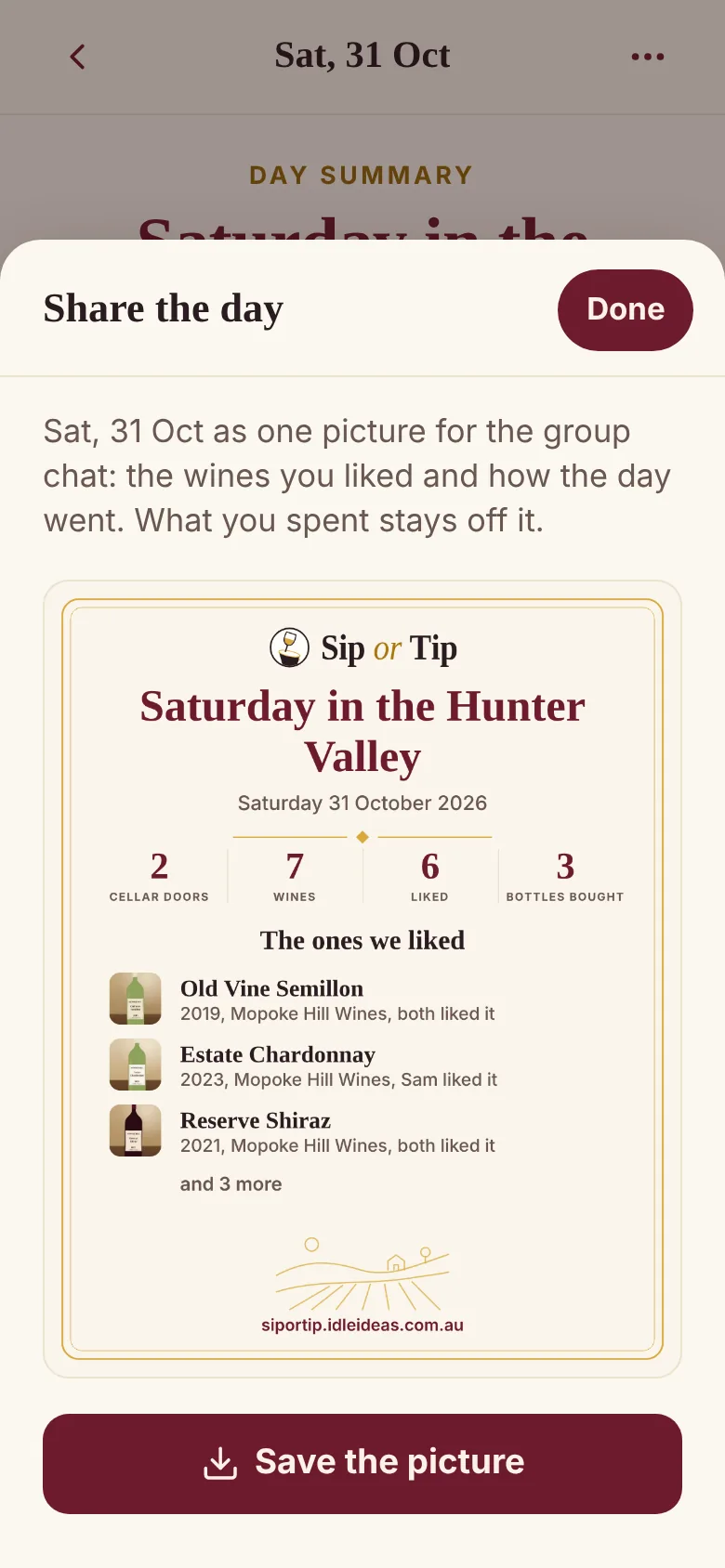
- The day as a picture for the group chat.
- A rack for what you bought, wine clubs, and a plan for the next day out.
- Every Australian wine region, with the Hunter's cellar doors built in. Every byte stays on your phone.
A one-minute look around
A made-up couple, Jo and Sam, a day in the Hunter at made-up wineries, and a few days out from earlier in the year.
A one-minute tour with captions and no sound, so you can watch it anywhere. Every winery, wine and person in it is made up.
Made for the phone in your hand
At the counter it's one-handed: the camera button sits under your thumb. At home, the iPad or the laptop is fine for tidying up and looking back.
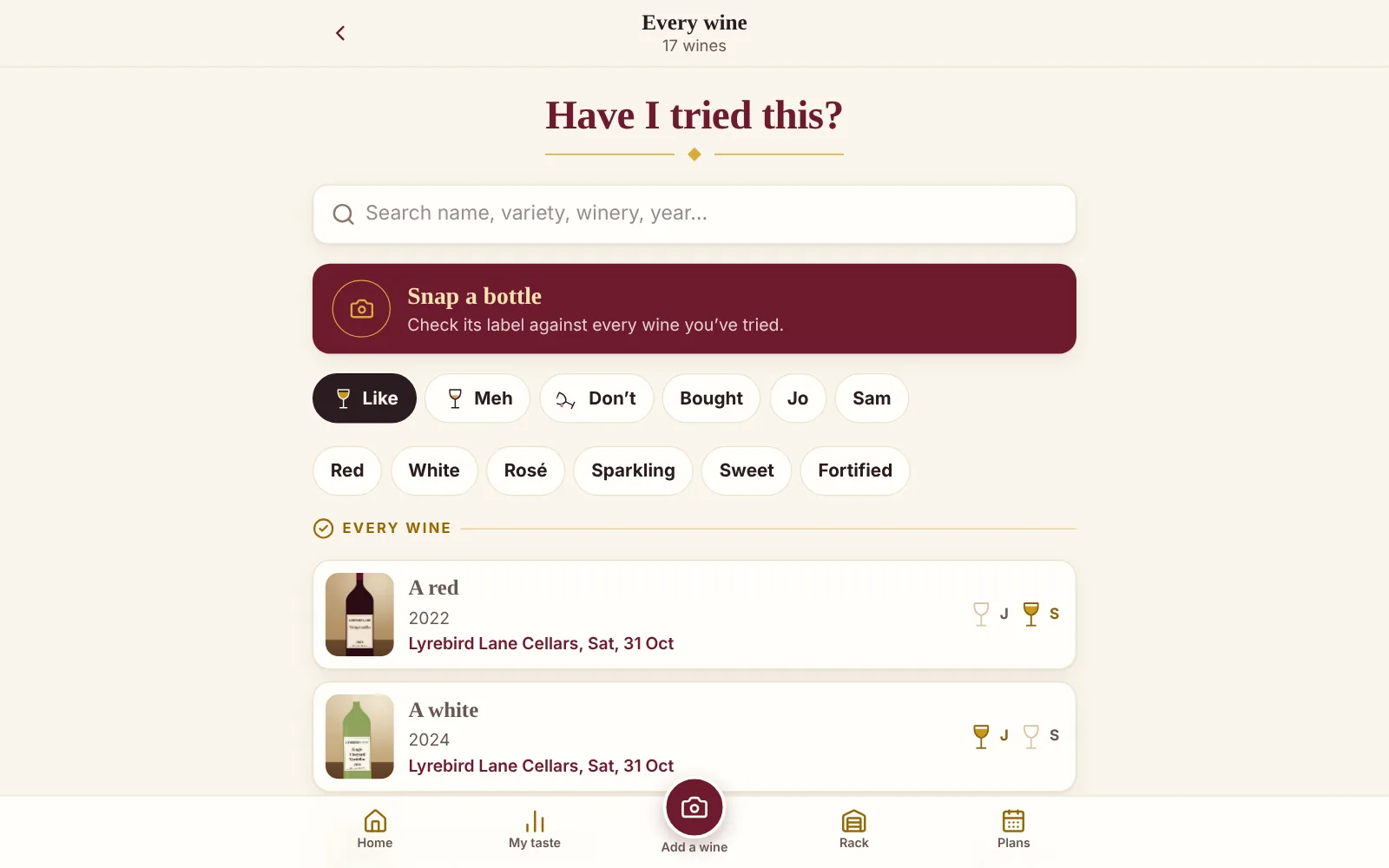
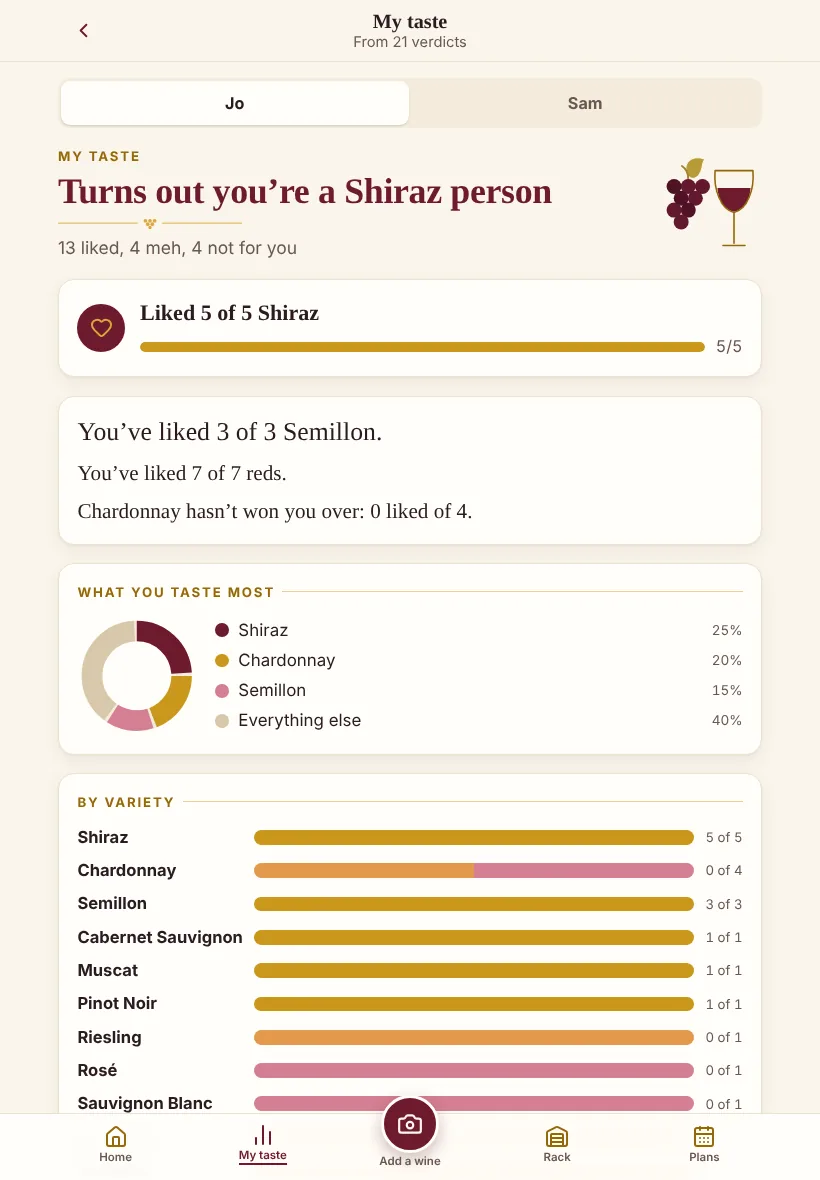
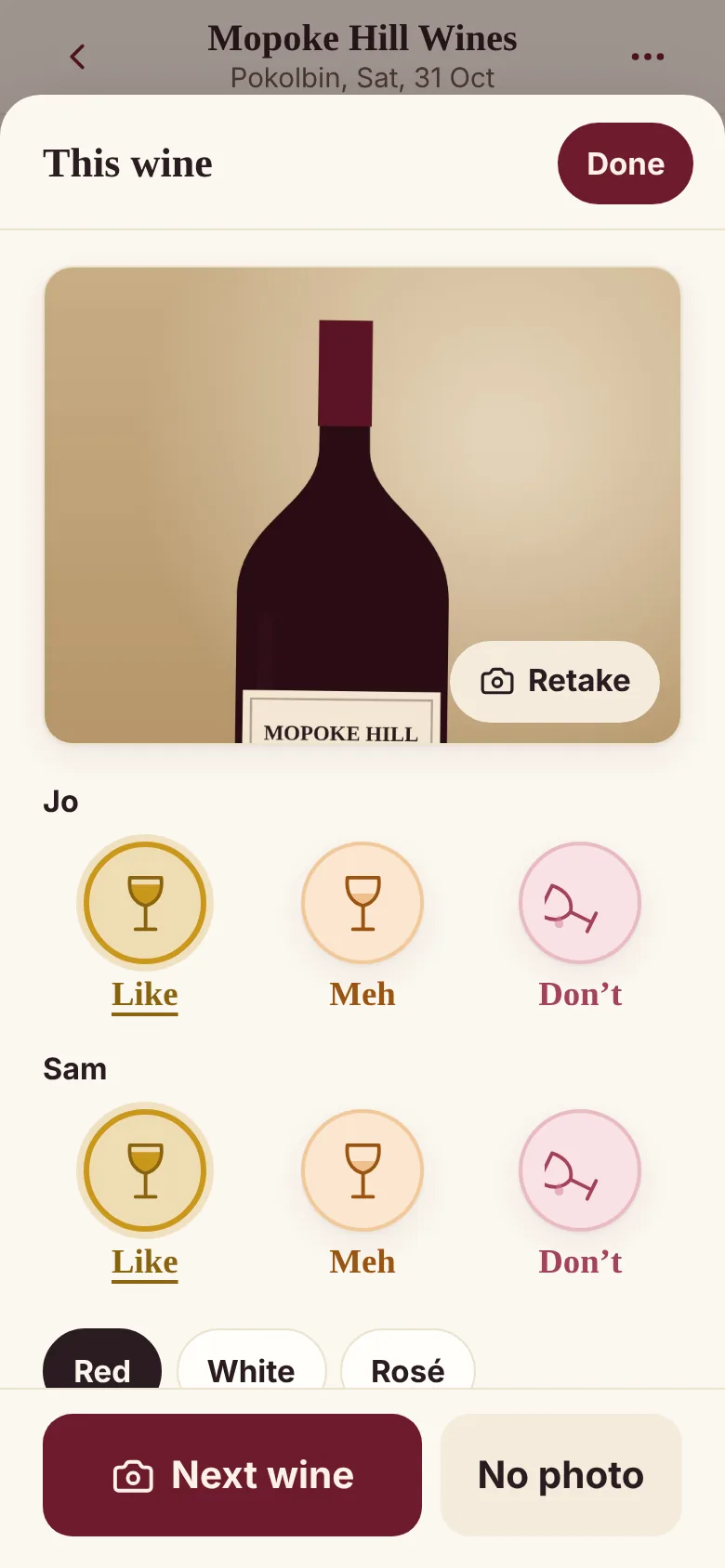
Made-up wines on a laptop, an iPad and a phone. Tap any screen to see it full size.
What it does
The tasting sheet you scribbled on, the bottle you meant to remember, and the one you liked at the third place.
-
Two taps at the counter
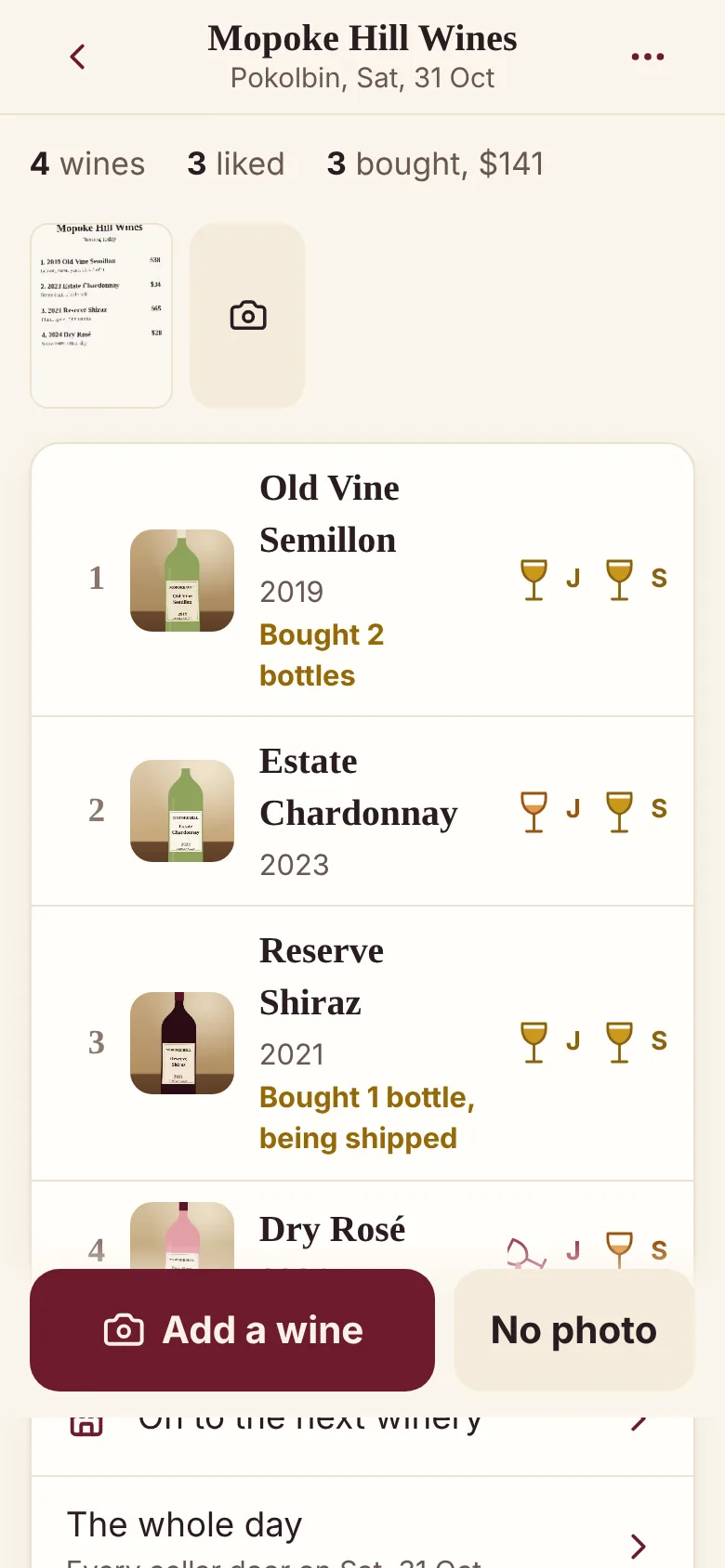
Add a wine opens the camera. Snap the bottle, then tap Like, Meh or Don't — drawn as a full glass, half a glass and one tipped out. Got a moment? Pick red or white, or type a name. If not, Next wine.
-
Tidy up, later
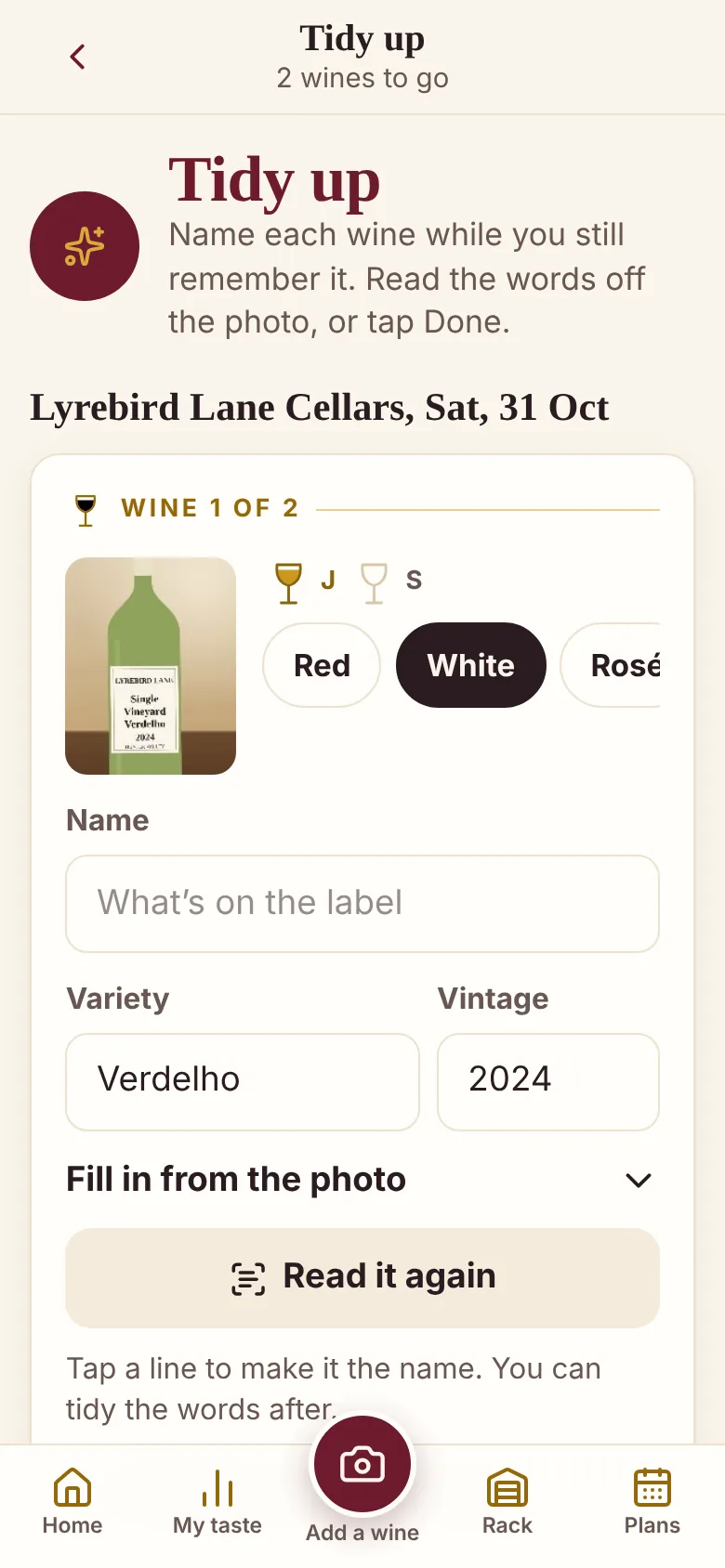
Wines without a name wait in Tidy up. It reads the words off the bottle or the tasting sheet, fills in the year and the grape, and turns every line it read into a button: tap one and that's the name. It's text recognition on your phone, not AI, and nothing is sent anywhere.
-
Two of you
Turn on Two of us and every wine gets a verdict each, on one phone. My taste works for each of you separately, and the share card says which of you liked what. Two phones work too: send one's notes to the other and they're combined.
-
Every tasting day, added up
The cellar doors in the order you visited, every wine at each, what you liked, what you bought and what it cost, tasting fees included. Name the day, add a note, and share it with the group chat as one picture (what you spent stays off it).
-
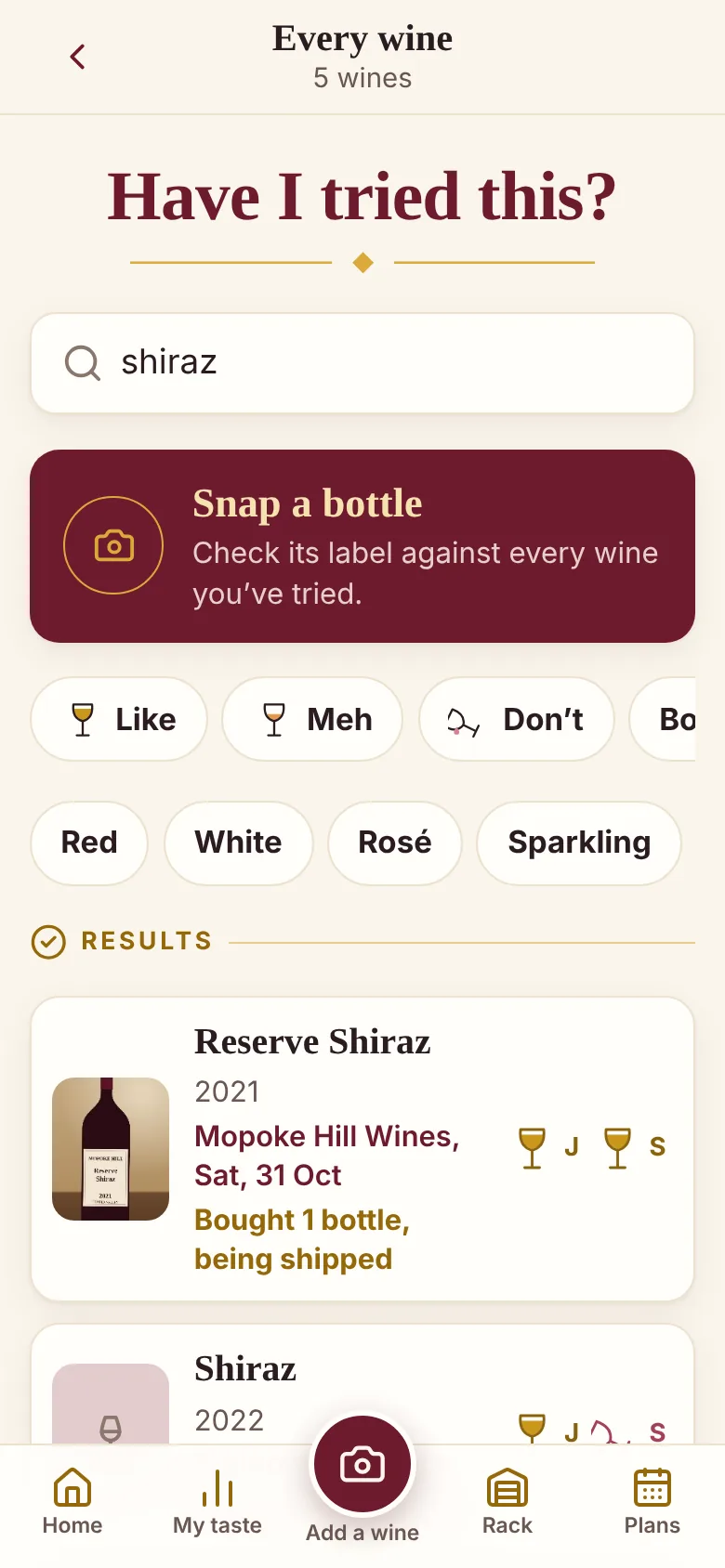
Have I tried this?
In a bottle shop or at a restaurant, type part of a name, a winery, a grape or a year, and see what you thought. Or snap the front label and it finds the closest matches in your notes.
-
What you keep liking
Every verdict adds up, by grape, style, winery and region, and once there are three of a kind it says it plainly: "You've liked 9 of 11 Shiraz." No wine words needed to know what you like.
-
A rack, and wine clubs
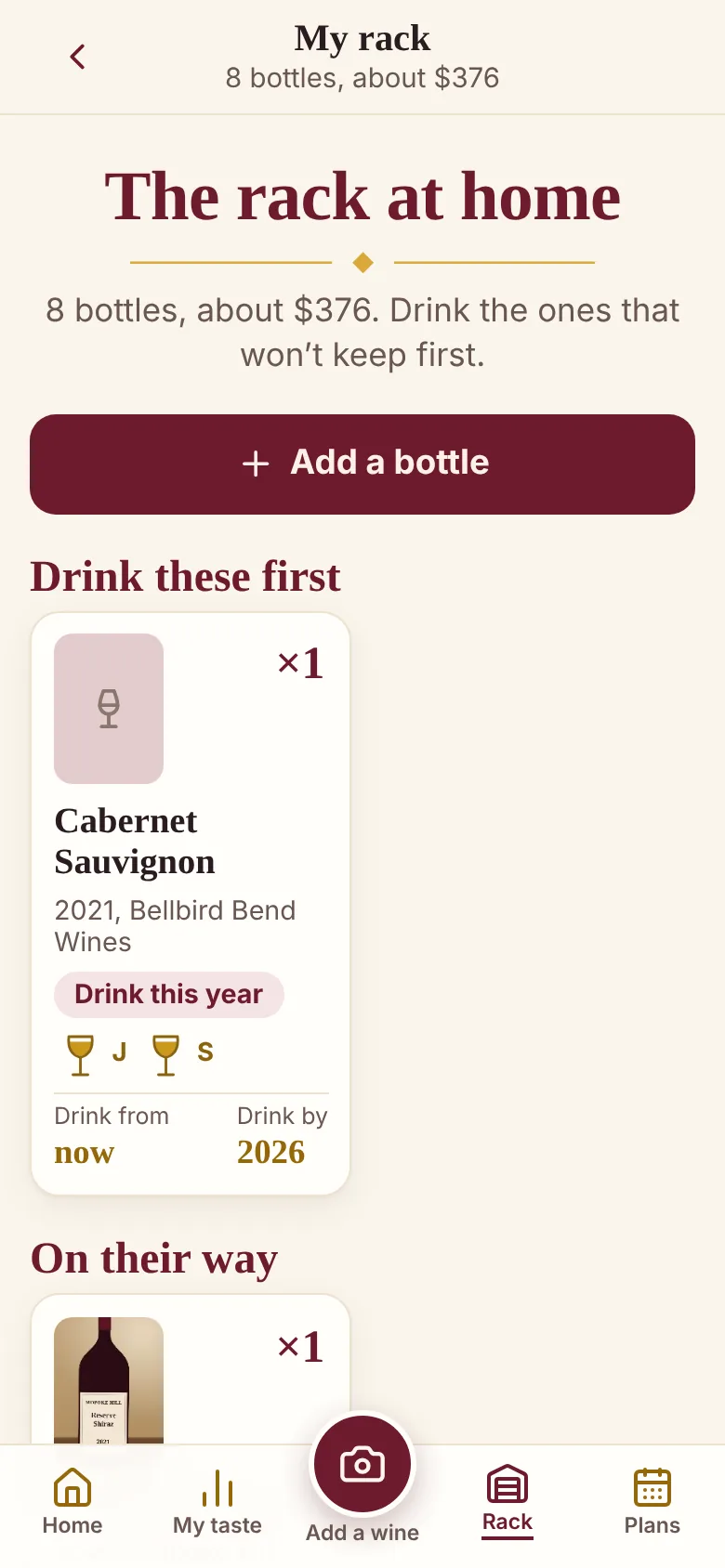
Bottles you buy go on your rack by themselves, and a case being shipped shows as on its way. Add a drink-from and drink-by year and it sorts them: drink these first, ready, not yet. Clubs keep when the next box comes, what it costs and the member discount.
-
Plan the next day out
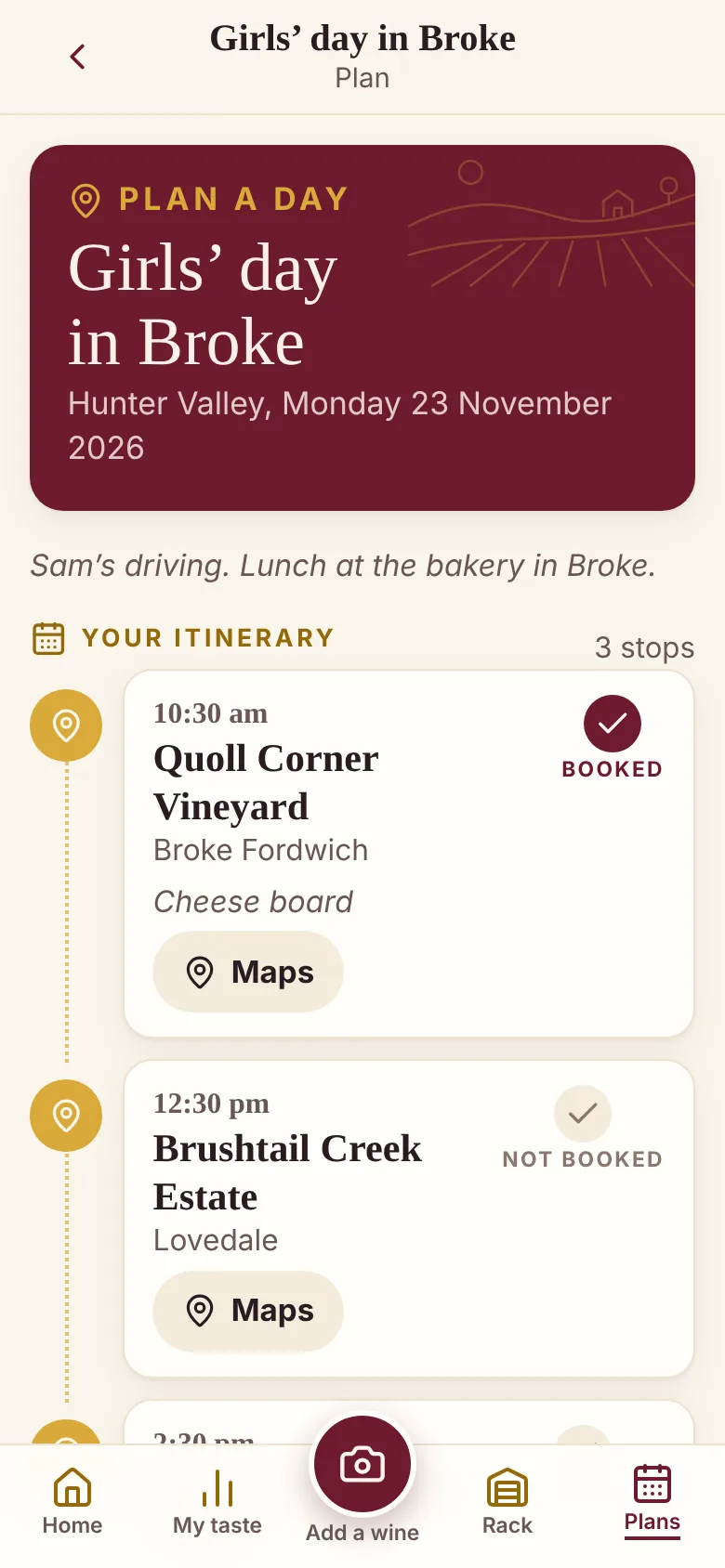
Pick the cellar doors, put them in order, add a time and tick the ones you've booked, then open the whole route in Maps. On the day, start tasting straight from the plan.
-
Every region, the Hunter built in
Pick a state, then the wine region. The Hunter Valley's cellar doors are already there; anywhere else, add a winery the first time and it's there next time. Near me sorts them by distance once it knows where they are.
A look inside
Real screens from Sip or Tip, with made-up wineries and wines.
How it works
Start tasting
Pick the cellar door: by region, by name, or Near me. There's nothing to set up first.
Snap and tap
A photo of each bottle, and Like, Meh or Don't. Next wine. Next winery.
Tidy up at home
Name the wines while the day's still fresh, with the label read for you.
Look back
Search before you buy, see what you keep liking, and plan the next day out.
Pricing
Try it on two real tasting days, then pay once. No subscription, and one price covers your household on up to three devices.
Free
Every feature 2 tasting days
No card and no sign-up. A tasting day is any day you log at least one cellar door, however many you get to. Afterwards, everything you've logged keeps working: tidying up, searching, your taste, the rack and backups. Only starting another tasting day waits.
Unlock
A$9.99 once
The whole price, paid once and never again — no GST on top, no renewals, nothing to cancel. Every update is included. Pay by card through Stripe; the key comes in your receipt email.
Where your notes live
- Your tasting days, wines, verdicts and photos are stored in your browser on your phone
- There is no account, no database and no sign-in
- Labels are read on the phone; the photo never leaves it
- Near me uses your location on the phone, and nowhere else
- A backup is one file, saved to iCloud Drive or emailed to yourself
- Keeping two phones in step sends a file from one of yours to the other, never to us
- Unlocking sends only the key, to check it
What it isn't
- A drinking-limit calculator. Its standard-drinks estimate (off unless you turn it on) can't tell you whether you're safe to drive. Plan a driver or a tour.
- A wine review site. Your verdicts are yours; nothing is posted anywhere.
- A shop. It doesn't sell wine or take a cut from wineries.
Put it on your phone
Sip or Tip is a web app that installs like a normal app. No app store needed, and it works out in the vines with no signal.
iPhone or iPad
- Open Sip or Tip in Safari.
- Tap the Share button.
- Choose Add to Home Screen, then Add.
Android
- Open Sip or Tip in Chrome.
- Tap the three-dot menu.
- Choose Add to Home screen or Install app.
Laptop or desktop
- Open Sip or Tip in Chrome or Edge.
- Click the install icon at the right of the address bar.
- It opens in its own window from then on.
Questions
Does it work with no signal?
Yes. Once it's on your home screen it runs fully offline, out among the vines. Reading labels needs about 7 MB the first time it's used; get it ready on wifi in Settings and it works offline after that. Only unlocking needs a connection, once.
Does reading the label use AI?
No. It's text recognition that runs on your phone, so the photo and the words never leave it. It's good with tasting sheets and plain labels, and can stumble on fancy ones, so check what it fills in. Typing the name works too.
What counts as a tasting day?
Any day you log at least one cellar door, however many you visit. Your first two are free. After that, everything you've logged keeps working, and a day you've already started carries on; only starting a new day waits for unlocking.
Is it only for the Hunter Valley?
No. Every Australian wine region is in the list, by state. The Hunter's cellar doors are built in so you can just pick one; anywhere else, add a winery the first time you visit and it's there from then on.
We taste as a couple. One phone or two?
Either. On one phone, turn on Two of us and every wine gets a verdict each. On two phones, send one's notes to the other (by AirDrop or iCloud Drive) and they're combined. One unlock covers up to three devices.
Can it tell me if I'm OK to drive?
No, and nothing on a phone can. Sip or Tip can show a rough standard-drinks estimate if you turn it on, but it's no measure of blood alcohol. Plan a driver, a tour or a bus for tasting days.
What happens if I lose my phone?
Your notes were only on that phone, so you'd restore from your last backup. Sip or Tip reminds you to make one, and it's a single file with your photos in it.
Sip or Tip is looking for testers.
It's being finished now, then tested on real cellar door days before it opens. If you do cellar door days and want to try it on your next one, email siportip@idleideas.com.au and say which wine regions you visit.