
For anyone who packs the same bags again and again
Everything you take,
entered once.
Put in what you travel with once: the clothes, the chargers, the toiletry bag and what lives in it. Then build a list for each kind of trip by ticking from it — the overnight work trip, the weekend away, camping, overseas. Every trip gets its own copy to tick off as you pack, and again as you use things, so next time the list knows what stayed in the bag. Everything lives on your own device: no account, no cloud.
14 days free from the first change you make, then A$19.99 a year, or A$39.99 once. Works offline.
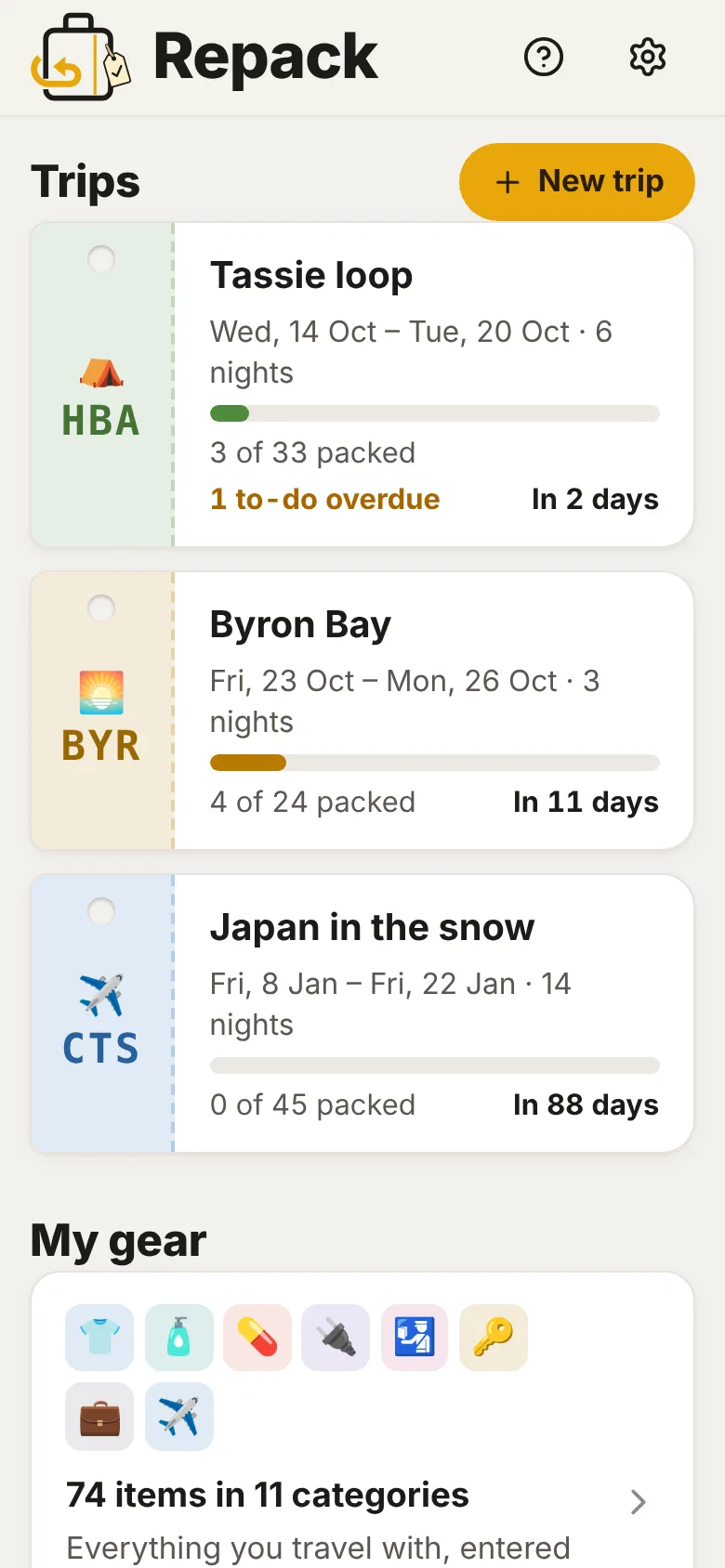
- My gear: every item once, with a photo, where it lives and how many.
- A list for each kind of trip, built by ticking from your gear.
- Amounts that follow the trip: a pair of socks a night, plus a spare.
- Packing for two, or the family: say who each thing is for, and tick off your own.
- Bags and what they weigh, things inside things, and the last-minute bits for the day you leave.
- A forecast for each stop, and a shopping list for what's run out.
- Before you go, leaving home and check-out lists, with due dates, and in your calendar.
- On the trip, tick what you use; at home, tidy the list for next time.
- The phone and the iPad kept in step, with no account. Every byte stays on your devices.
A one-minute look around
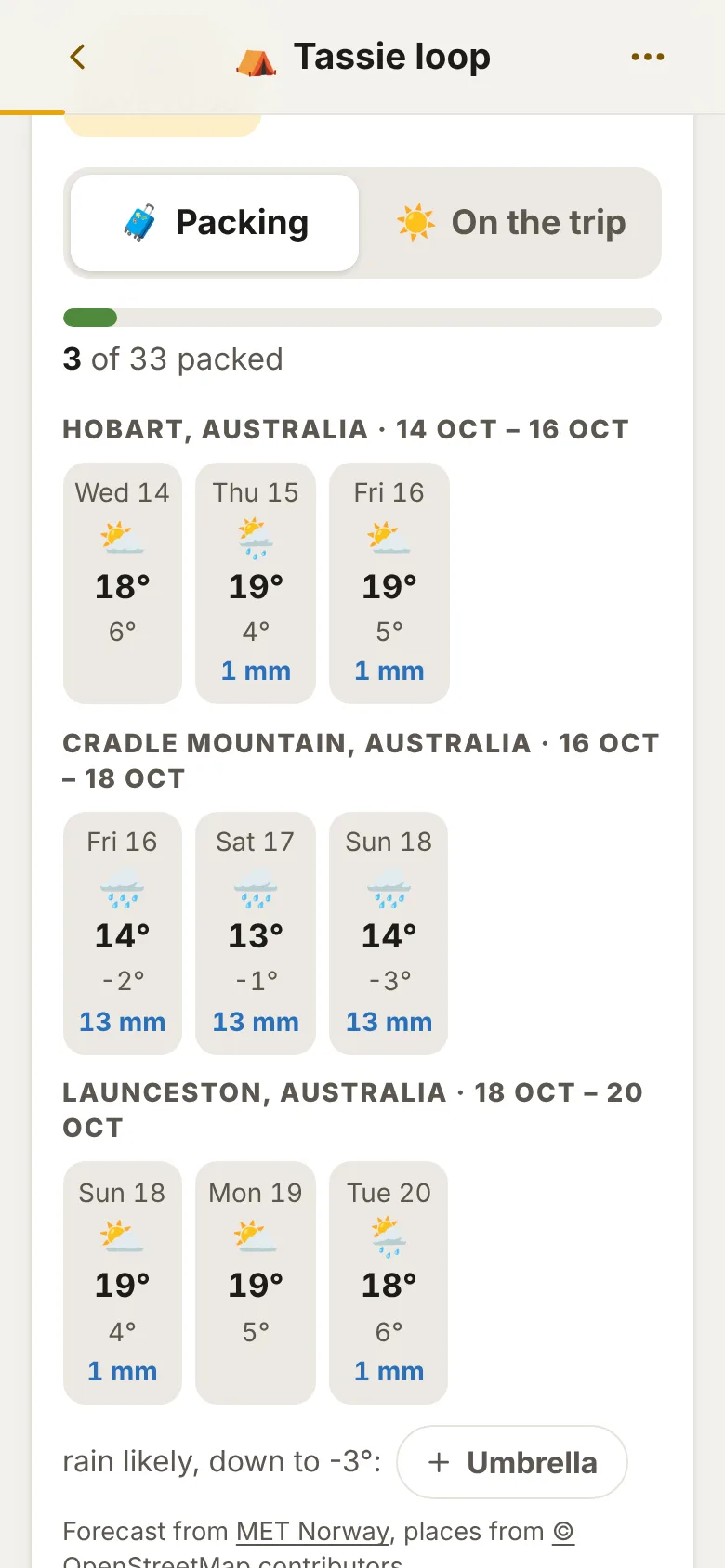
Three made-up trips: a loop of Tasmania with three stops, a Byron Bay weekend for two, and Japan in January.
A one-minute tour with captions and no sound, so you can watch it anywhere. Every trip, person and forecast in it is made up.
On the phone, the iPad or the laptop
One column on a phone, like a note. On an iPad or a computer the sections sit side by side, so a whole trip fits on one screen.
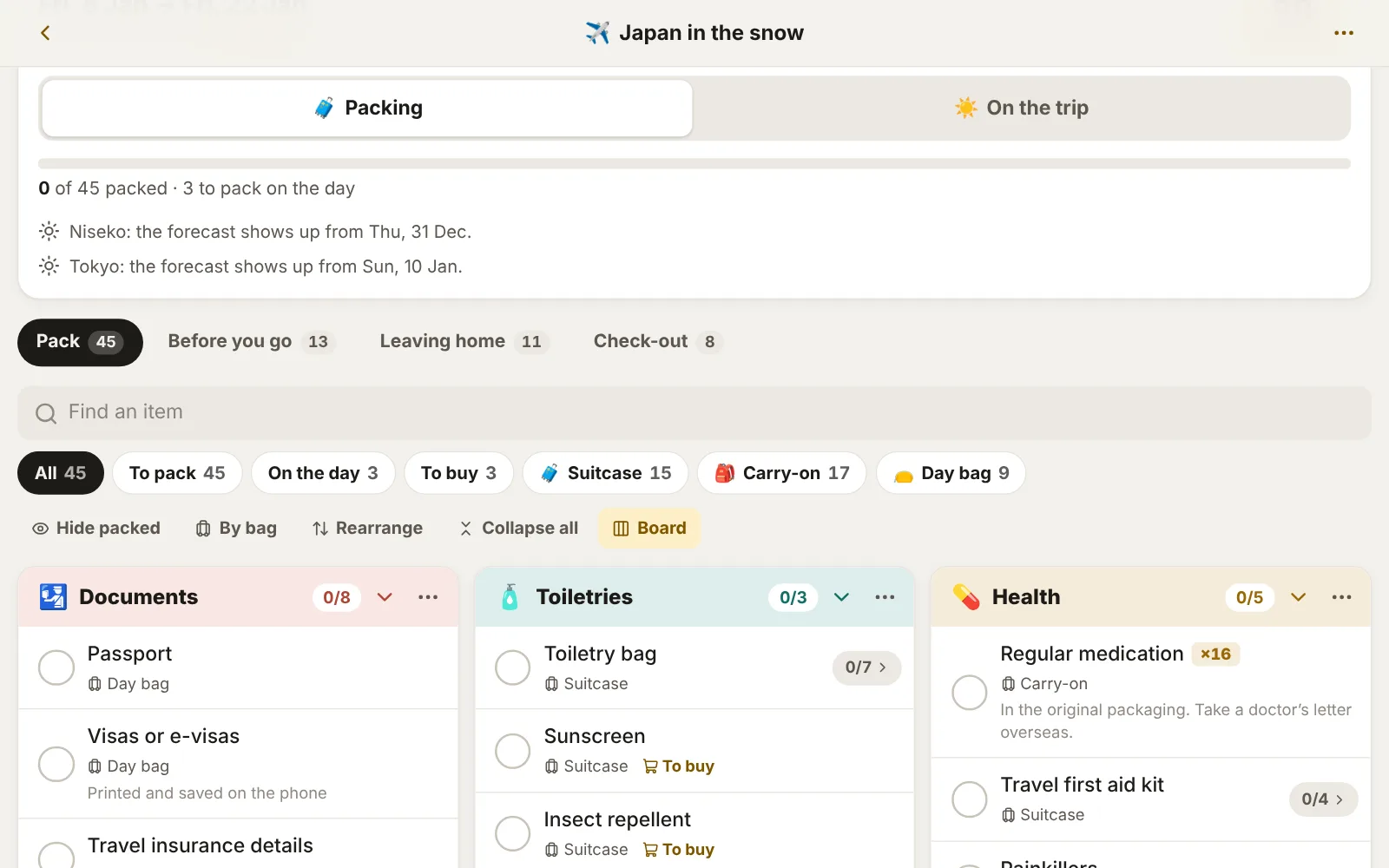
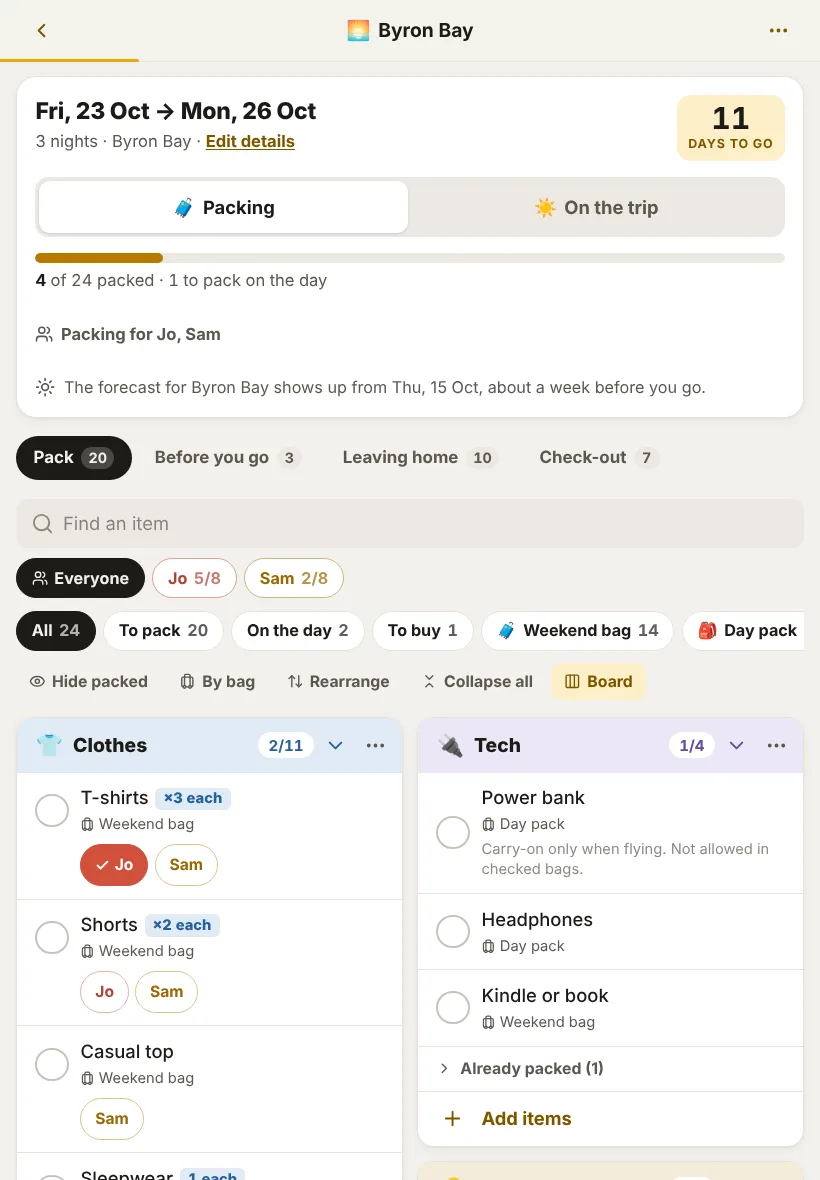
Made-up trips on a laptop, an iPad and a phone. Tap any screen to see it full size.
What it does
The list in the Notes app, the one in your head, and the one you meant to update after last time.
-
My gear, entered once
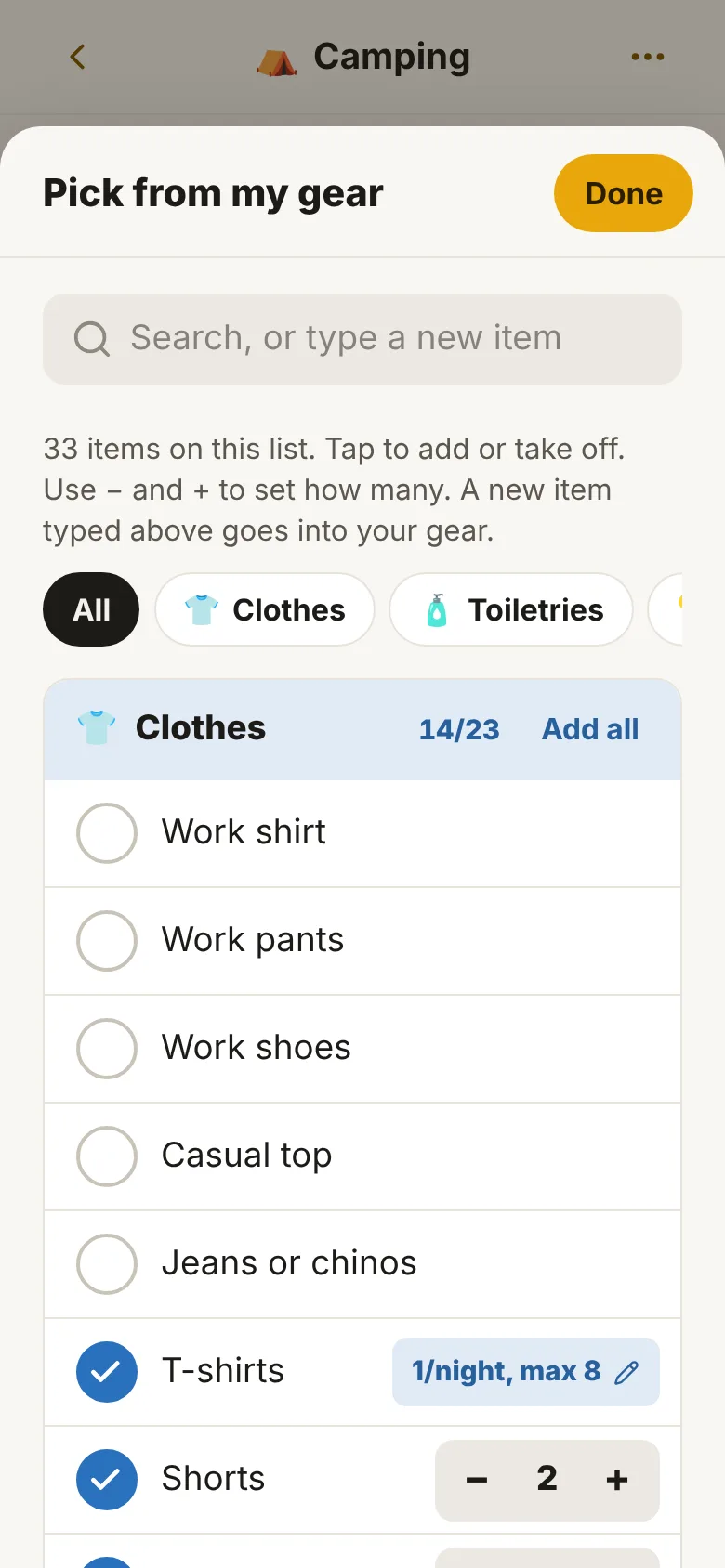
Everything you travel with, by category, each with a photo if you like, where it lives at home, a note, and how many: a set number, or so many a night with a spare and a limit. Change it here and it changes on every list.
-
A list for each kind of trip
Tick items from your gear to build a list, with − and + for how many on this one. Sections, bags and colours are yours to arrange. It starts with four ready to change: overnight, weekend away, camping and overseas.
-
A fresh copy for every trip
Start a trip by the number of days or the dates. It counts down, works out the per-night amounts, and gets its own bag-tag code. Ticking things off never changes the list.
-
Packing, then on the trip
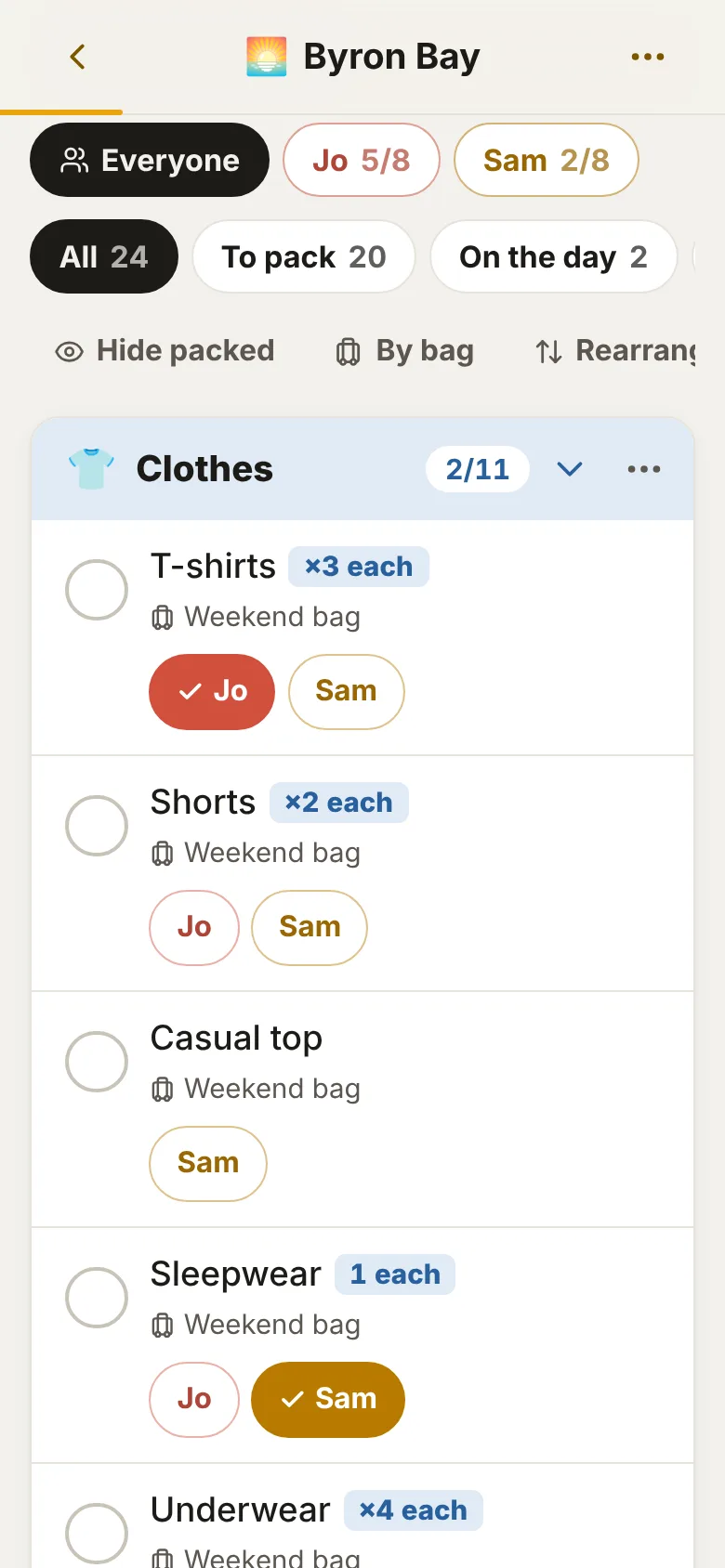
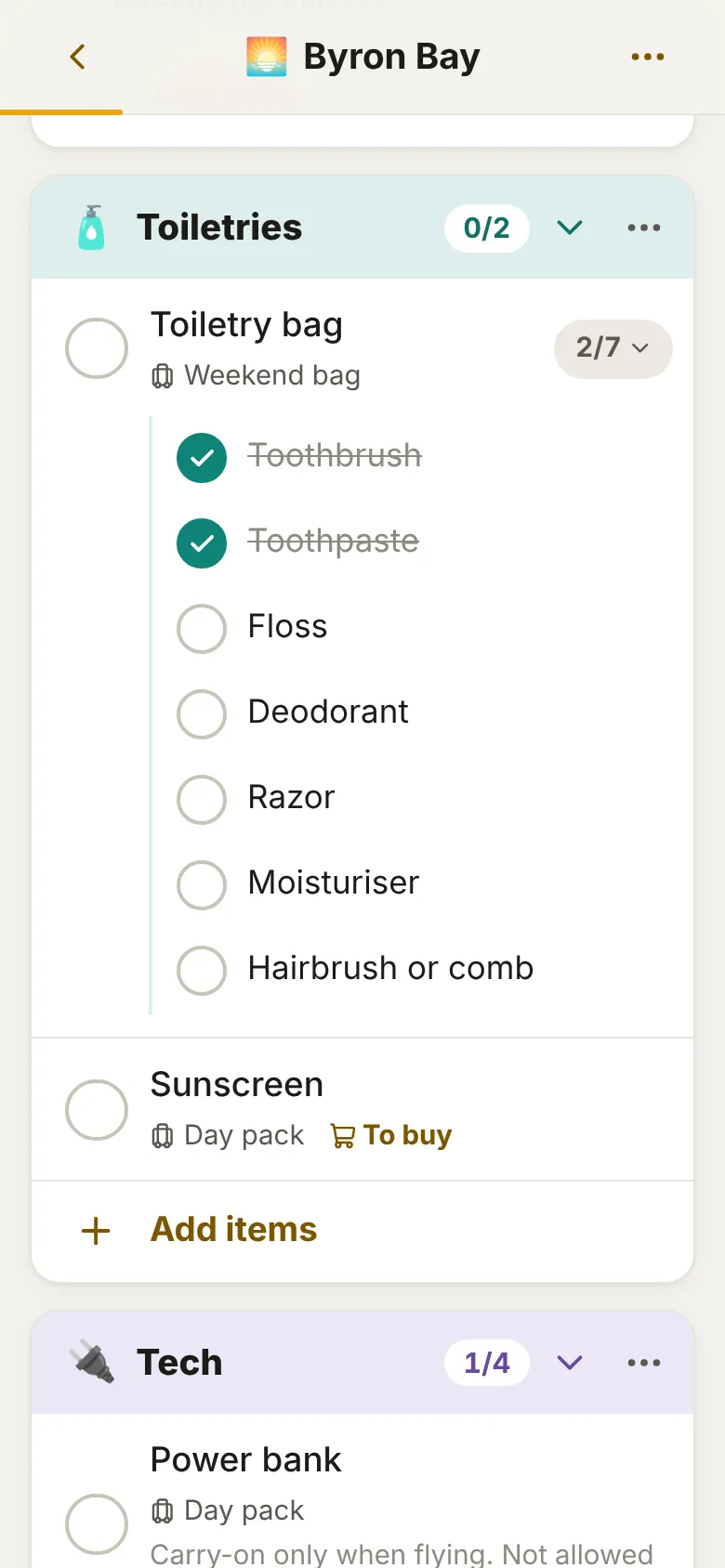
Ticked things drop to Already packed, out of the way. Open the toiletry bag to tick the razor and toothbrush one by one. Once you're away, switch to On the trip and tick things as you use them.
-
Packing for more than one
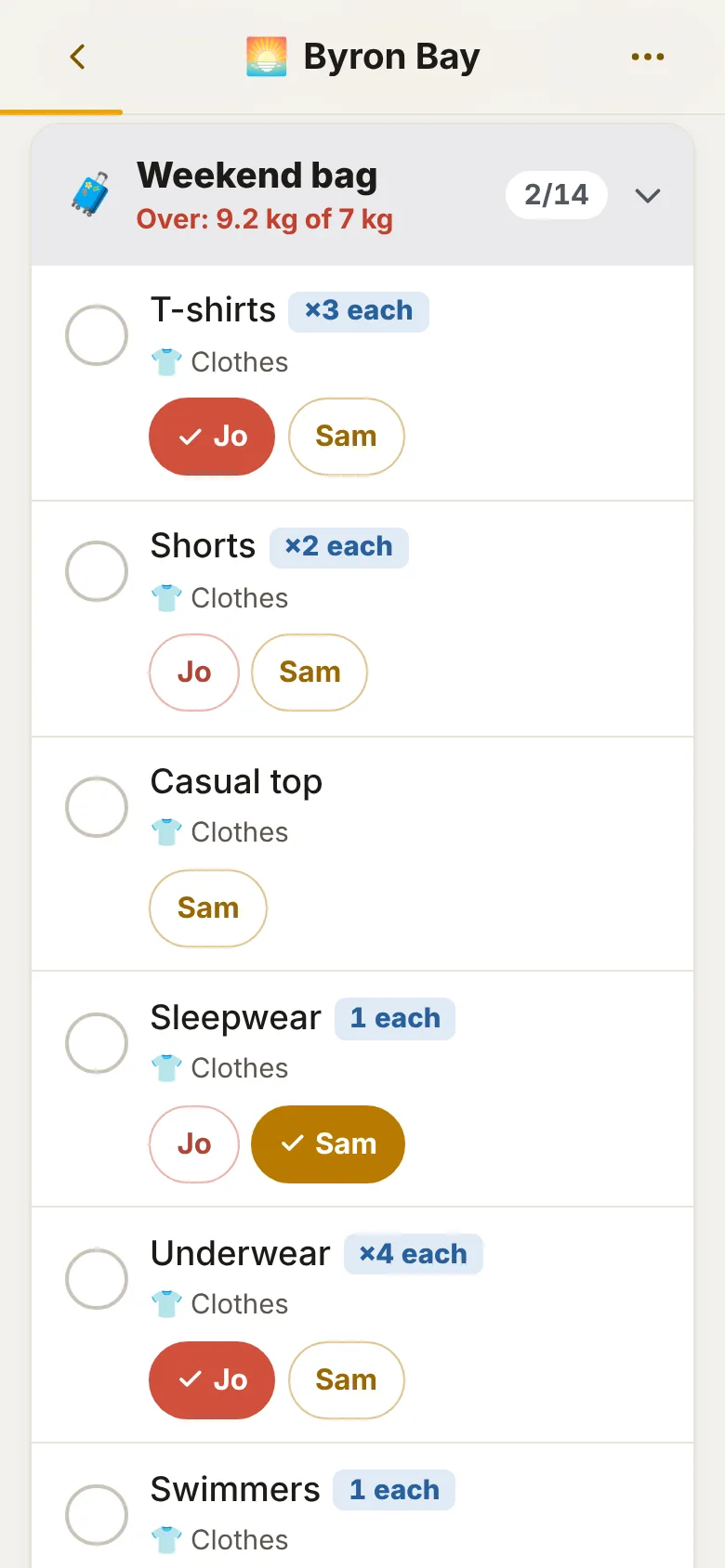
Add the people you pack for and say who each thing is for: shared, one person, or one lot each ("socks ×5 each"). Each of you ticks off your own, and one person's view shows just their things.
-
Bag weights, and a shopping list
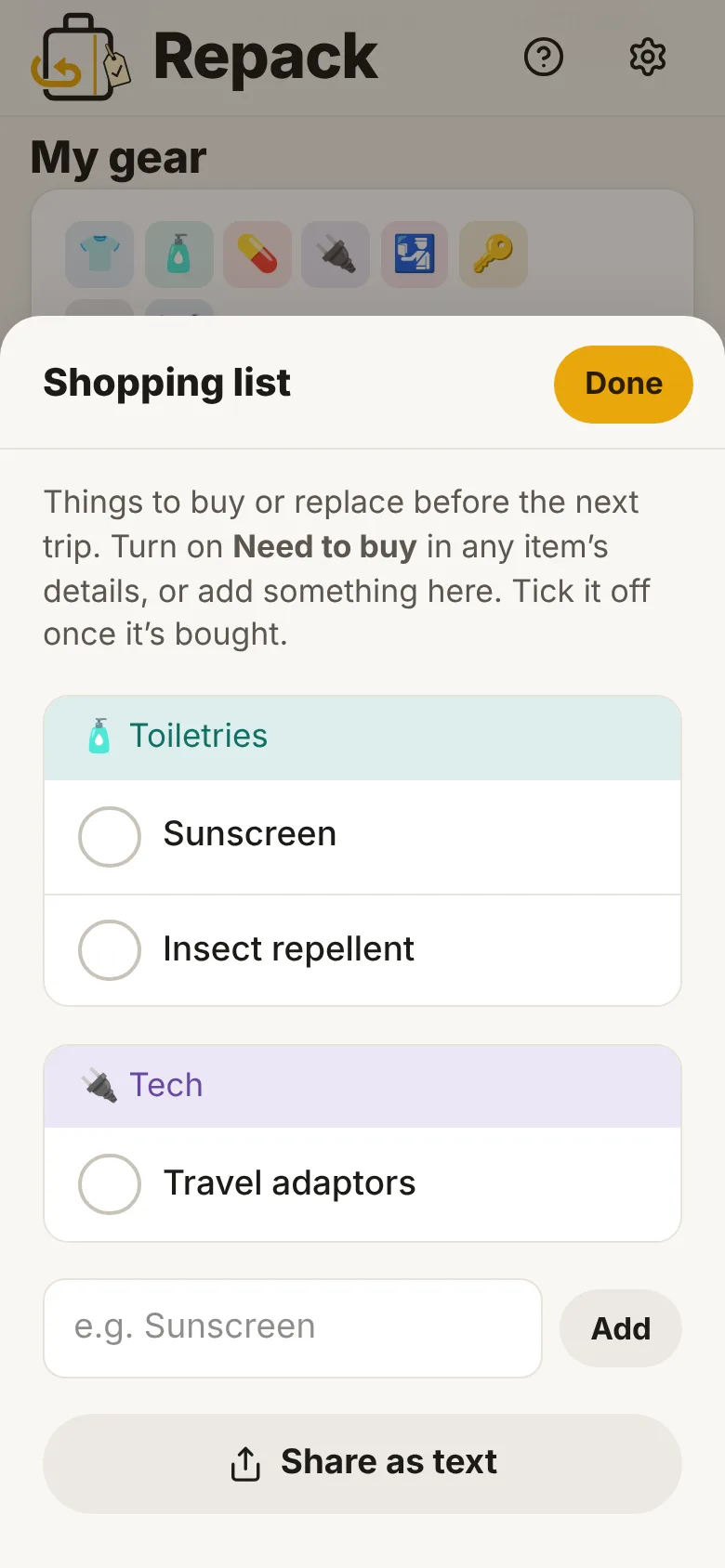
Give your gear a weight and your bags a limit, like 7 kg carry-on, and each bag adds up as you pack, with a warning when it's over. Run out of sunscreen? Mark it Need to buy and it goes on the shopping list.
-
Your phone and iPad in step
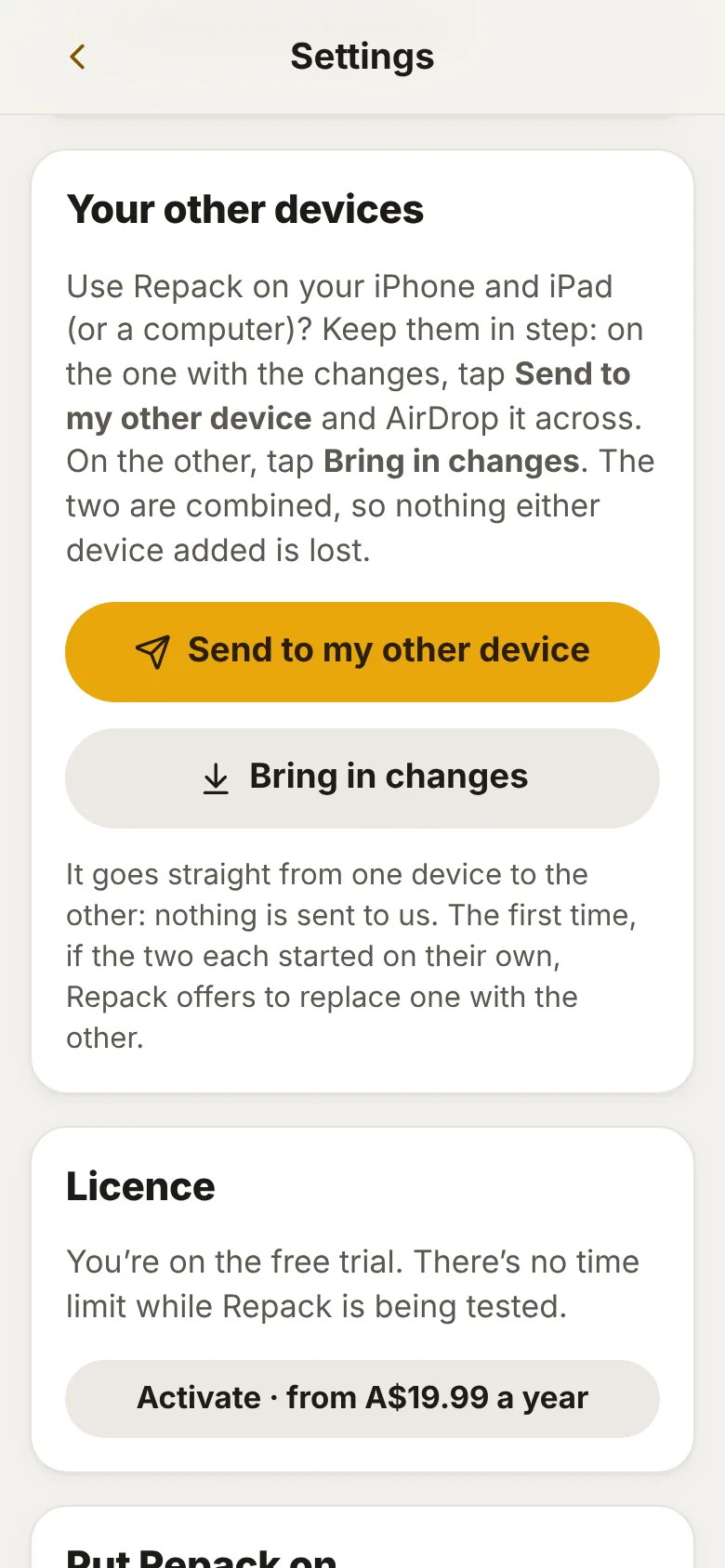
Send your changes from one device to the other by AirDrop or iCloud Drive, and they're combined: ticks on one and new things on the other both stay. No account, and nothing goes through us.
-
Before you go, and out the door
To-dos due so many days before you leave — passport, insurance, Smartraveller, the campsite — turning red when they're late, and in your phone's calendar if you like. A leaving-home run-through, and a check-out list for each place you stay.
-
A list that learns
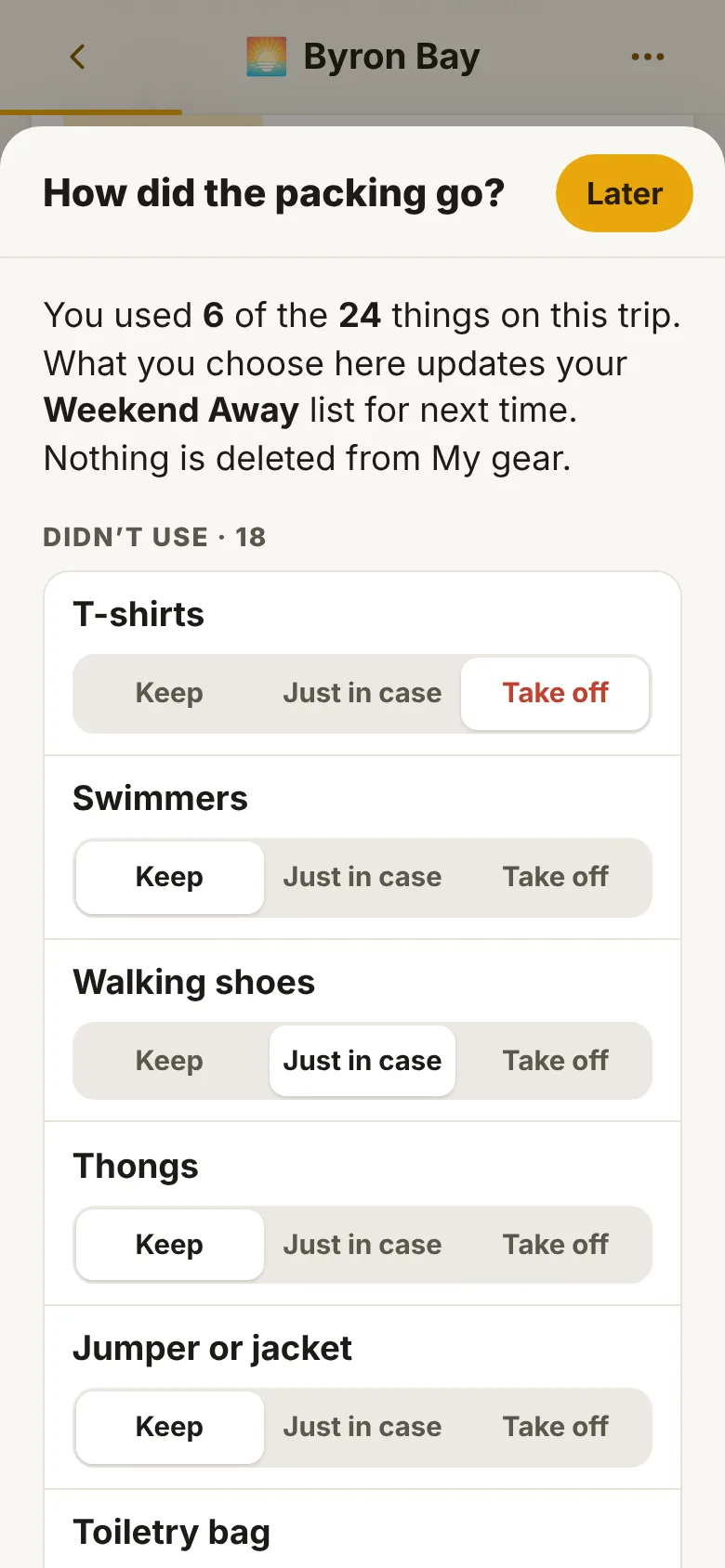
Home again, Repack asks how it went: what didn't get used comes off the list or stays "just in case", what you wished you'd brought goes on, and a note waits at the top for next time. The forecast for each stop suggests a beanie or an umbrella before you go.
A look inside
Real screens from Repack, with made-up trips.
How it works
Fill in My gear
It starts with the everyday things most people take. Change them, add your own, delete what you never pack.
Tick a list together
One for each kind of trip you take, from your gear, with bags and sections the way you pack.
Start a trip
Pick the list, say how long, and where for the weather. The countdown and the reminders start.
Pack, travel, review
Tick as you pack, tick as you use, and let the list learn from it when you're home.
Pricing
Pay yearly or pay once. Either covers your household, on up to three devices, with every feature. No tiers.
Trial
Every feature 14 days
No card and no sign-up. The 14 days start the first time you add or change something — not when you open the app, and looking around the starter lists doesn't use them up.
Yearly
A$19.99 a year
The whole price — no GST on top. Renews once a year, with a reminder email about seven days before. Cancel any time in the billing portal or from your receipt email, with no fee. Without a subscription Repack goes read-only: nothing is deleted, trips you've started can still be ticked off, and everything stays on your device.
Pay once
A$39.99 once
The whole price, paid once and never again. No renewals and nothing to cancel: it never runs out, and every update to Repack is included. Good if you'd rather not have another subscription.
Where your data lives
- Your gear, lists, trips and photos are stored in your browser on your device
- There is no account, no database and no sign-in
- A backup is one file, saved to iCloud Drive or emailed to yourself
- Keeping two devices in step sends a file from one of yours to the other, by AirDrop or iCloud Drive, never to us
- The forecast sends only a trip's destination (to find it on the map) and its position (for the weather), never the dates, and switches off in Settings
- Activating sends only the licence key, to check it
What it isn't
- A cloud service. Your devices are kept in step by a file you send from one to the other, not through a server.
- Travel advice. Its reminders are prompts; check Smartraveller and the official sources for where you're going.
- A booking site, or anything that sells your travel plans
Put it on your phone
Repack is a web app that installs like a normal app. No app store needed, and it works with no signal.
iPhone or iPad
- Open Repack in Safari.
- Tap the Share button.
- Choose Add to Home Screen, then Add.
Android
- Open Repack in Chrome.
- Tap the three-dot menu.
- Choose Add to Home screen or Install app.
Laptop or desktop
- Open Repack in Chrome or Edge.
- Click the install icon at the right of the address bar.
- It opens in its own window from then on.
Questions
Does it work with no signal?
Yes. Once it's on your home screen it runs fully offline, on a plane or at a campsite. Only the weather forecast, and activating it the first time, need a connection.
Can my iPhone and iPad have the same lists?
Yes. Each device keeps its own copy, and Settings keeps them in step: Send to my other device on one (by AirDrop or iCloud Drive), then Bring in changes on the other. The two are combined, so ticks on one and new things on the other both stay. There's no account, and nothing goes through us.
Can I pack for the whole family?
Yes. Add each person to a list or trip, then say who each thing is for: shared (one sunscreen), one person, or one lot each, so the socks come to five each for a five-night trip. Each person's things can be ticked off on their own.
How does it know how many socks to pack?
You tell it once, in My gear: say one a night plus a spare, no more than ten. Every trip works out the number from its nights. Any list can set its own number instead.
What happens if I lose my phone?
Your lists were only on that phone, so you'd restore from your last backup. Repack reminds you to make one every week (or fortnight, or month), and it's a single file with your photos in it.
What if I stop paying?
Nothing is deleted. If a yearly subscription stops, Repack goes read-only: you can still see everything, tick off a trip you've already started, and back up. Activate again any time and carry on. If you paid once, it never stops.
Yearly or once: which should I choose?
They unlock exactly the same. A$39.99 once is two years' worth of the yearly price, and then it's yours with no renewals. If you only want to try it for a season of trips, the yearly one costs less up front, and you can cancel any time.
Repack is looking for testers.
It's in a private testing round before it opens up more widely. If you pack for the same kinds of trips again and again and want to try it, email repack@idleideas.com.au and say what kinds of trips you take.