
For small residential-cleaning businesses
Run the cleaning business
from your pocket.
Clients, recurring bookings, a run sheet for each cleaner, mobile checklists, and quotes and invoices with your own logo, in one app that lives on your own phone, tablet or laptop. No monthly platform bill, no sign-in, and nothing about your customers sent anywhere.
14 days free from when you add your business or first client, then AU$49 a year. Cancel any time. Works offline.
- Today's board: what's on, who's doing it, what's done.
- Weekly, fortnightly and monthly series, with one-off jobs alongside.
- A run sheet for each person, to print, email, text or copy.
- Your logo on quotes, invoices, run sheets and the marketing kit.
- Fits a phone, tablet or computer, with a step-by-step guide built in.
- Every byte stays on your device. Export a backup any time.
On the phone, the tablet or the laptop
Every screen fits whatever you've got handy: the phone in your pocket on site, a tablet on the kitchen bench, or the laptop when it's time to do the invoices.
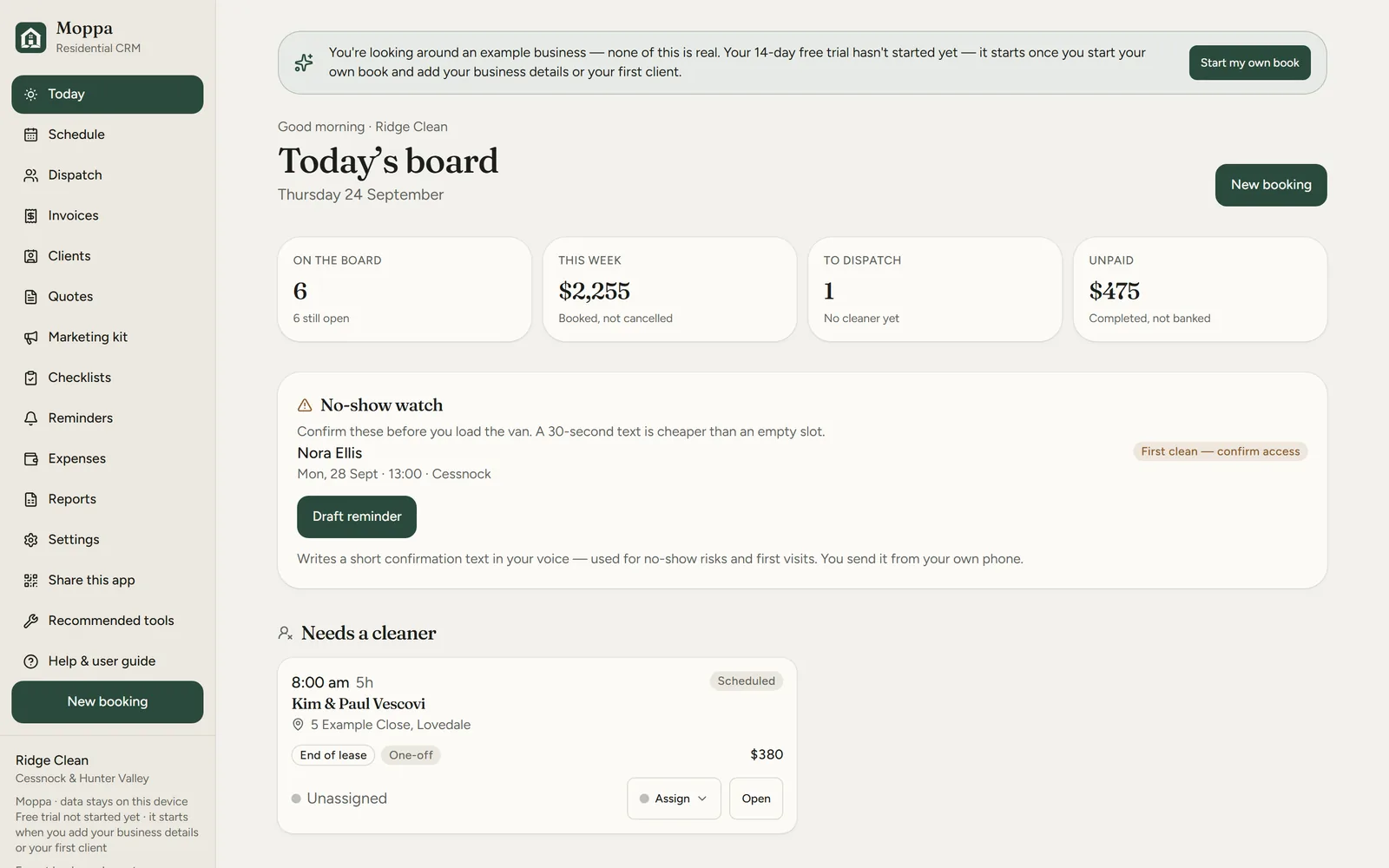
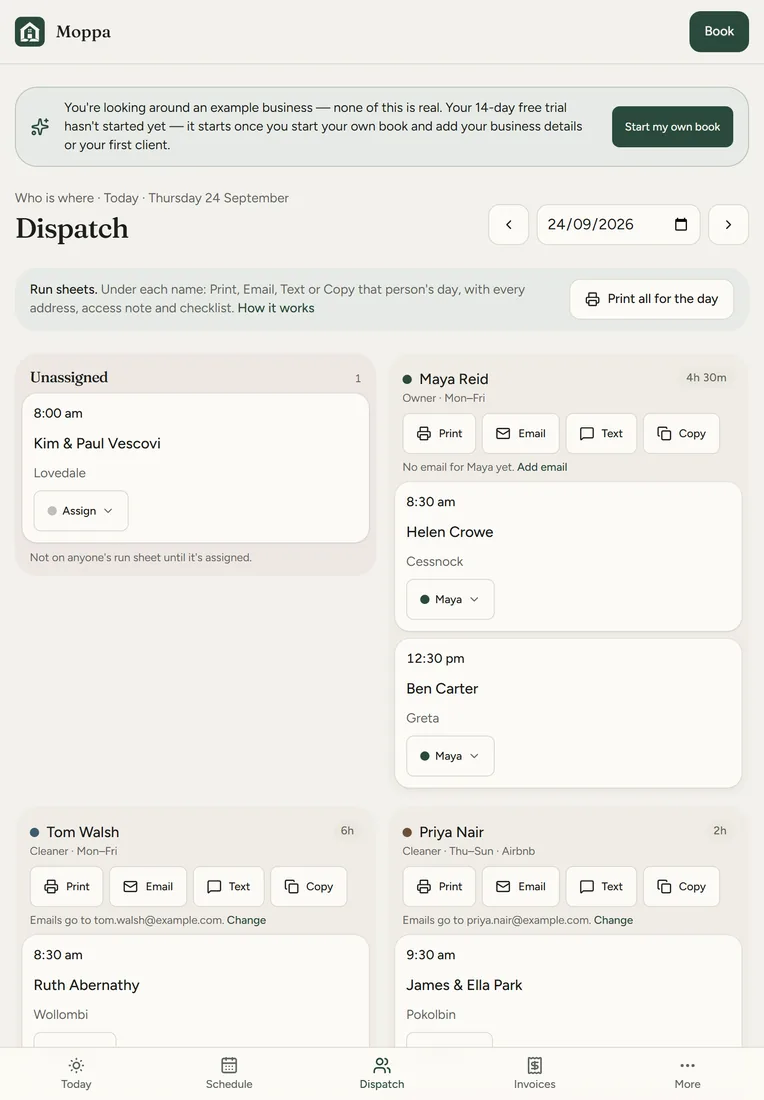
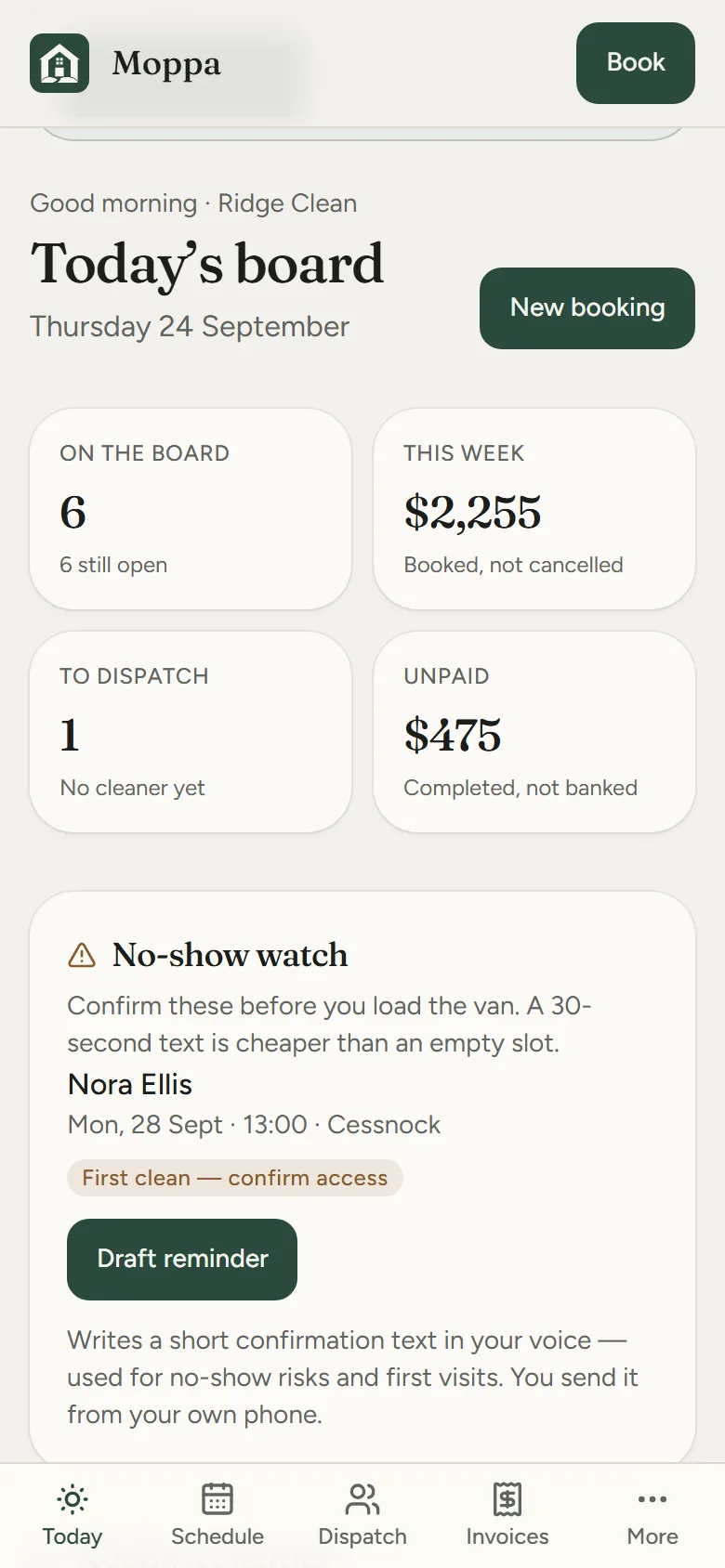
Moppa's made-up example business, Ridge Clean, on a laptop, a tablet and a phone: today's board, and Dispatch with each cleaner's run sheet to print, email, text or copy. Tap any screen to see it full size.
A one-minute look around
A quick walk through Moppa's made-up example business, Ridge Clean: today's board, Dispatch and a run sheet, a checklist ticked off on site, a quote and invoice with the business's logo, the marketing kit and the user guide.
A one-minute tour with captions and no sound, so you can watch it anywhere. Every business, client, address and job in it is made up.
What it does
The parts of a cleaning business that usually live in a diary, a group chat and a shoebox.
-
Recurring bookings
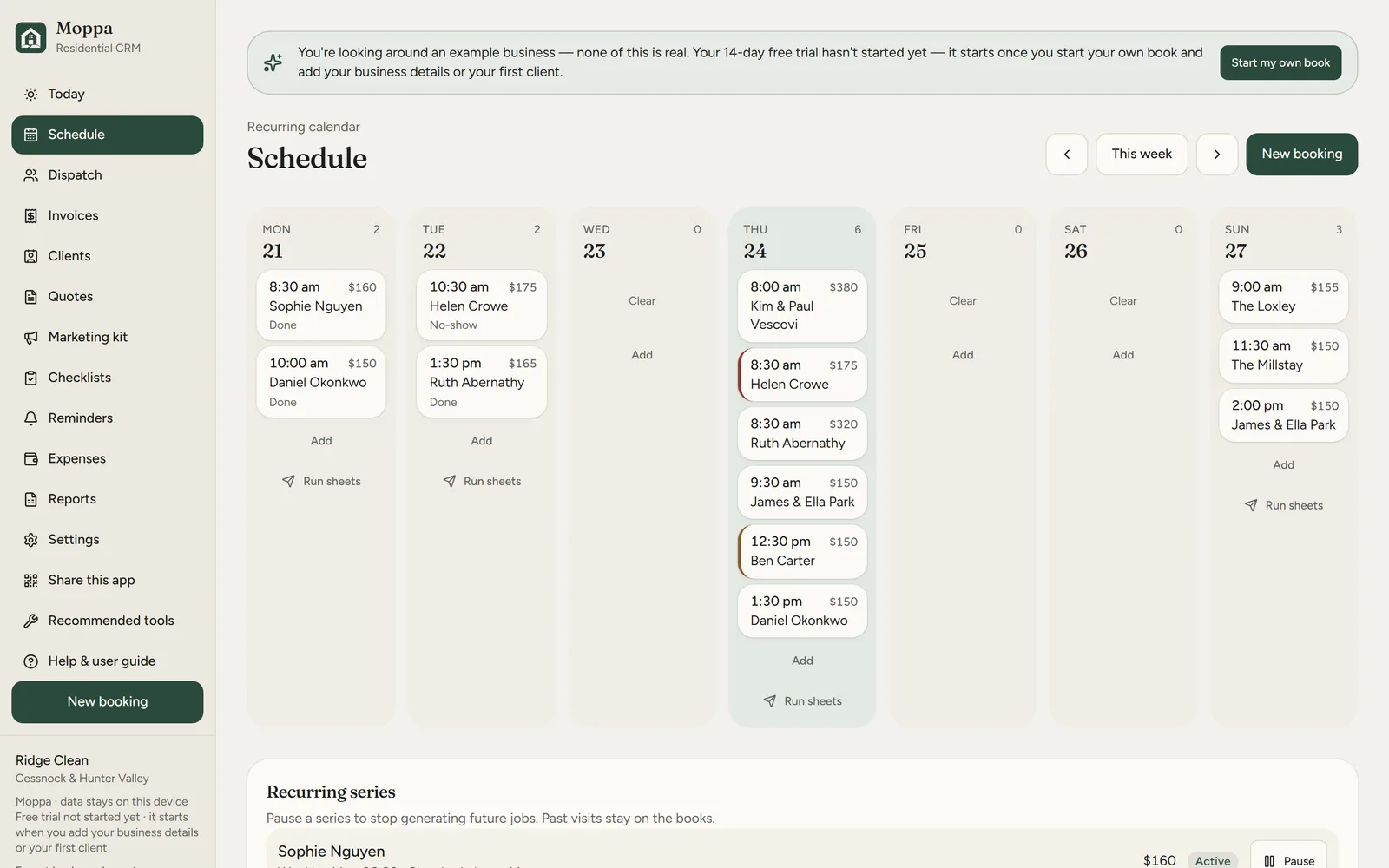
Set a client up weekly, fortnightly or monthly and the jobs appear on the schedule by themselves. Skip one, move one, or add a one-off.
-
A run sheet for each cleaner
Give each job to someone, then print, email, text or copy each person's day, you included: every address, map link, access note and checklist. Moppa tells you if a day changed after you sent it.
-
Checklists, notes and photos on site
A per-property checklist that opens full-screen on a phone. Tick as you go, and keep the alarm code, where the key is and a photo of the tricky tap with the client.
-
Quotes and invoices with your logo
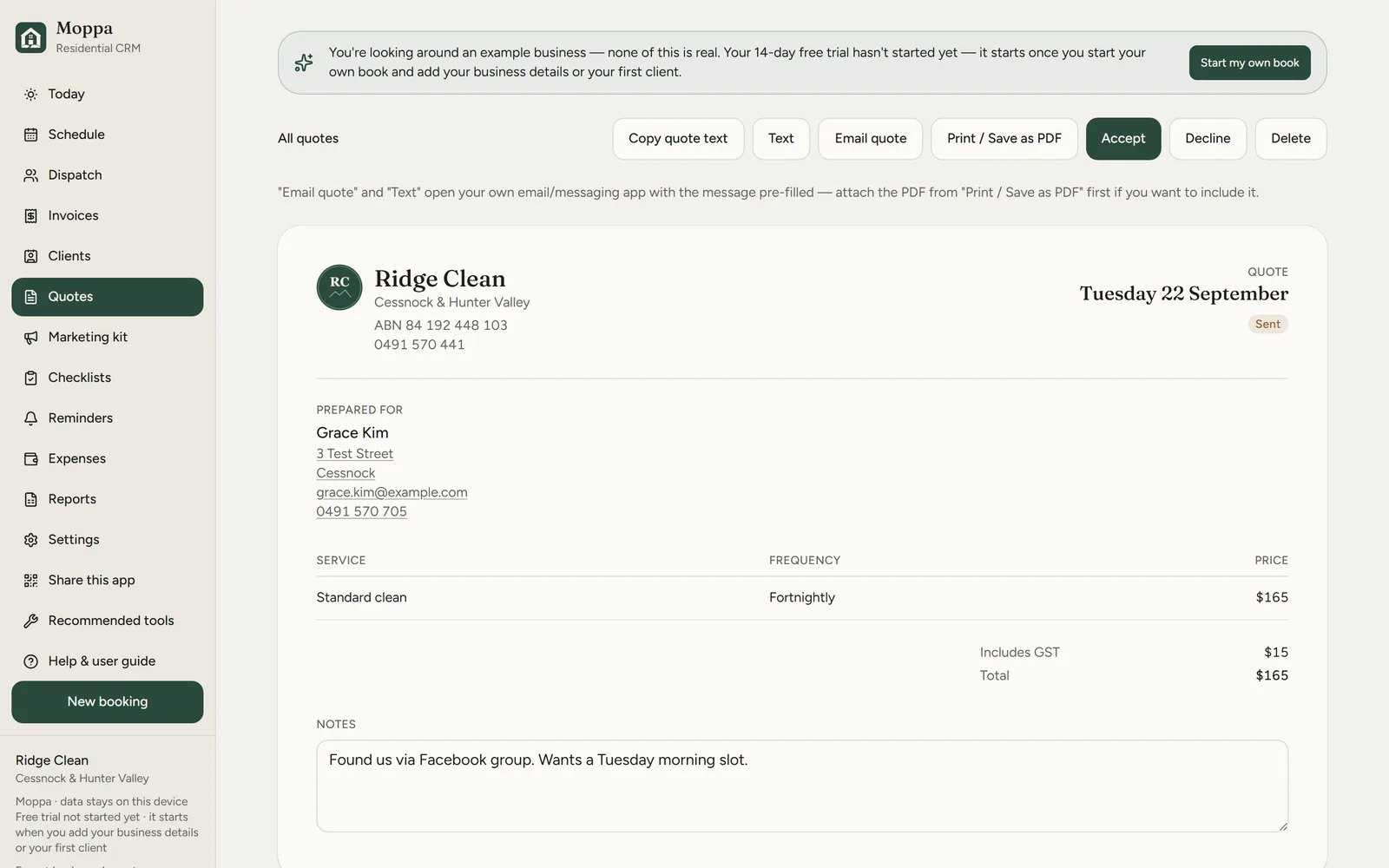
Turn finished jobs into an invoice in a couple of taps, and send a prospect a quote by text or email, or print it. Both carry your logo, and you can see who still owes what.
-
No-show reminders
Drafts a polite reminder for upcoming first visits, ready to text or email from your own phone, so you're not typing the same message every evening.
-
A printable marketing kit
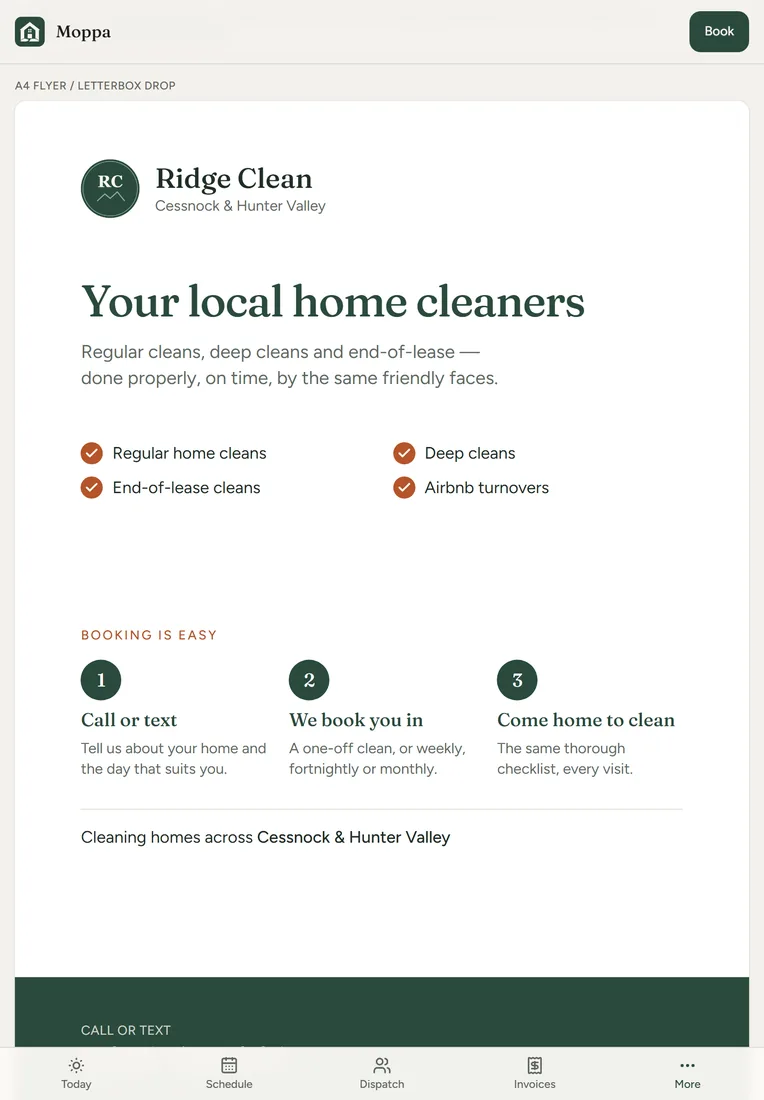
A letterbox flyer, business cards, leave-behind cards and QR cards, filled in with your logo, number and area. The QR code can save your number to a phone, or open your Google review page.
A look inside
Real screens from Moppa, showing its made-up example business, Ridge Clean, with a made-up logo.
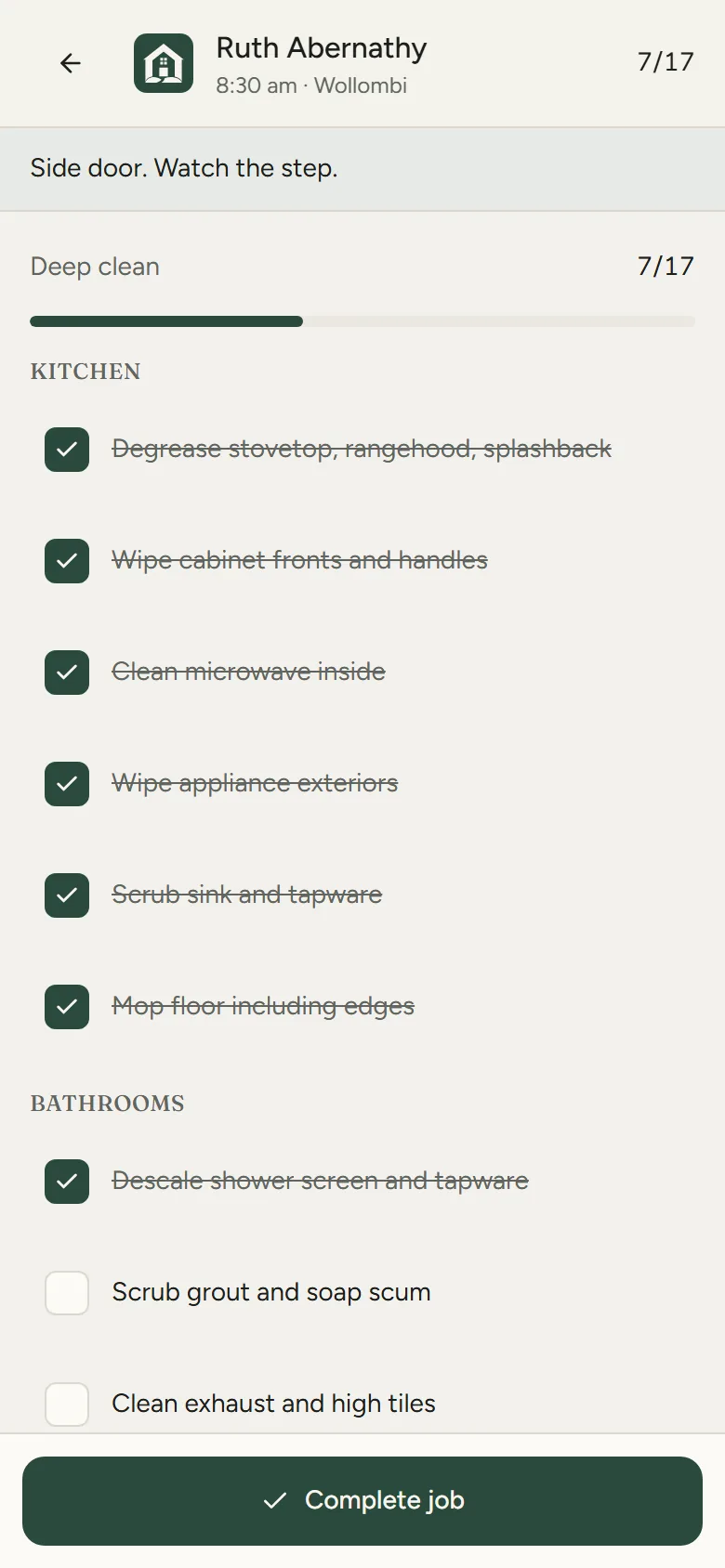
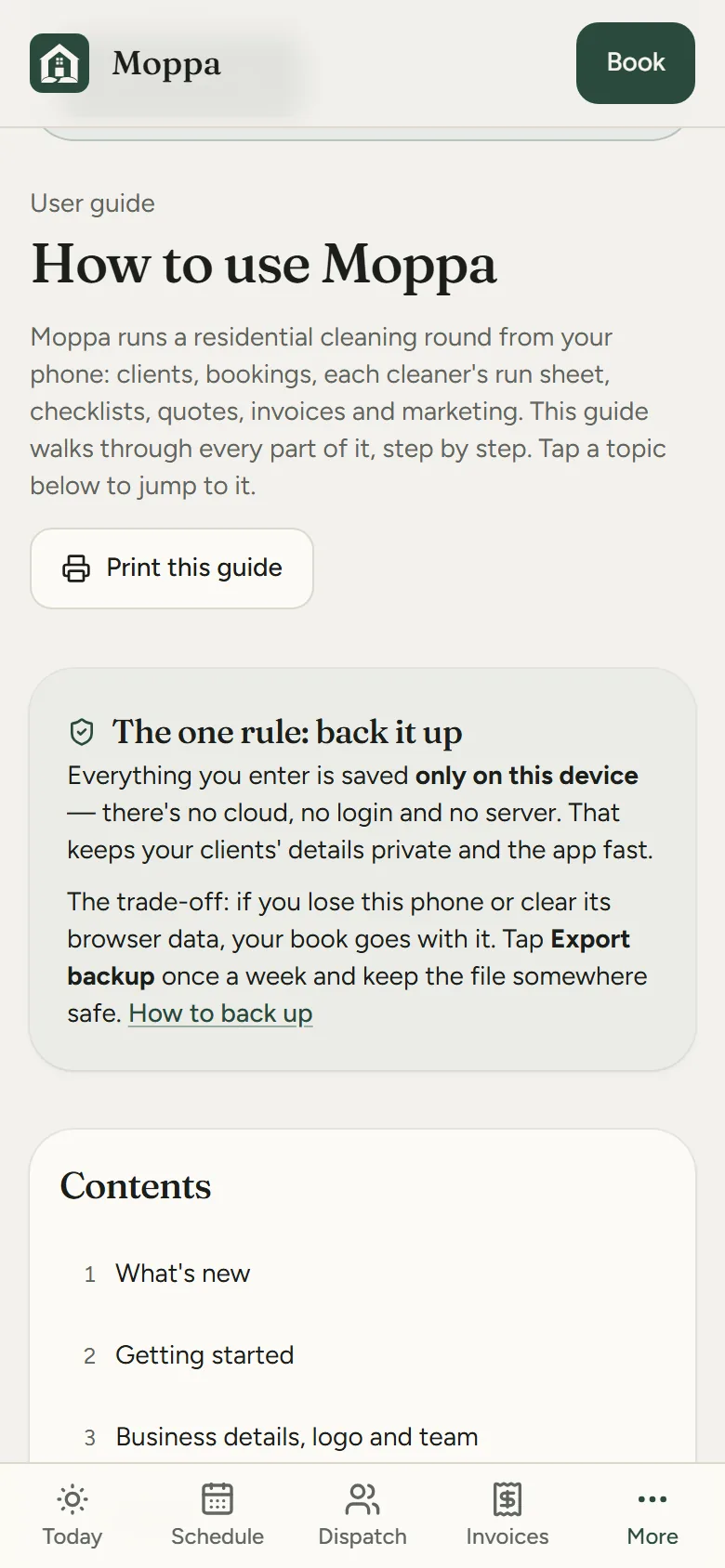
How it works
Add your business and clients
Your business name, logo and mobile, then each client's address, price and anything the cleaner needs to know. Your 14-day free trial starts here.
Set the schedule
Start a weekly, fortnightly or monthly series for each regular. Drop in one-offs as they come.
Send out the day
Give each job to someone and print, email or text them their run sheet. Open the checklist on site, tick it off, done.
Invoice and back up
Invoice the finished jobs. Export a backup now and then; it's the only copy that exists.
Pricing
One plan, billed once a year. No per-user fee, no surprise tiers.
Trial
Every feature 14 days
Every feature, no card, no sign-up. The 14 days start when you add your business details or your first client, not when you first open the app, so looking around the example business doesn't use any of it.
Subscription
AU$49 per year
The whole price — no GST on top. Renews automatically once a year, with a reminder email seven days before. Cancel any time in the billing portal or from your receipt email — no fee, and your existing clients, bookings and invoices keep working either way.
The full details are in Moppa's terms & conditions and privacy policy.
Where your data lives
- Every client, job, invoice and checklist is stored in your browser on your device
- Photos and your logo are kept on the device too, never uploaded
- There is no account, no database and no sign-in
- Run sheets, quotes and reminders go out through your own email or messages app
- The only thing the app ever sends is your licence key, when you activate it
- Export makes a full backup file you keep wherever you like
What it isn't
- A cloud service. Nothing syncs between devices; move data with Export and Import.
- Payroll, accounting or tax software
- A marketplace that finds you customers
- A monthly bill, or a surprise price rise — it's one plain charge a year
Put it on your phone
Moppa is a web app that installs like a normal app. No app store needed, and it works with no signal. It opens with its logo for a few seconds; tap anywhere to skip.
iPhone or iPad
- Open Moppa in Safari.
- Tap the Share button.
- Choose Add to Home Screen, then Add.
Android phone or tablet
- Open Moppa in Chrome.
- Tap the three-dot menu.
- Choose Add to Home screen or Install app.
Laptop or desktop
- Open Moppa in Chrome or Edge.
- Click the install icon at the right of the address bar.
- It opens in its own window from then on.
Help sheets
Step-by-step sheets with a picture for every step, for iPhone, iPad and Android. Print them, or keep them on the phone.
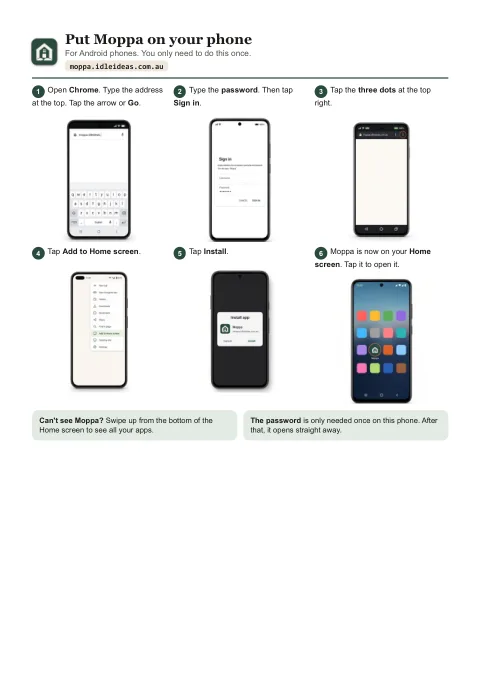
Put Moppa on your phone
Six steps for Android, then six for iPhone and iPad, from opening the browser to Moppa's icon on your Home screen.
Open the sheetPDF, two A4 pages, 429 KB.
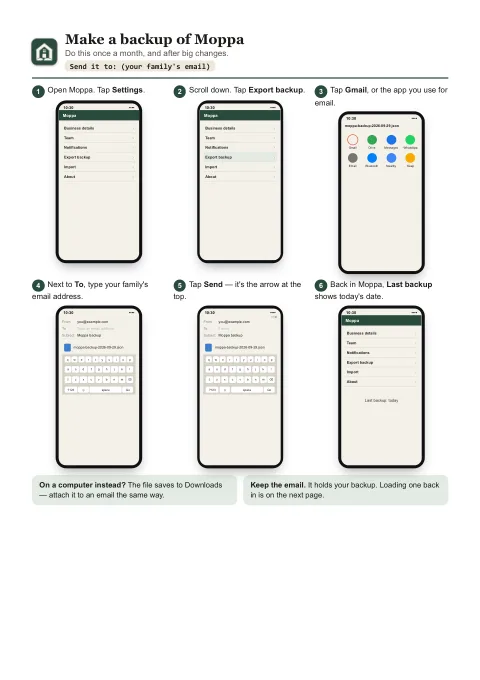
Backups: make one, load one
Page one emails a backup to yourself or family. Page two puts it back, on the same phone or a new one.
Open the sheetsPDF, two A4 pages, 333 KB.
Questions
When does my free trial start?
When you add your business details or your first client, booking, quote or invoice of your own. Opening Moppa, looking around and trying out the example business don't start it. Moppa shows a message when it starts, and your trial stays with your book, so restoring a backup on a new phone carries on the same trial.
Can I email my team their run sheet?
Yes. On Dispatch, each person has Print, Email, Text and Copy under their name. Email opens your own email app addressed to them, with their whole day in it: addresses, map links, access notes and checklists. Add each person's email once on the Team page in Settings, or tap Add email under their name. Moppa never sends anything itself; your own email or messages app does.
Can I put my logo on invoices?
Yes. Add it in Settings from a photo or a file, and it goes on your quotes, invoices, run sheets, the reports printout and every piece of the marketing kit. No logo? They show your business name instead.
Does it work on my tablet?
Yes: an iPad or an Android tablet, upright or sideways, as well as a phone or a computer. Held upright, the menu sits along the bottom with a More button; turned sideways, it runs down the left like on a computer. Buttons are finger-sized either way. The built-in user guide explains where everything is at each screen size.
What happens if I lose my phone?
Your data was only on that phone, so you'd restore from your last Export file. Make one whenever you've done a lot of changes. It's a single file you can keep in email, Drive or iCloud.
Can my team see the same data?
Not live. Moppa has no server, so each device holds its own copy. Most small teams run it on one phone or tablet and send each person their run sheet from Dispatch by email or text. Export and Import move everything between devices when you need to.
Does it need internet?
Only to open it the first time and to activate your subscription. After that it works fully offline.
What does the subscription cover?
AU$49 a year unlocks the app on the device you activate it on. Moving to a new device? Deactivate the old one and use the same licence key. It renews automatically once a year until you cancel.
How do I cancel?
Any time, in about a minute, and never by phone: use the Manage subscription link on Moppa's Activate page, the link in any receipt or reminder email, or email moppa@idleideas.com.au. Cancelling stops the next renewal; you keep everything you've paid for until the end of the year.
What happens if I don't renew?
Nothing you've already added disappears. Existing clients, bookings, invoices and checklists keep working — you just can't add new clients or bookings until you renew.
Moppa is looking for testers.
It's in its last round of testing before it opens. If you run a residential cleaning business and want to try it with your own clients, email moppa@idleideas.com.au and say how many cleaners you have.