

For households with more than one pet
One app for the
whole furry family.
Every pet gets its own health record, food plan, expense list and document folder — vet visits, vaccinations, medications and allergies included, each with its own due-date reminder. An emergency card pulls it all together automatically for the one time you actually need it. Nothing about your pets is stored anywhere but your own phone.
Free, for as many pets as you have. Works offline. Not a substitute for veterinary advice.
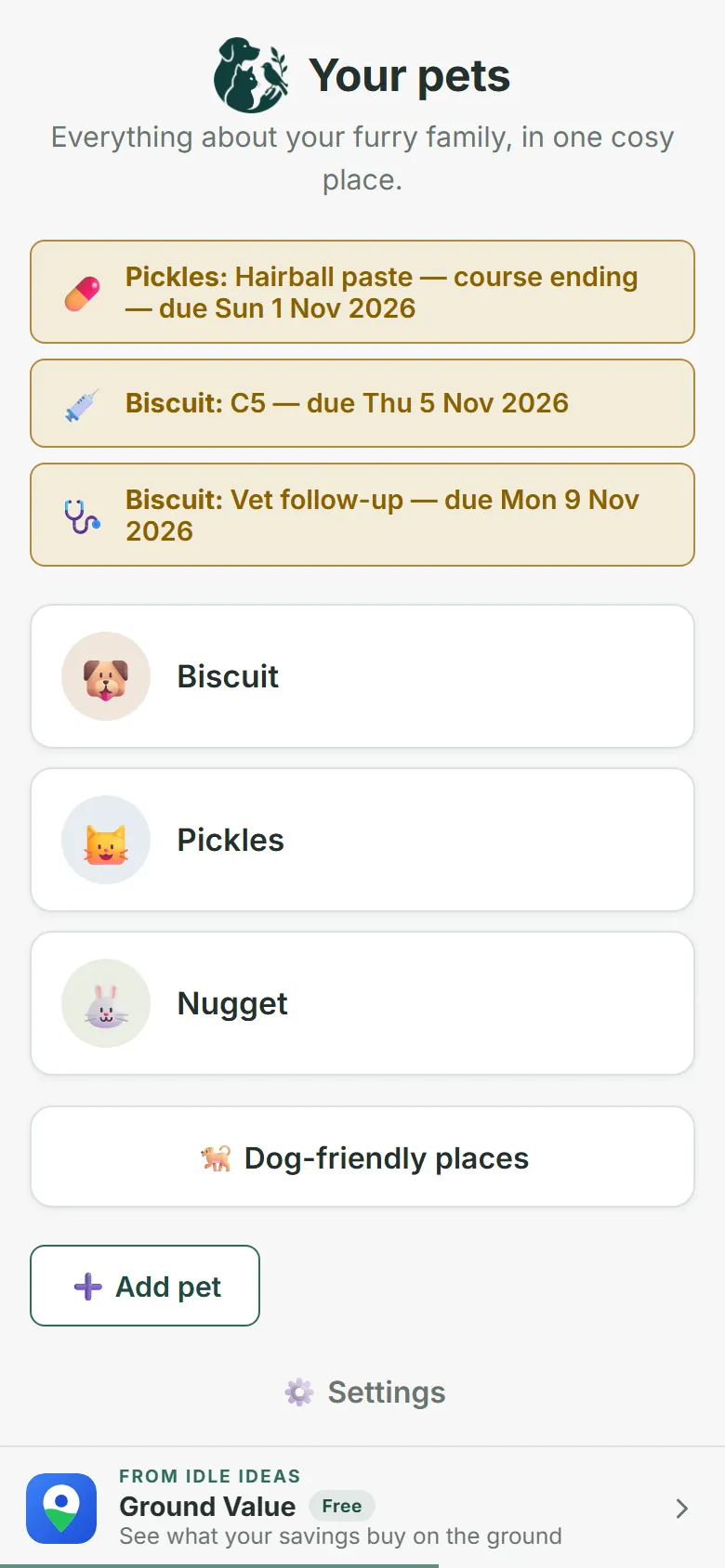
- Every pet's health, food, people and documents in one place.
- Vet visits, vaccinations, medications and allergies, each with due-date reminders.
- An emergency card computed live from what's already in the app.
- Expenses and activity logged per pet, with running totals.
- Photos and documents, filed against the right pet.
- Everything stays on your phone. Export a backup any time.
What it does
The parts of pet ownership that usually live in a vet folder, a phone album and your memory.
-
One record per pet
Profile, breed, microchip number and photo, with a switcher on Home so the right pet's data is always one tap away.
-
Health, properly tracked
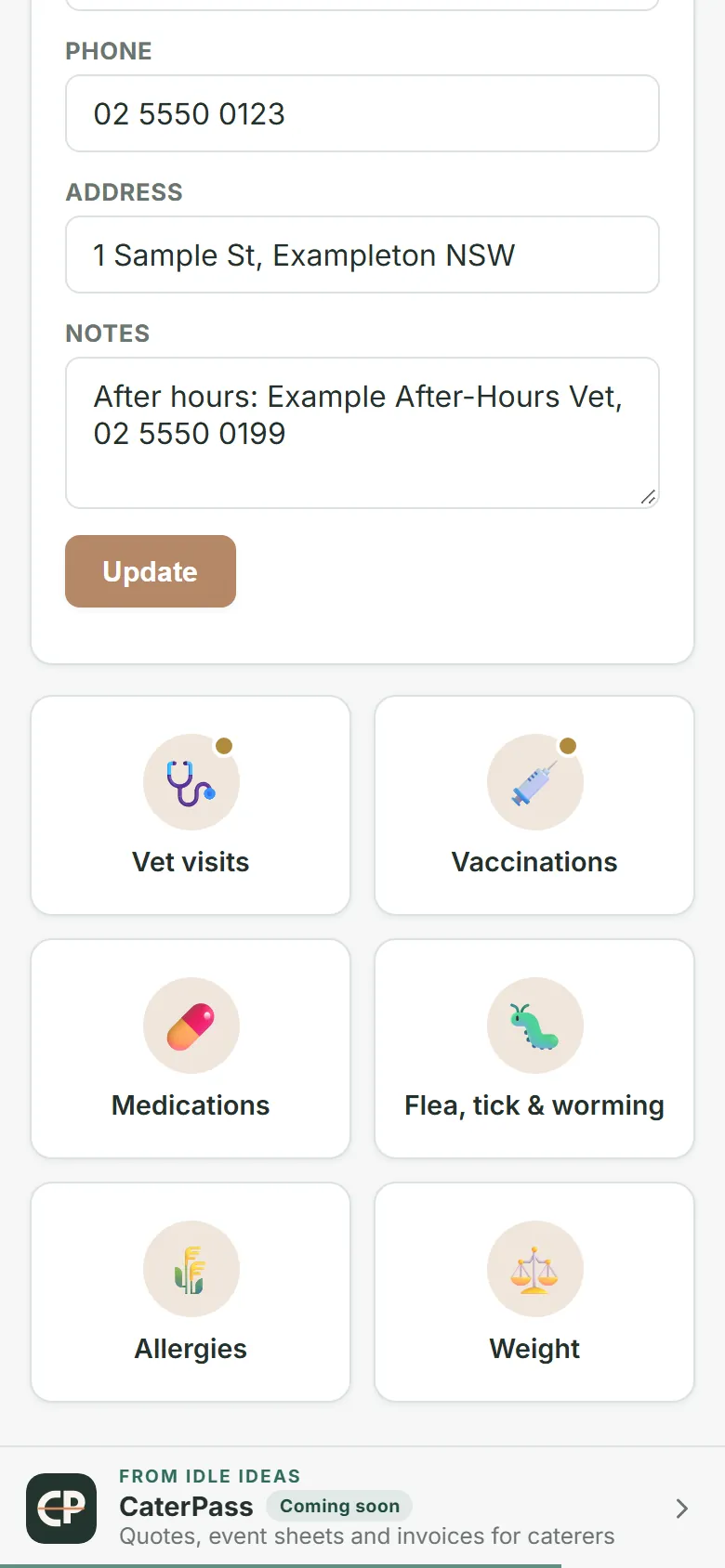
Vet visits, vaccinations, medications and allergies, each in its own hub with its own due-date reminder — not one long notes field.
-
An emergency card that builds itself
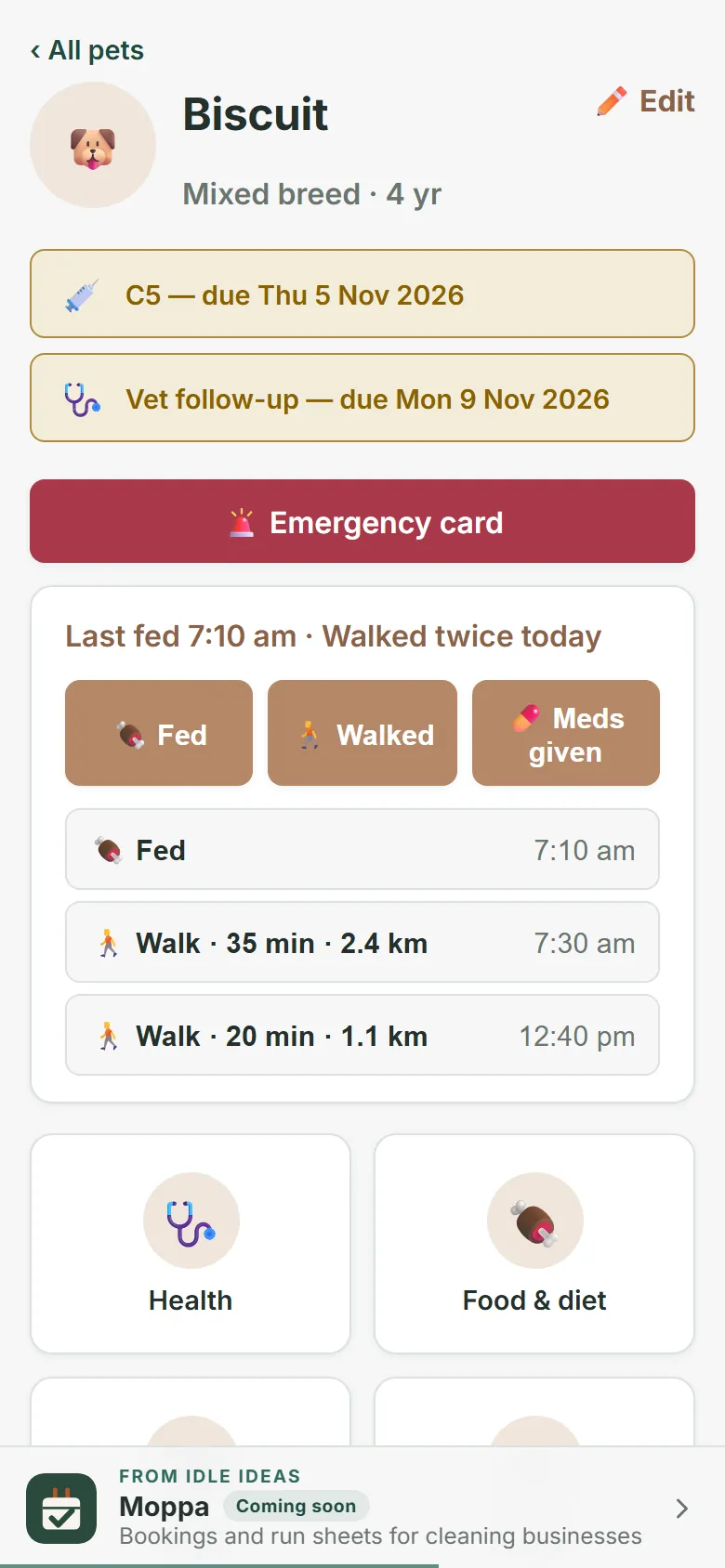
Allergies, medications, vet contact, council registration and emergency people, pulled together live from what's already in the app — no separate data entry, ready to show or print.
-
Food, expenses and activity
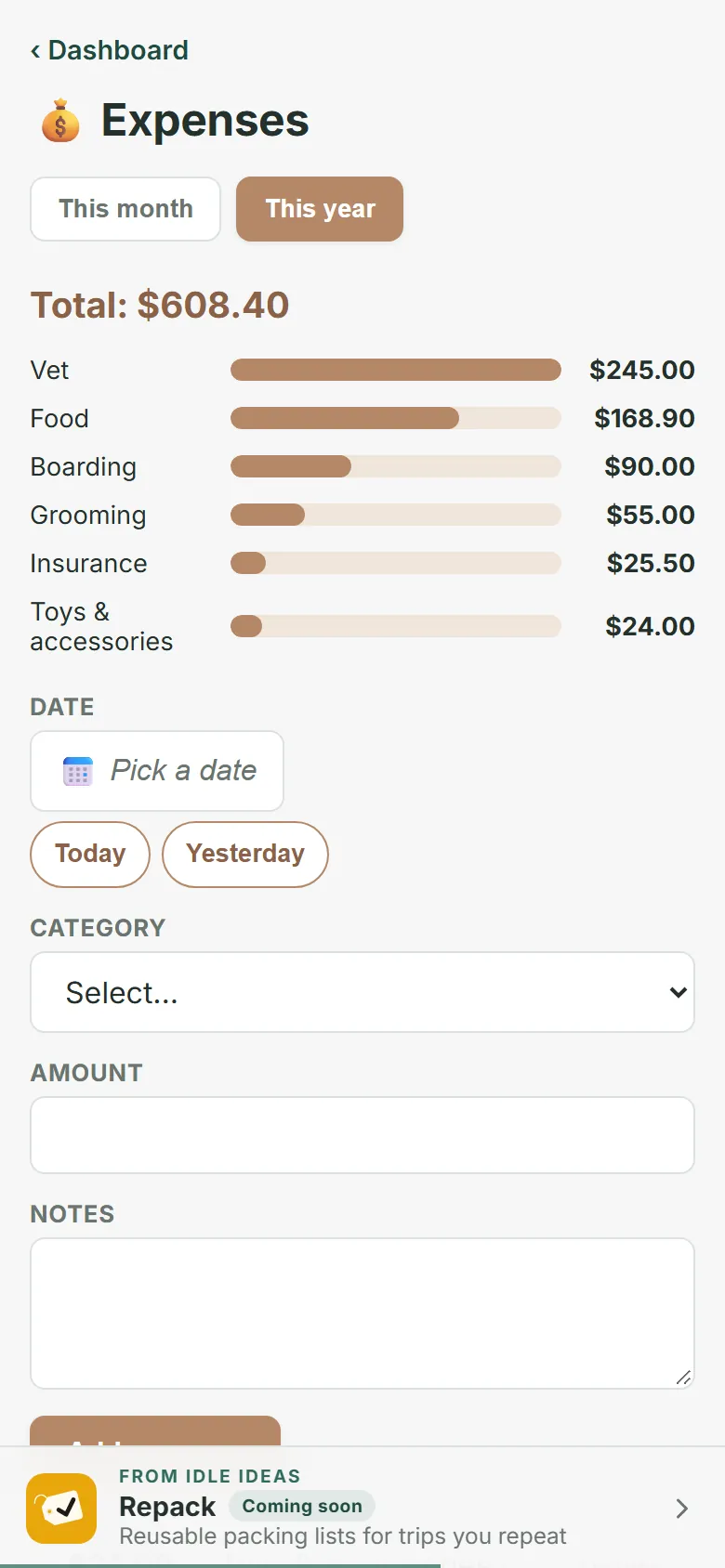
Feeding schedule and portion size, an expense list running by category, and walks or behaviour notes in one combined log.
-
Photos and documents
A gallery with captions, plus adoption papers, registration and insurance scans — all filed against the pet they belong to.
-
Backed up on your terms
One JSON export moves everything to a new phone. A per-pet PDF or CSV care report is there whenever a vet or a boarder asks for the history.
A look inside
Real screens from Mixed Paws. Every pet, person, vet and number on them is made up.
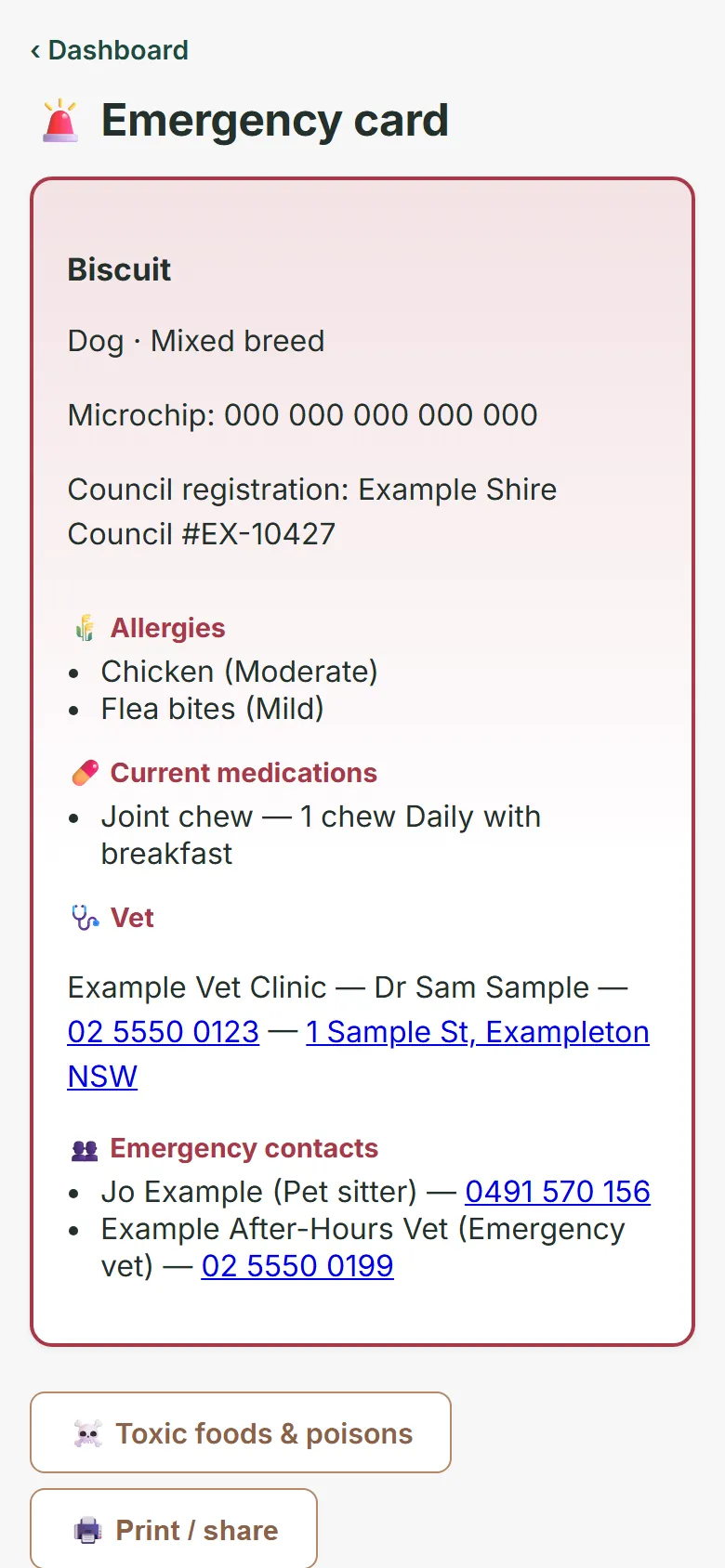
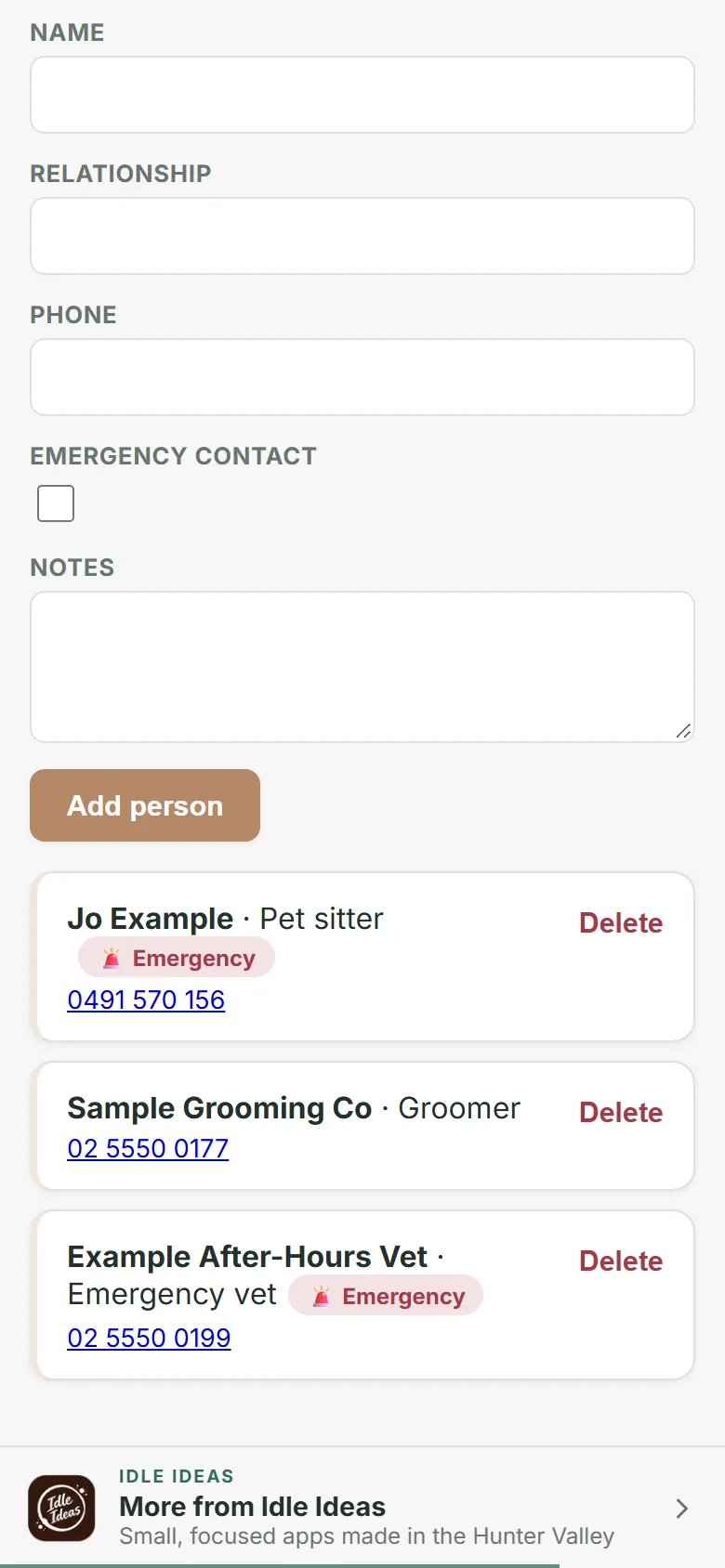
How it works
Add a pet
Name, species, breed, date of birth. That's enough to start — everything else can wait.
Fill in what you know
Vet contact, current food, people who can be called. Add the rest as it comes up.
Check in as you go
Log a vet visit, a vaccination, a walk, an expense — whichever hub fits, in a couple of taps.
Reach for the emergency card
Everything that matters in a hurry, already assembled, ready to show or send.
Pricing
Mixed Paws is free, for every pet in the house. There's no trial, no subscription and nothing to buy.
Mixed Paws
Free every feature
As many pets as you have, on as many of your devices as you like: health records, food, expenses, photos, the emergency card and reports. No card and no sign-up.
How it's free
Our other apps a banner along the bottom
A small banner along the bottom shows Idle Ideas' other apps, one at a time. It's built into the app: no ad network and nothing tracked. It never shows on the emergency card.
Where your data lives
- Every pet's records are stored in your browser on your device
- Photos and documents stay on the device too, never uploaded
- There is no account, no database and no sign-in
- The only thing it fetches is your state's off-leash parks list, from idleideas.com.au — never your location
- The banner of our other apps is part of the app and fetches nothing. A tap goes through idleideas.com.au, which counts which app it came from and went to (nothing about you), then opens that app's page
- Export makes a full backup file you keep wherever you like
What it isn't
- A cloud service. Nothing syncs between devices; move data with Export and Import.
- A substitute for veterinary care — the emergency card is a quick reference, not medical advice
- Pet insurance, or a vet's own records system
- Something that charges you. It's free, with no trial to run out and no card to give
Put it on your phone
Mixed Paws is a web app that installs like a normal app. No app store needed, and it works with no signal.
iPhone or iPad
- Open Mixed Paws in Safari.
- Tap the Share button at the bottom.
- Choose Add to Home Screen, then Add.
Android
- Open Mixed Paws in Chrome.
- Tap the three-dot menu.
- Choose Add to Home screen or Install app.
Laptop or desktop
- Open Mixed Paws in Chrome or Edge.
- Click the install icon at the right of the address bar.
- It opens in its own window from then on.
Help sheets
Step-by-step sheets with a picture for every step, for iPhone, iPad and Android. Print them, or keep them on the phone.
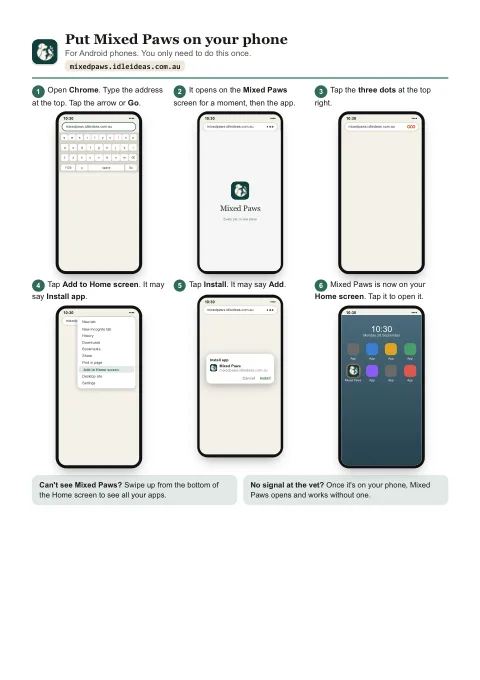
Put Mixed Paws on your phone
Six steps for Android, then six for iPhone and iPad, from opening the browser to Mixed Paws's icon on your Home screen.
Open the sheetPDF, two A4 pages, 443 KB.
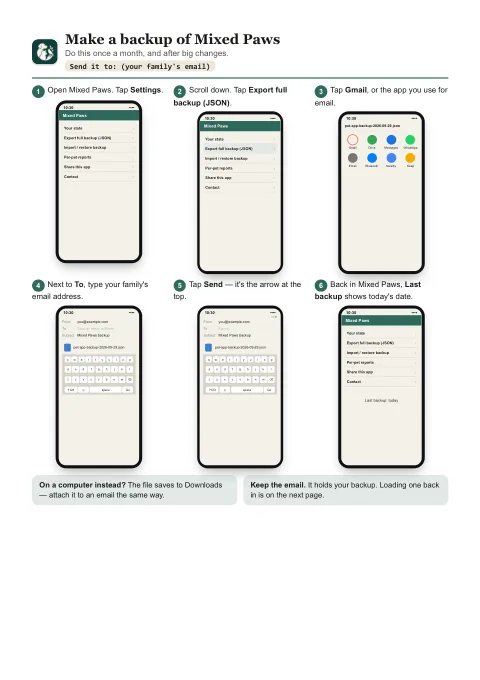
Backups: make one, load one
Page one emails a backup to yourself or family. Page two puts it back, on the same phone or a new one.
Open the sheetsPDF, two A4 pages, 383 KB.
Questions
Does it work with no signal?
Yes. Once it's installed it runs fully offline — the whole app and all your data are already on the device. You only need a connection to open it the very first time.
What does it cost?
Nothing. Every feature, for as many pets as you have, with no trial and nothing to buy. A small banner along the bottom of the app shows our other apps, one at a time; that's how it pays its way. It doesn't track you.
Is the emergency card medical advice?
No. It's a fast reference — allergies, medications, vet contact, the people to call — pulled from what you've already entered, so you're not hunting for it under pressure. It doesn't replace calling your vet.
What happens if I lose my phone?
Your data was only on that phone, so you'd restore from your last Export file. Make one whenever you've added a lot — it's a single file you can keep in email, Drive or iCloud.
Can I show the vet my pet's history?
Yes — the per-pet PDF or CSV care report lays out vet visits, vaccinations, medications, allergies, expenses, weight and activity as one dated timeline, ready to print or send ahead.
Mixed Paws is free to use now.
Open it on your phone, put it on your Home Screen, then add your first pet.