

For painters and drawing artists
Get the picture onto the canvas.
Square by square, true to size.
Load your reference photo, tell Graticola the size of your real canvas, and it rules a grid of squares sized to that canvas in centimetres or inches, with dynamic symmetry lines for planning where the focal point, the horizon and the big edges go. Every line is built from your canvas's own shape, never stretched to fit. Then it tells you where to put the ruler: every mark along every edge, to the millimetre or the sixteenth of an inch. Your photo never leaves your device.
Price to come. Works offline, on a phone, a tablet or a computer.
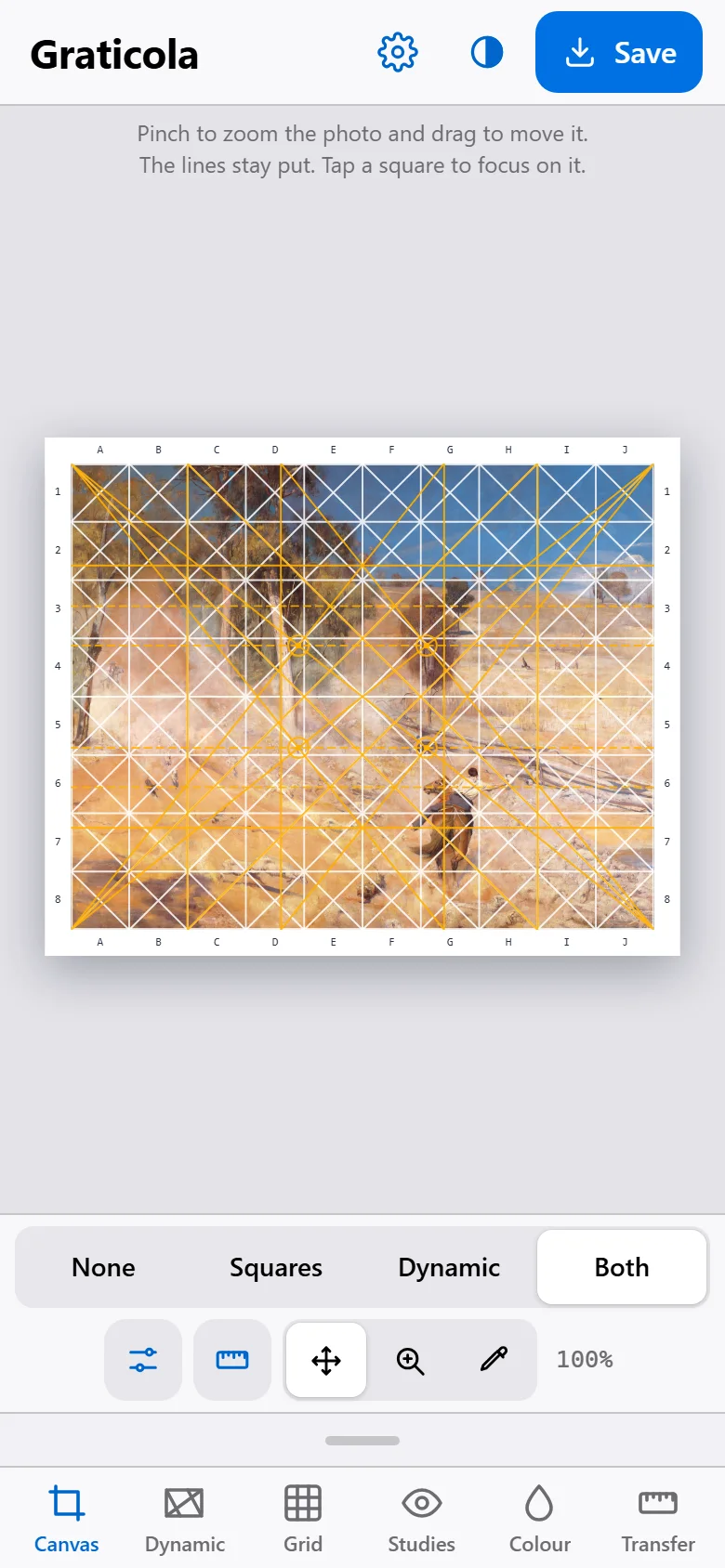
- A drawing grid sized to your real canvas, in centimetres or inches.
- Set it by how many squares across, or by a square size that lands on your ruler.
- Dynamic symmetry lines: diagonals, daughter rectangles, eyes, armature and spiral.
- Built true to your canvas, or to an exact Root 2, Golden or other root rectangle inside it.
- Ruler marks: where every line meets every edge of the canvas.
- Value groups, squint and mirror, to check the drawing with fresh eyes.
- Pick a colour from the photo and see its value on the Munsell scale.
- Save the gridded picture, or print a one-page transfer sheet.
- Works offline. Your photo stays on your device.
What it does
The ruling and measuring you'd otherwise do with a pencil, a set square and a calculator, before the first brushstroke.
-
A grid sized to your canvas
Pick from standard canvas, photo print and paper sizes, or type your own. Set the grid by how many squares across, or by a square size such as 5 cm or 1½ inches so the marks land exactly on your ruler. Diagonals in each square, letters and numbers round the edge, and a note when the last column or bottom row comes out narrower.
-
Dynamic symmetry, built true
Diagonals, daughter rectangles, end squares, crossing lines, eyes, the harmonic armature, root strips and a spiral that ends on any of the four eyes. Turn each on or off, or start from Full grid, Simple, Armature or Spiral. The lines come from your canvas's own diagonals and squares, so they're exact for any shape.
-
Exact root rectangles
Choose Root φ, Root 2, Golden, Root 3, Root 4 or Root 5. Graticola says how far your canvas is from that shape, puts an exact frame inside it that you can move and resize, and offers one tap to change the canvas to the exact size, such as 50.9 × 40 cm for Root φ.
-
Ruler marks for the canvas
Where every composition line meets the top, bottom and sides, and where the eyes sit, measured from the canvas's top-left corner to the nearest millimetre or sixteenth of an inch. Mark them with a ruler and join them up, with no set square needed. Copy the list, or add rulers along the picture's edges.
-
Studies, for fresh eyes
Black and white, or the photo grouped into 2 (notan), 3, 5 or 9 values to see the big shapes of light and dark. Squint to blur the detail, mirror the photo to catch drawing errors, and preview it under a north light or a warm lamp.
-
Colour and value
Tap the photo to pick a colour. Graticola shows the swatch, its value on the Munsell scale from N1 to N9, its colour family, and keeps a palette of the colours you've picked.
-
At the easel
Tap a square and everything else dims, so you can copy one square at a time. Hide the controls and the picture fills the screen. Pinch to move the photo under the lines, or just to look closer. The screen can stay on while you work.
-
Save, print, or see it life-size
Save the gridded picture to Photos or as a file. Print a one-page transfer sheet with the picture, the square size, how to mark the canvas and the ruler marks. Or measure your screen once, and see the picture at the true size of your canvas.
A look inside
Real screens from Graticola, with Tom Roberts' A break away! (1891) loaded as the reference photo. The painting is in the public domain.
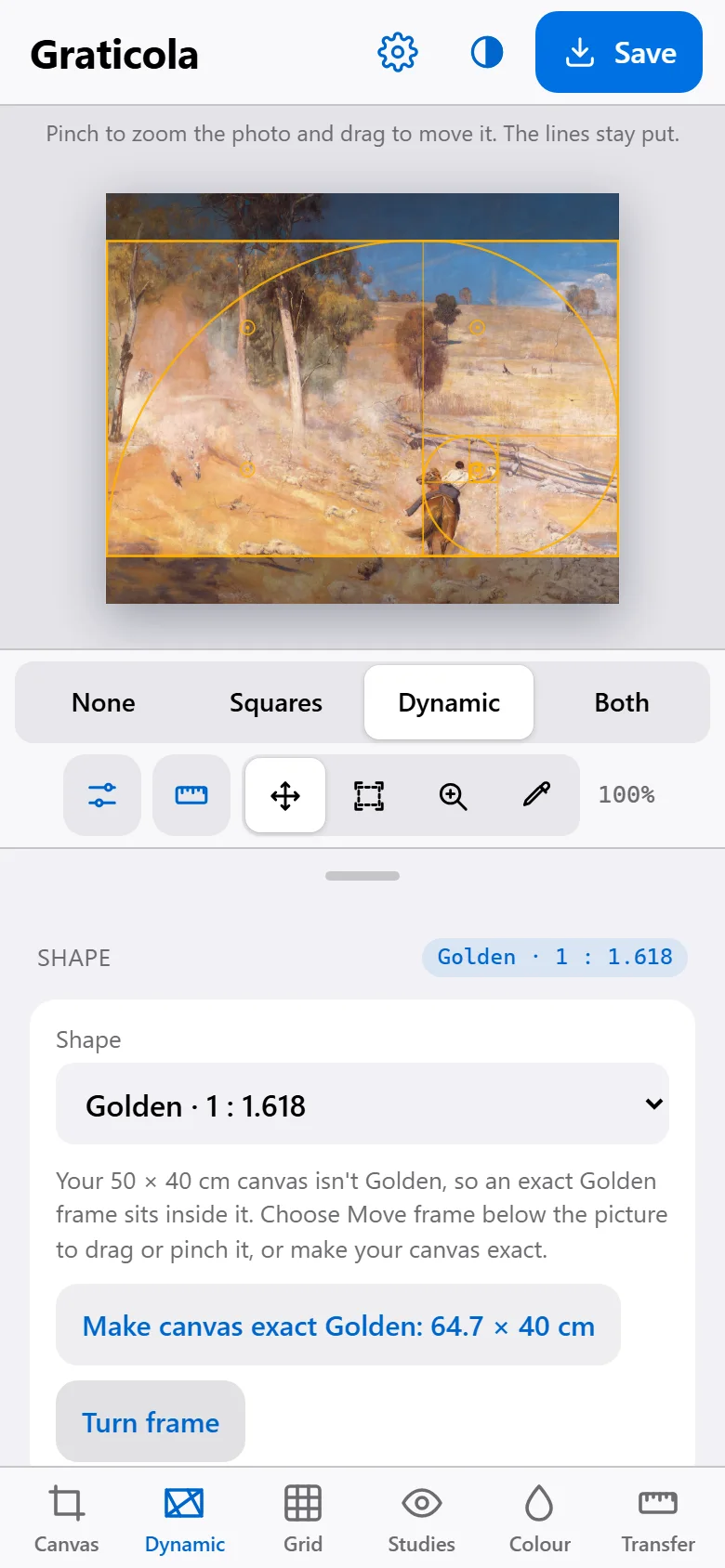
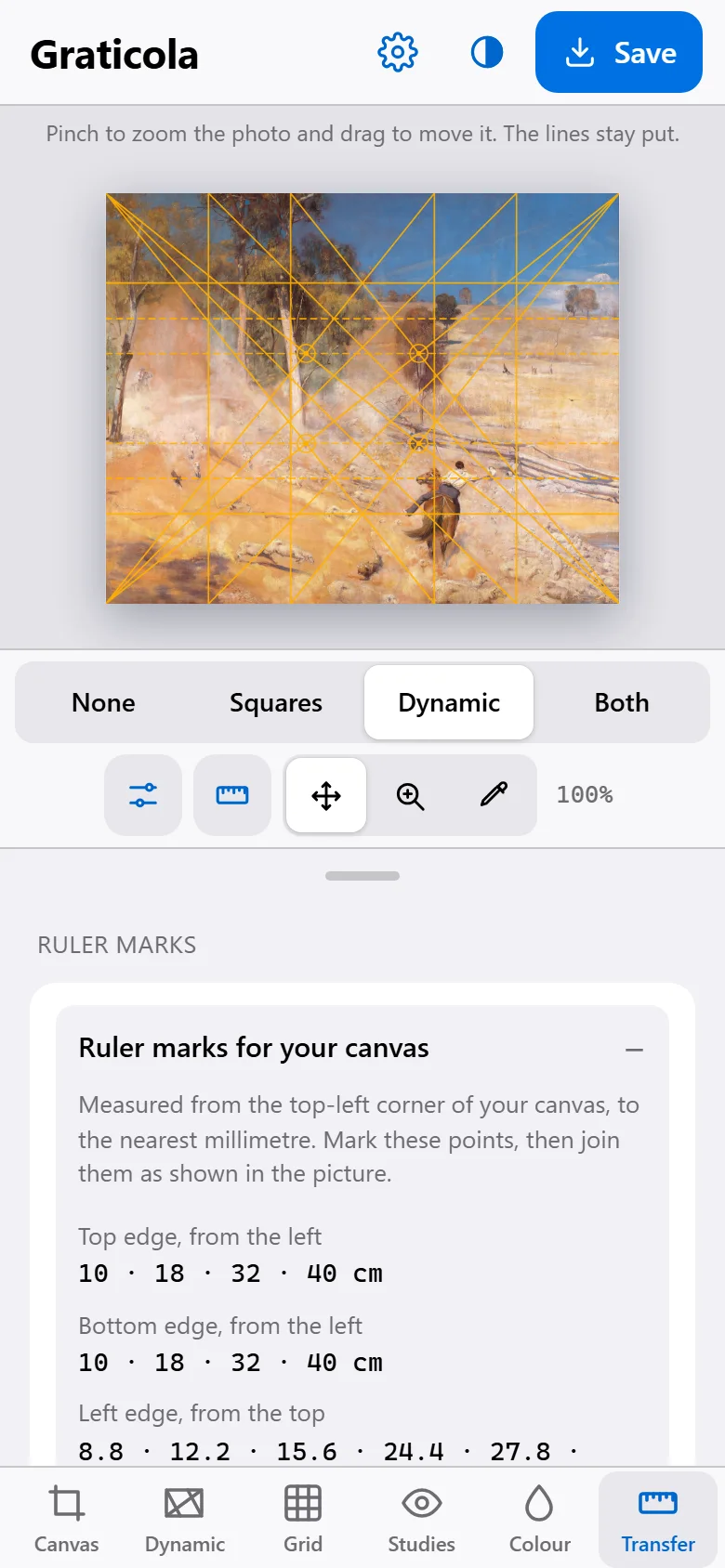
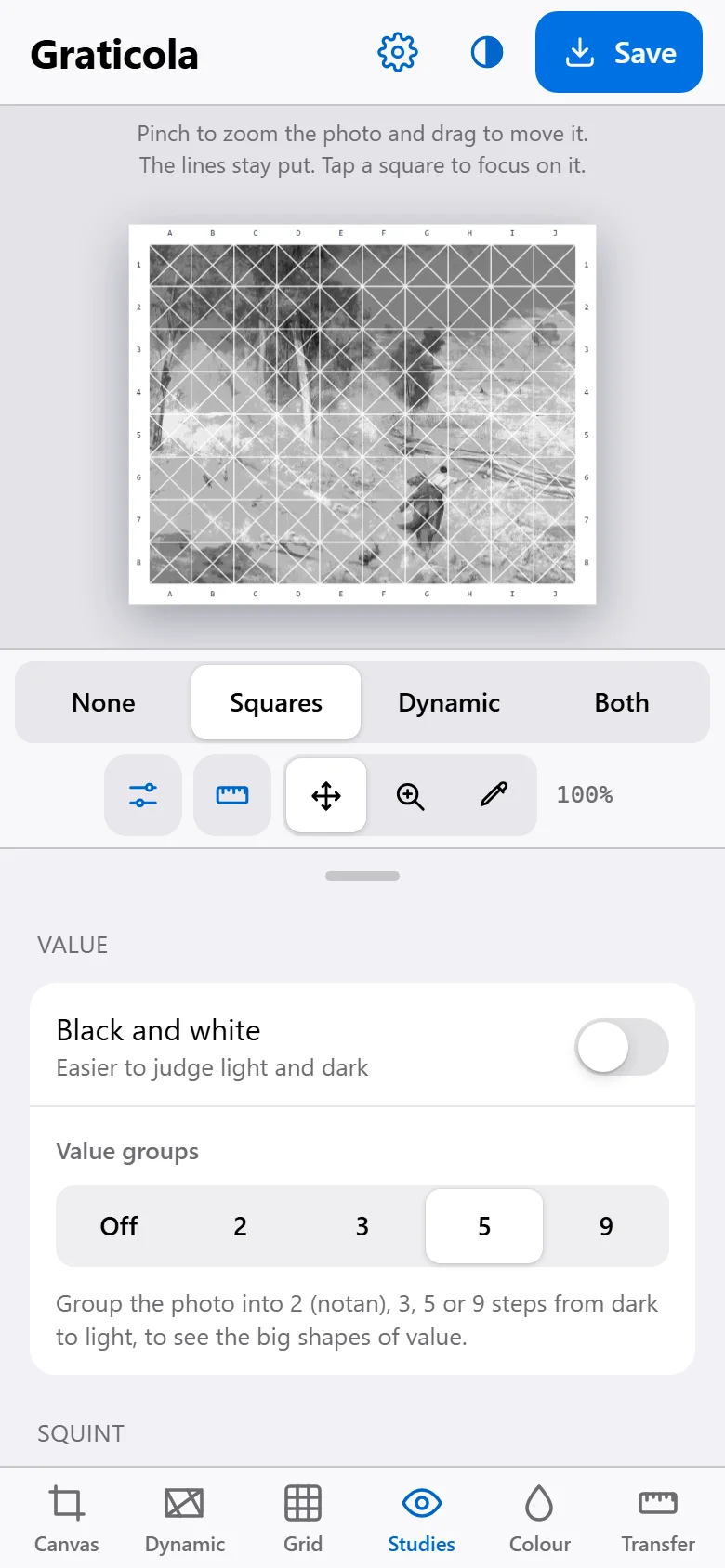
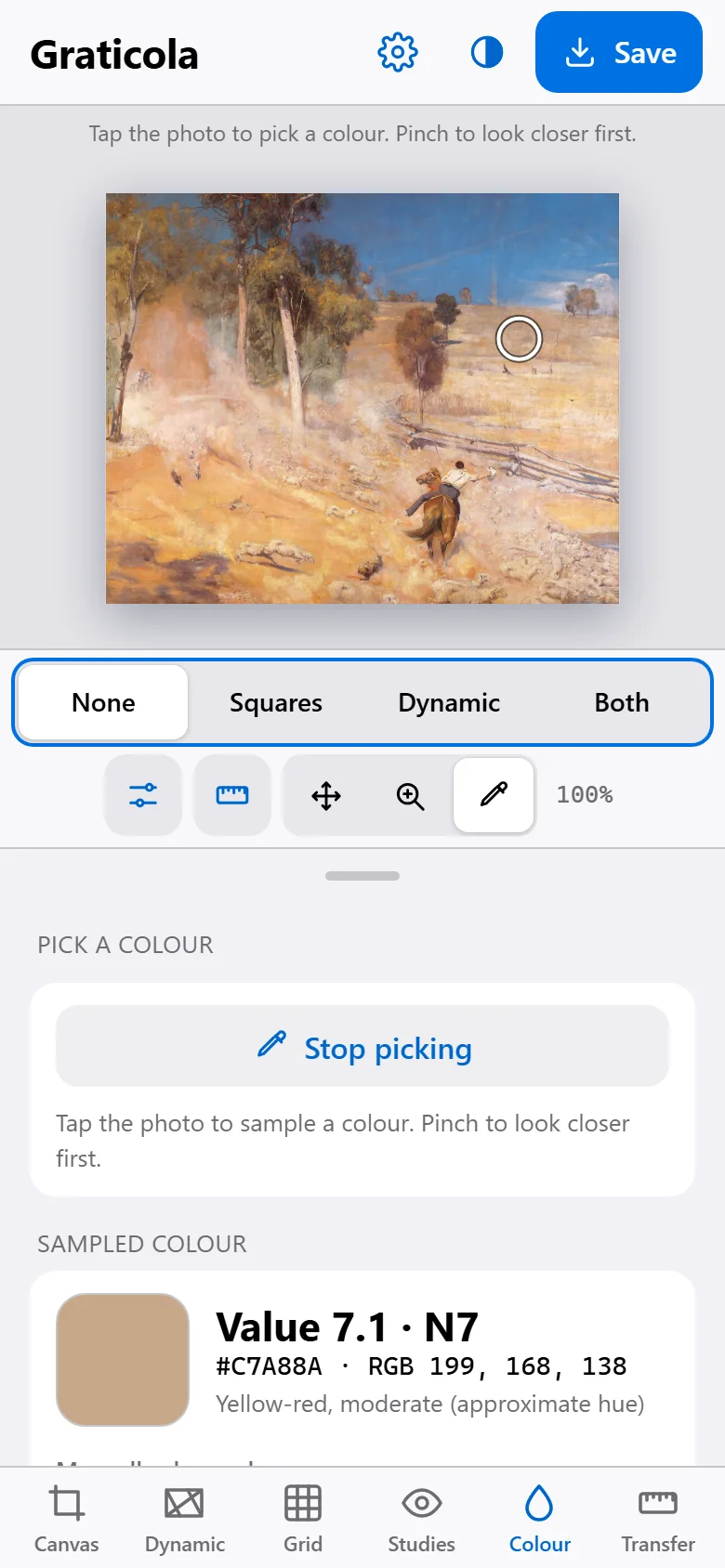
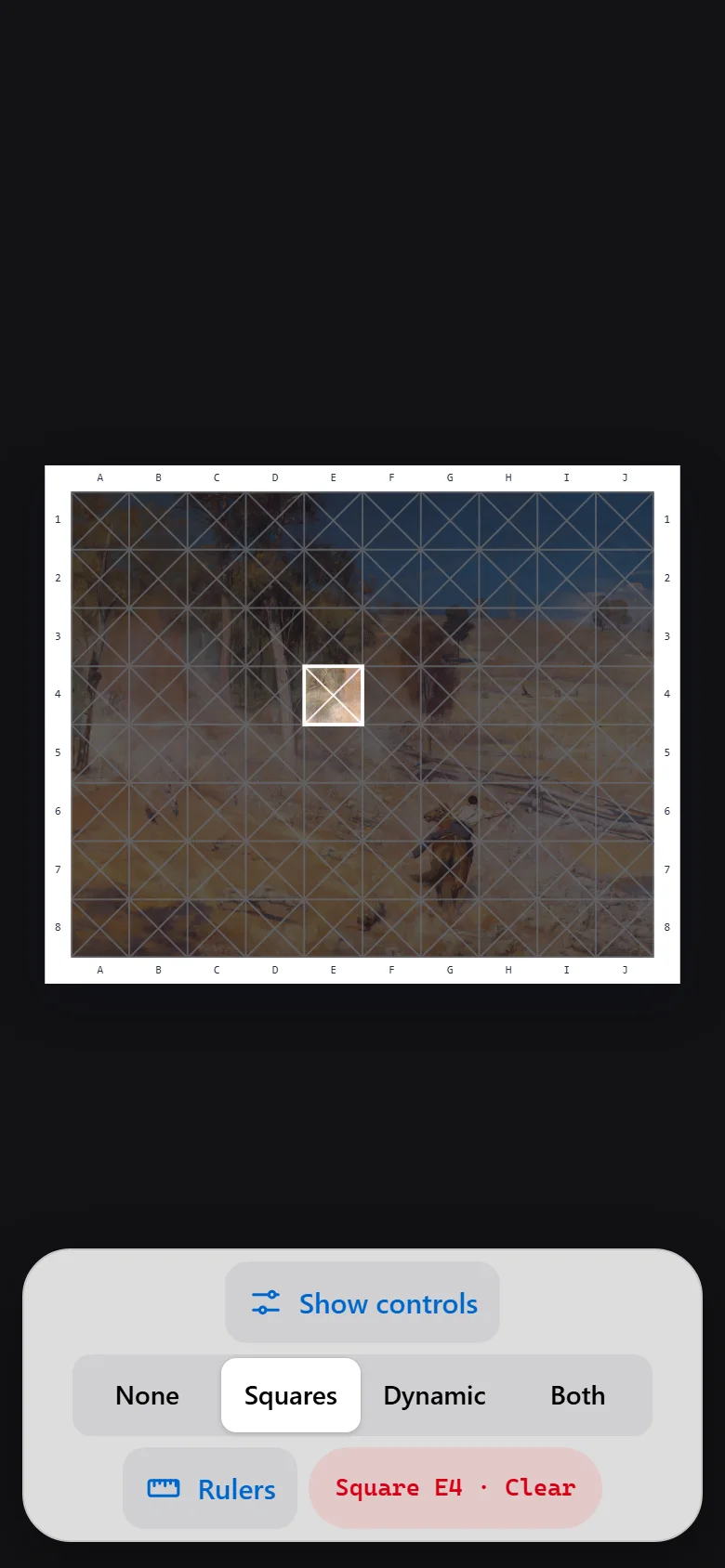
On the phone, the tablet or the laptop
A phone propped beside the easel, a tablet on a stand next to the canvas, or the laptop when you're planning the composition. In light or dark.
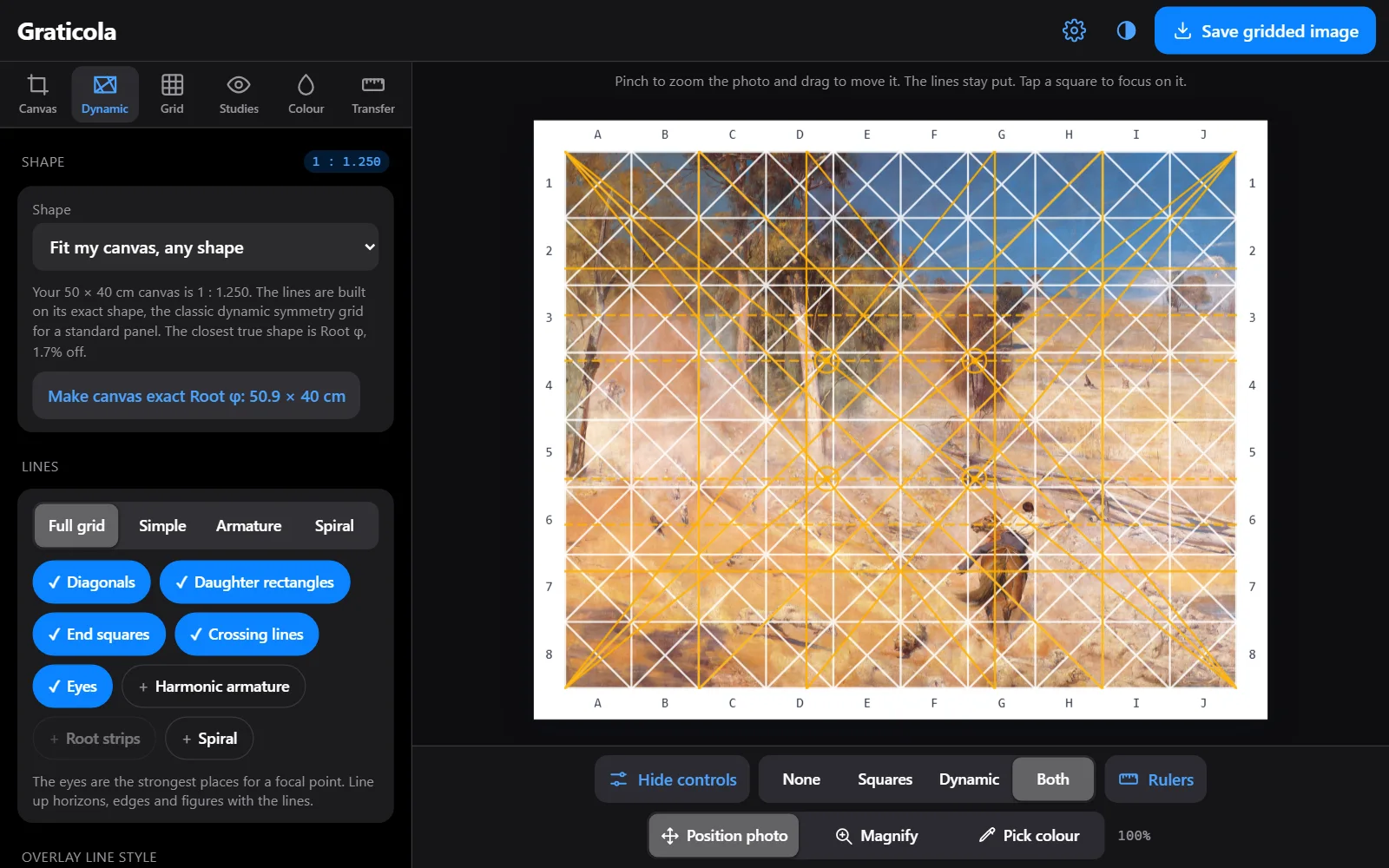
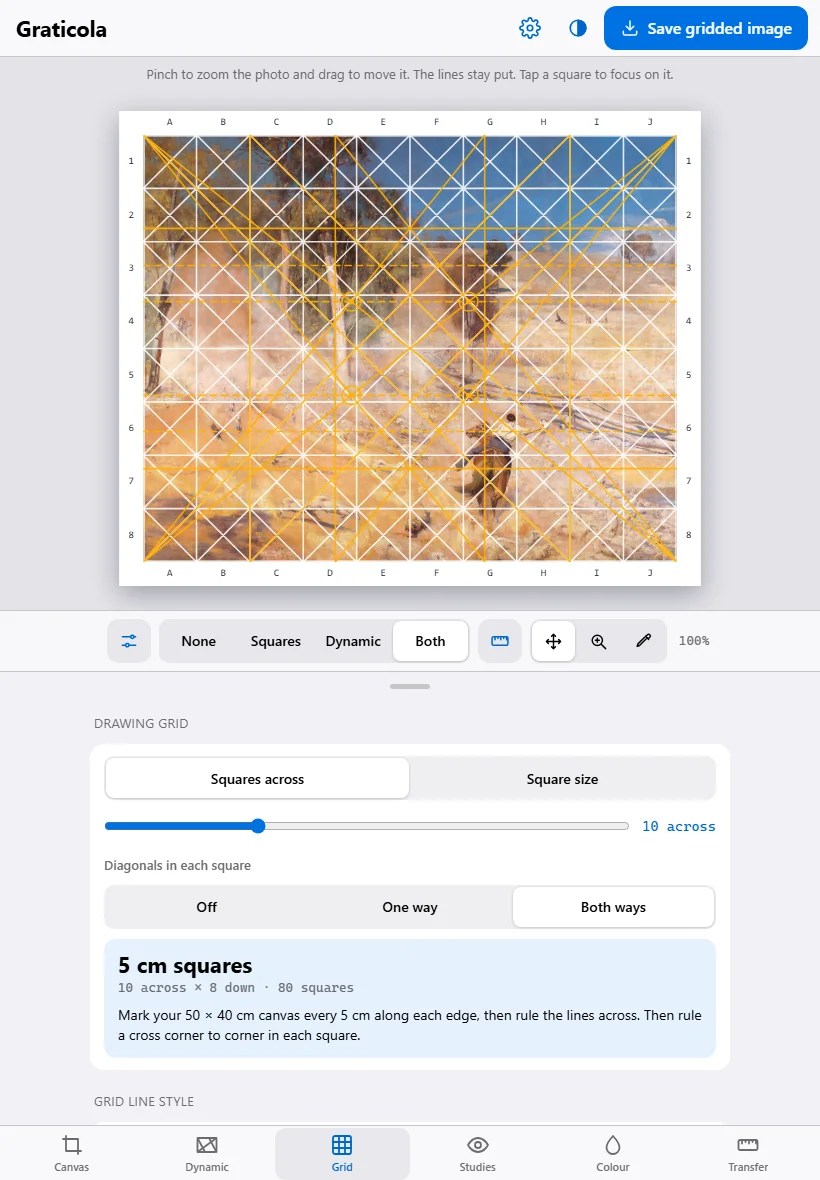
How it works
Load the photo
Choose your reference photo. It opens on your device and stays there.
Set the canvas
Pick the canvas size, or type your own, in centimetres or inches.
Pick the lines
Squares, Dynamic or Both. Move the photo under the lines until the composition sits right.
Mark and copy
Mark the canvas from the measurements, then copy the picture across one square at a time.
Pricing
Price to come. It'll be announced before Graticola opens.
Graticola
Price to come
Register your interest and you'll get one email when it opens, with the price.
While it's tested
Free for testers
Graticola is being tried by painters before it opens. Testers use it free and tell us what to fix.
Where your data lives
- Your photo opens on your device and is never uploaded
- Your settings are kept in your browser on that device
- There is no account, no database and no sign-in
- The gridded picture is saved wherever you choose, or shared from your own share sheet
- Once it's loaded, it works with no internet
- The first time it opens from your home screen, it tells us once that it was installed: the app's name and the kind of device, nothing else
What it isn't
- A projector or tracing app. You draw the picture yourself, square by square.
- A paint mixer. The colour picker shows colour and value, not recipes, and screen colours are a guide.
- A rule. The lines are there to help you plan and transfer the composition; where the paint goes is up to you.
Put it on your device
Graticola is a web app that installs like a normal app. No app store needed, and it works offline once it's loaded.
iPhone or iPad
- Open Graticola in Safari.
- Tap the Share button.
- Choose Add to Home Screen, then Add.
Android
- Open Graticola in Chrome.
- Tap the three-dot menu.
- Choose Add to Home screen or Install app.
Laptop or desktop
- Open Graticola in Chrome or Edge.
- Click the install icon at the right of the address bar.
- It opens in its own window from then on.
Questions
What's the grid method?
The classic way to copy a picture accurately at a new size. Rule a grid over the reference, rule the same number of squares on the canvas, and copy what's in each square into its matching square. Graticola works out the square size for your canvas and tells you exactly where to mark it.
What's dynamic symmetry?
A way of planning a composition from the rectangle itself, set out by Jay Hambidge a century ago. Diagonals, the lines at right angles to them, and the squares at each end divide the canvas into related shapes. Where the lines cross are the eyes, the strongest places for a focal point. Painters use the lines to place the horizon, the main edges and the figures.
My canvas is a standard size. Do the lines still work?
Yes. Graticola builds them on your canvas's real shape, the way painters grid standard panels. It also tells you which true root rectangle your canvas is closest to and how far off it is. You can put an exact frame of that shape inside the canvas, or change the canvas to the exact size in one tap.
Does my photo get uploaded?
No. It opens on your device and stays there. Nothing about it is sent anywhere.
Does it work with no internet?
Yes. Once it's loaded, or on your home screen, it works offline.
Why is it called Graticola?
Graticola (say grah-TEE-co-lah) is the Italian for a grid. Renaissance painters spoke of graticolare a drawing: ruling a grid over a small study, ruling the same number of larger squares on the wall, and copying it across one square at a time. Many drawings from the time still show the grid over the figures. Graticola does the same job for your canvas.
How much will it cost?
The price will be announced before it opens. Register your interest and you'll get one email when it does.
Graticola is looking for testers.
It's built, and being tried at real easels before it opens. If you paint or draw from photos and want to try it on your next piece, email graticola@idleideas.com.au and say what you paint.