

For solicitors practising in New South Wales
Your NSW CPD,
sorted in three taps.
See exactly where you stand on your 10 units and the four compulsory fields. Pick a course from the list of upcoming NSW seminars, webinars and on-demand courses and it's counted, or add the private seminar or in-house session yourself. Snap the certificate when it comes. On 31 March, one tap makes a PDF of the year with every certificate attached. Everything stays on your phone.
A$4.99 a CPD year, with every feature and the report. Works offline.
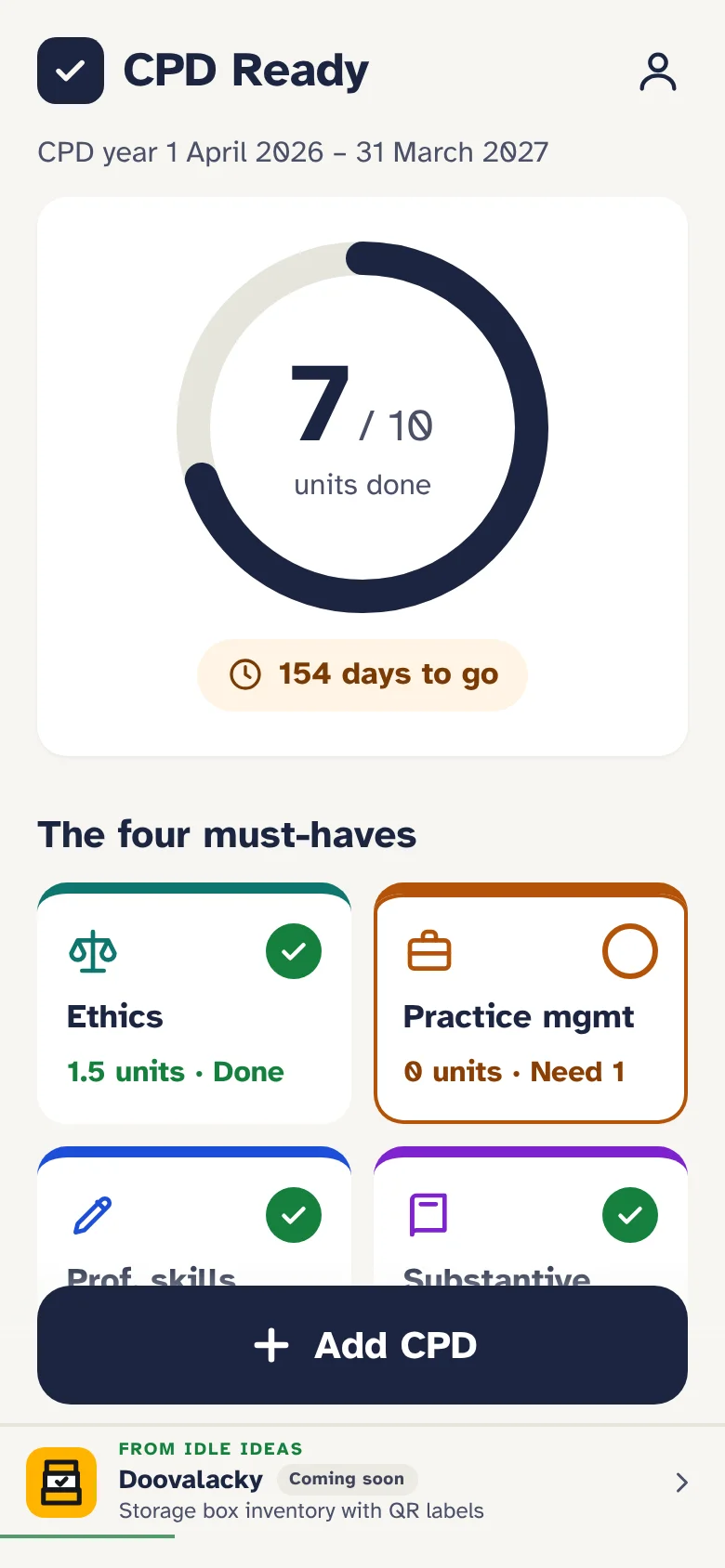
- Your 10 units and the four compulsory fields, with the days left to 31 March.
- The 5-unit cap on private study of recorded material, counted for you.
- Upcoming NSW courses in a list, your own practice areas first, updated every week.
- Add anything else yourself: a private seminar, in-house training, postgraduate study.
- A course across two fields? Split the hours yourself, or let it fill your gaps.
- Accredited specialist points, kept separate from your practising certificate units.
- Certificates as a photo or a PDF, kept with each activity, with a reminder for the missing ones.
- An audit-ready PDF report or a spreadsheet, made on the phone, to email, save or print.
- No account, no cloud. Every record and certificate stays on your device.
What it does
The spreadsheet you meant to keep, the certificates in your inbox, and the scramble in the last week of March.
-
Where you stand, at a glance
One big number: units done out of 10. Under it, the four compulsory fields, each ticked once it has its unit, and a countdown to 31 March. Started practising part-way through the year? Pick the month and the target drops to what the Law Society's table says.
-
Courses in a list
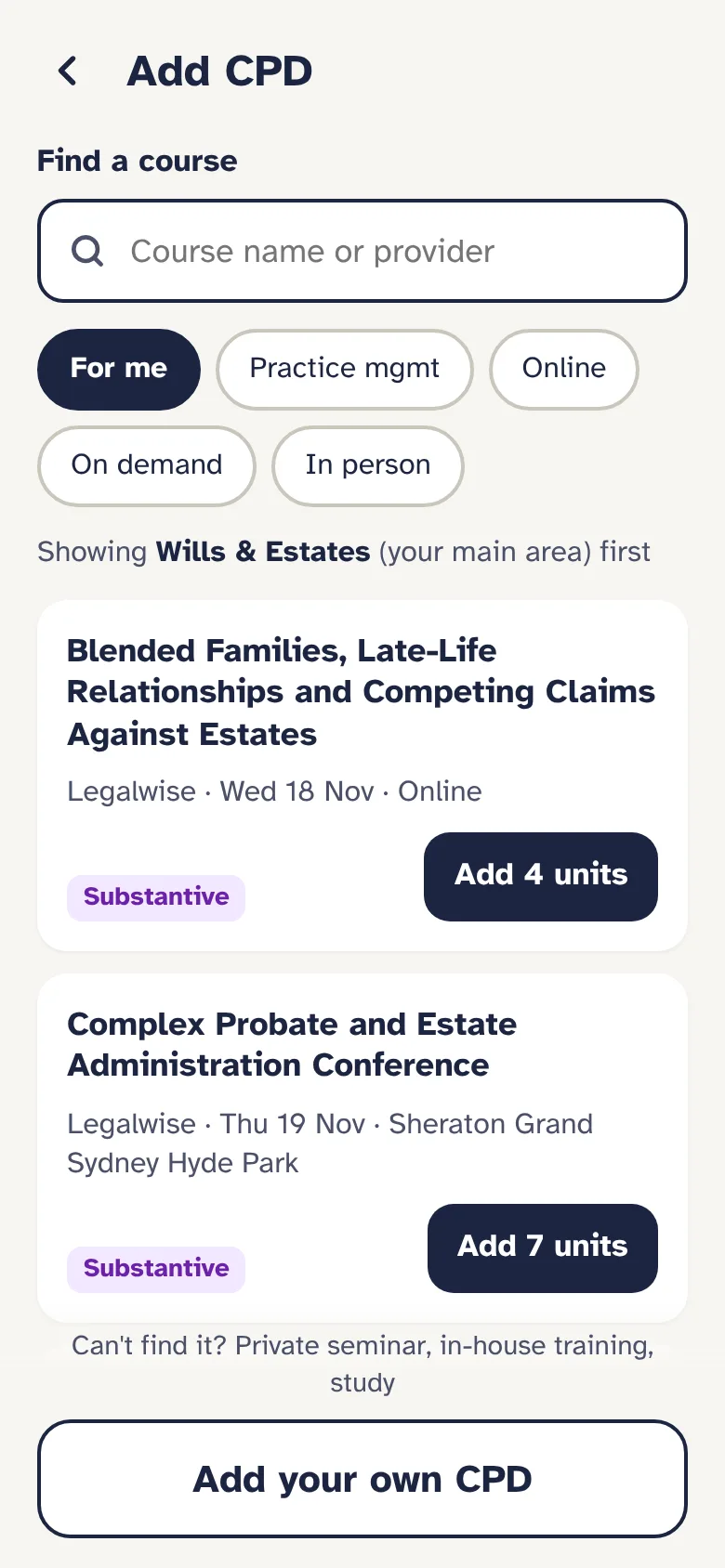
Upcoming seminars, webinars and on-demand courses from NSW providers, with your main practice area first. Tap Add and the units and suggested field come with it. The list is updated every week, and every day from January to March.
-
Add your own
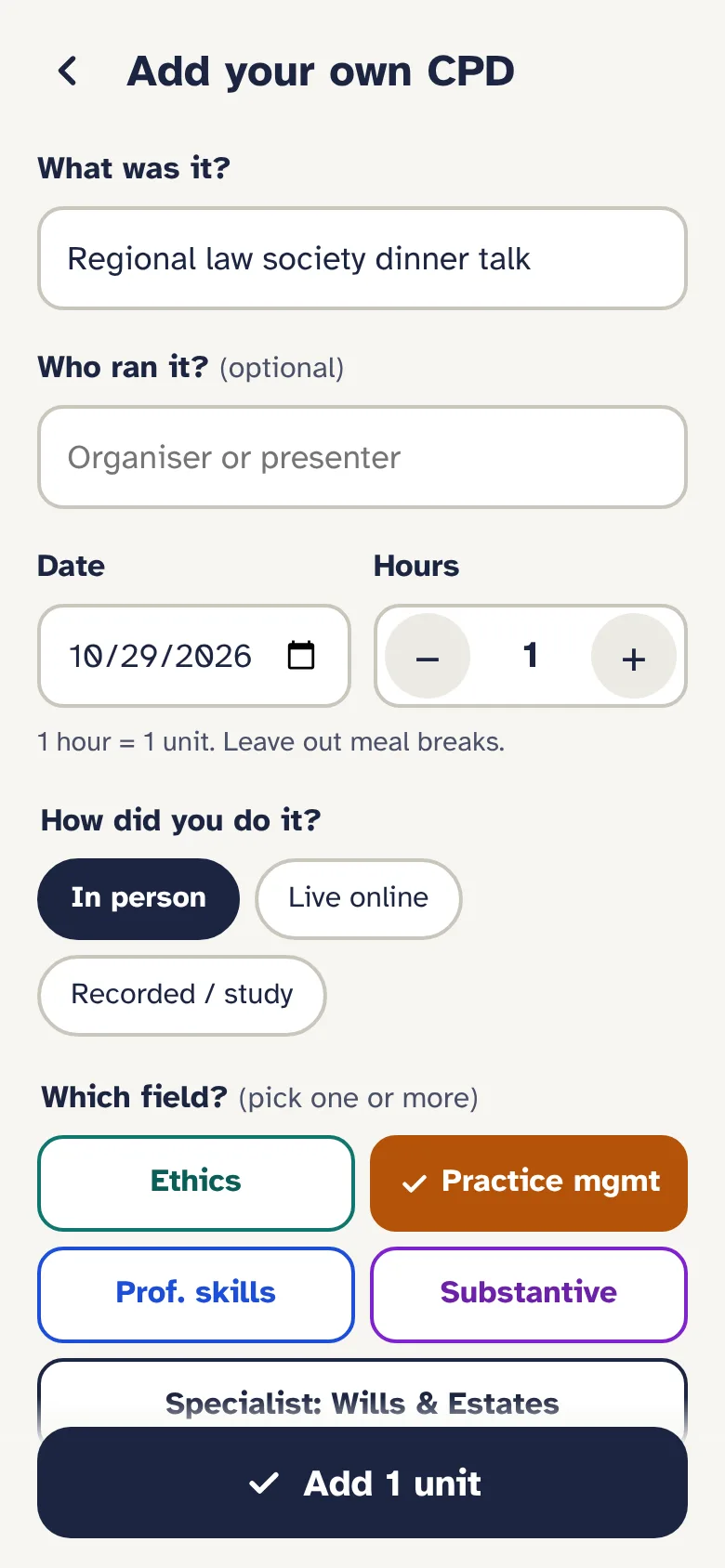
The law society dinner talk, a private seminar, in-house training: a name, the date, the hours and the field. Say whether it was in person, live online or recorded, and recorded study counts toward the cap.
-
Fill the gaps first
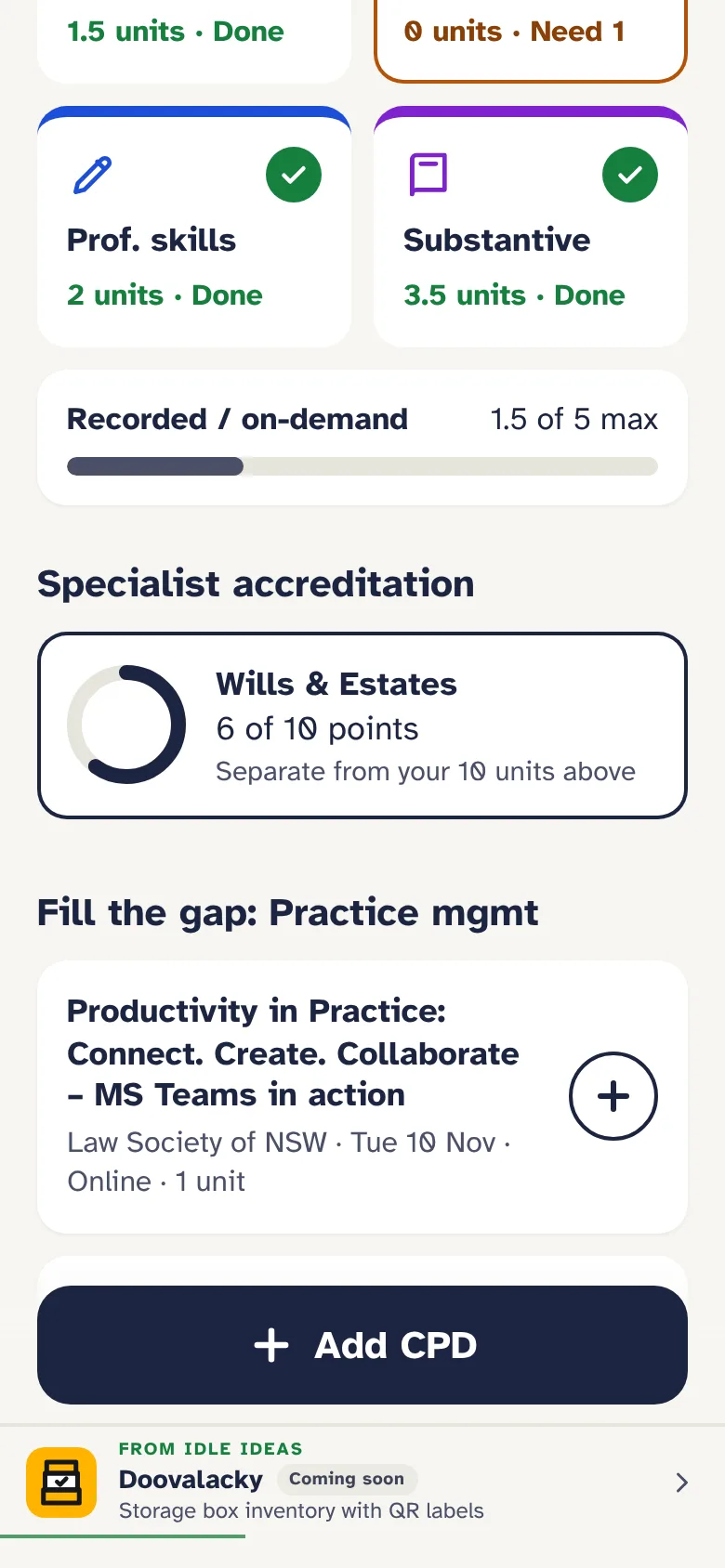
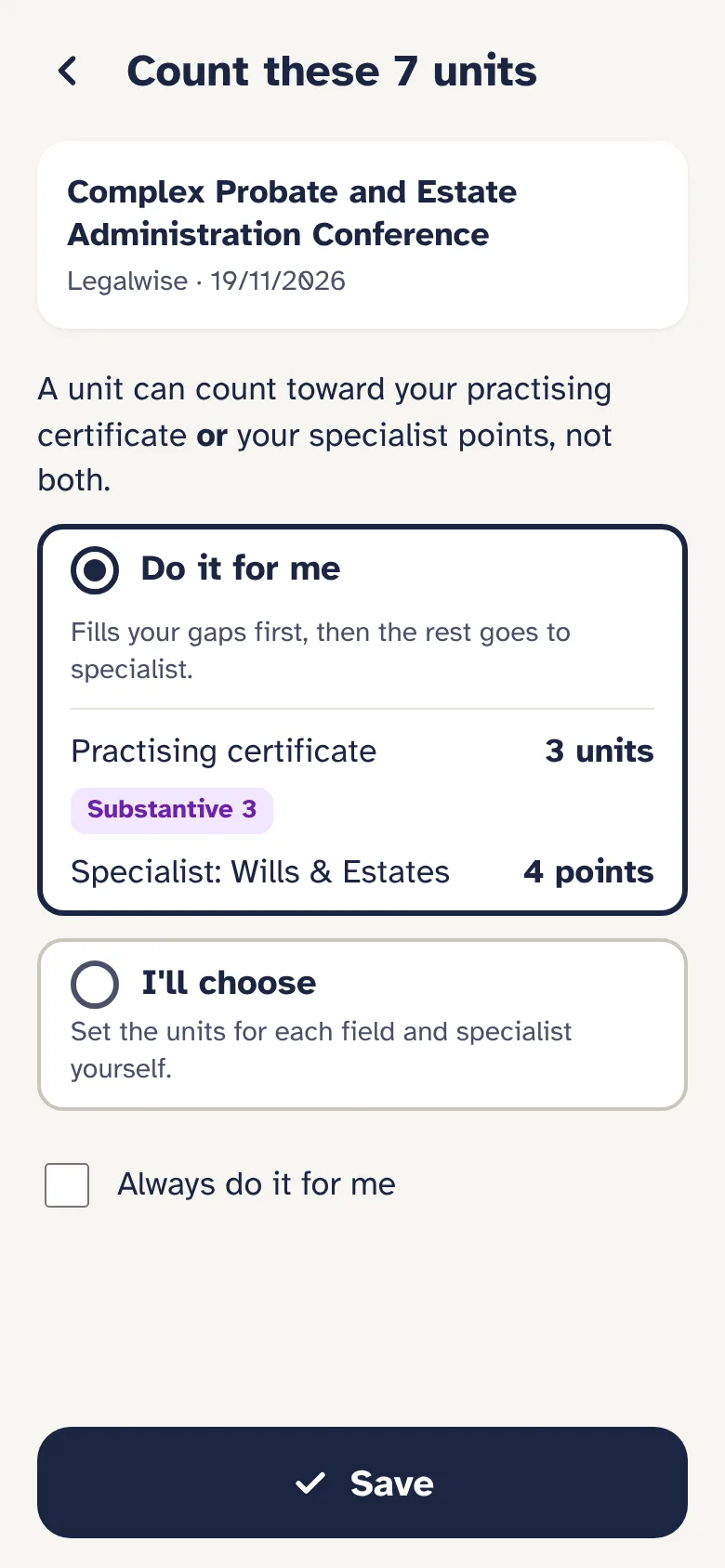
A seven-hour conference that covers Substantive and Ethics, and counts for your specialist points too? CPD Ready asks: split it yourself, or let it fill your missing fields first and send the rest to specialist. Tick "always" and it stops asking.
-
Accredited specialists
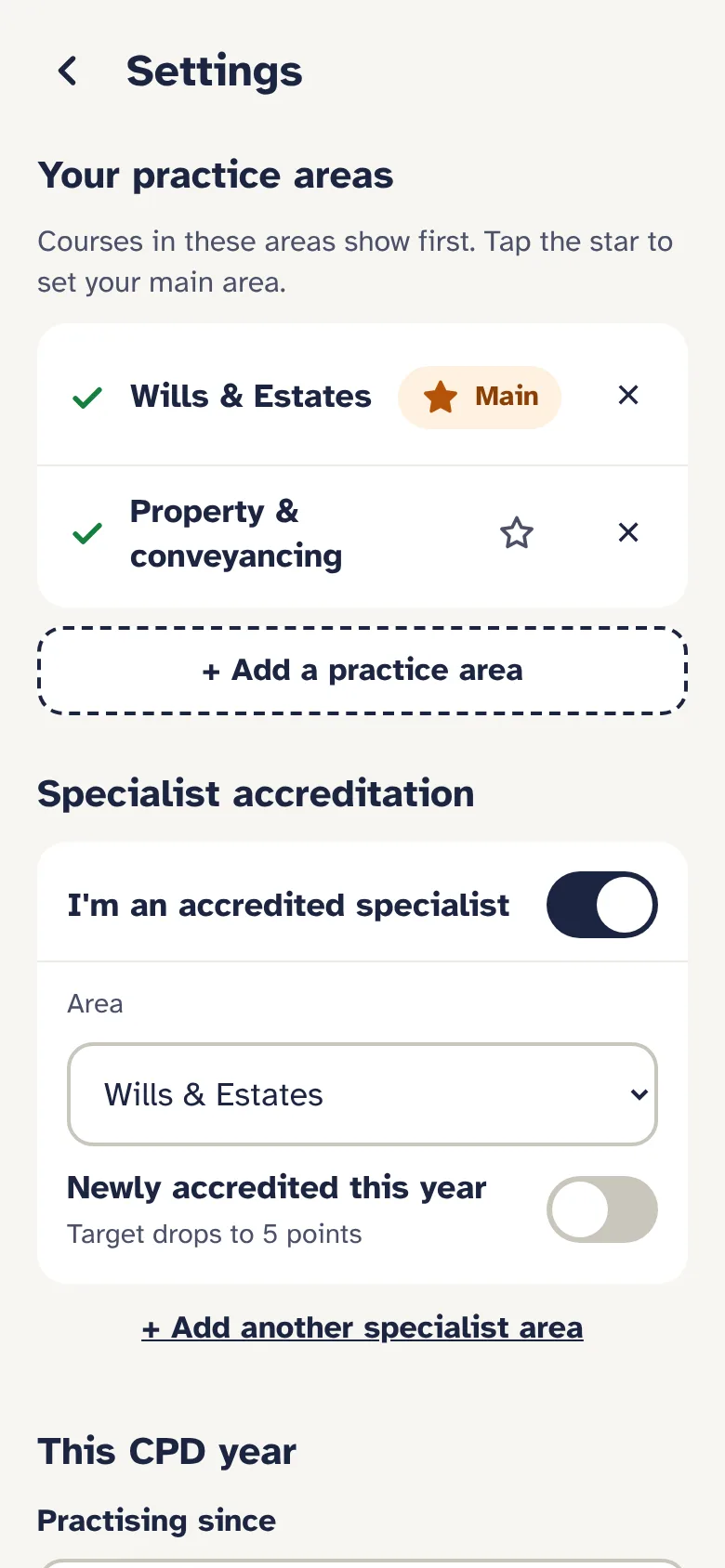
Your points in each area of accreditation, tracked apart from your practising certificate units, so one hour never counts twice. Newly accredited this year? The target drops to five.
-
Certificates kept with each one
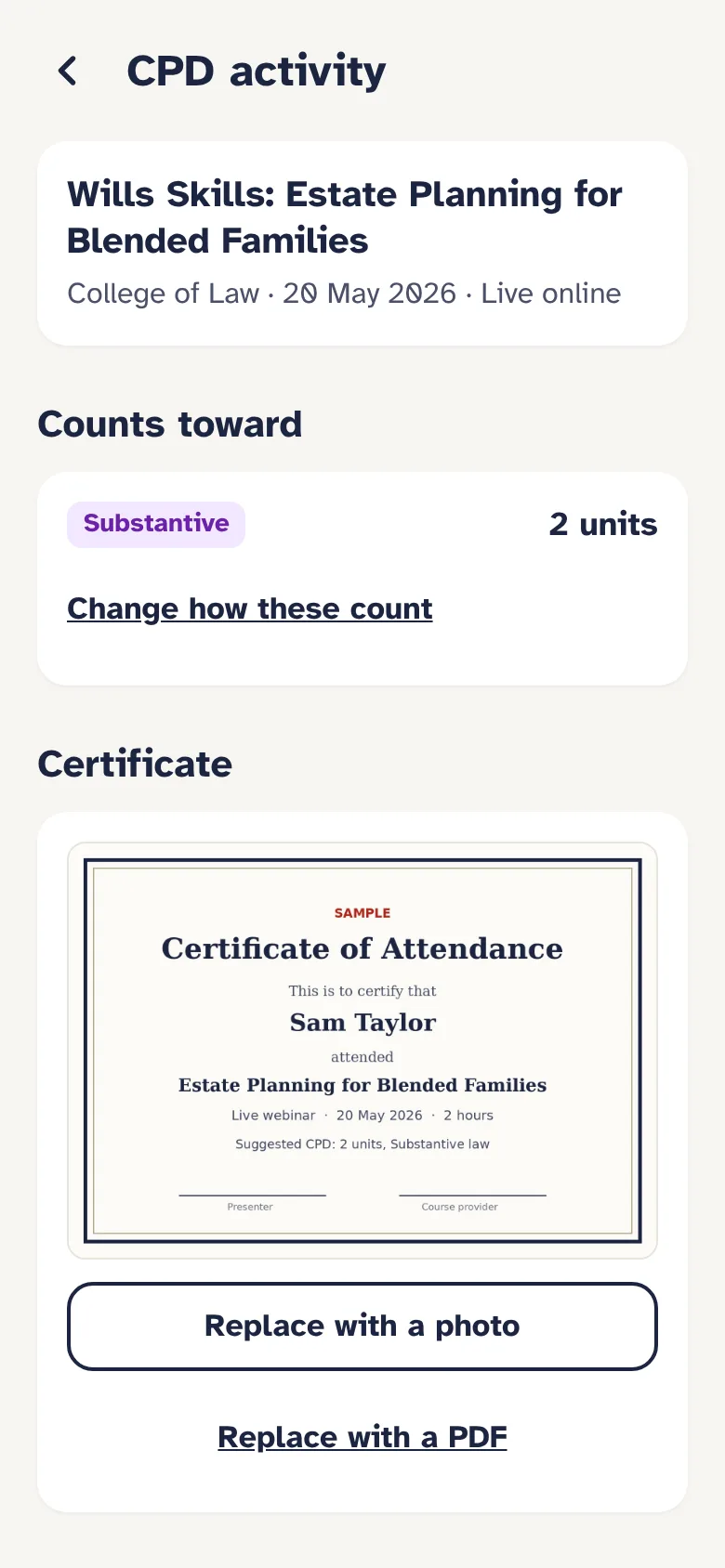
Take a photo or upload the PDF, now or later. Home shows what's still missing, so nothing's left to hunt through your inbox for in March.
-
The report, for an audit
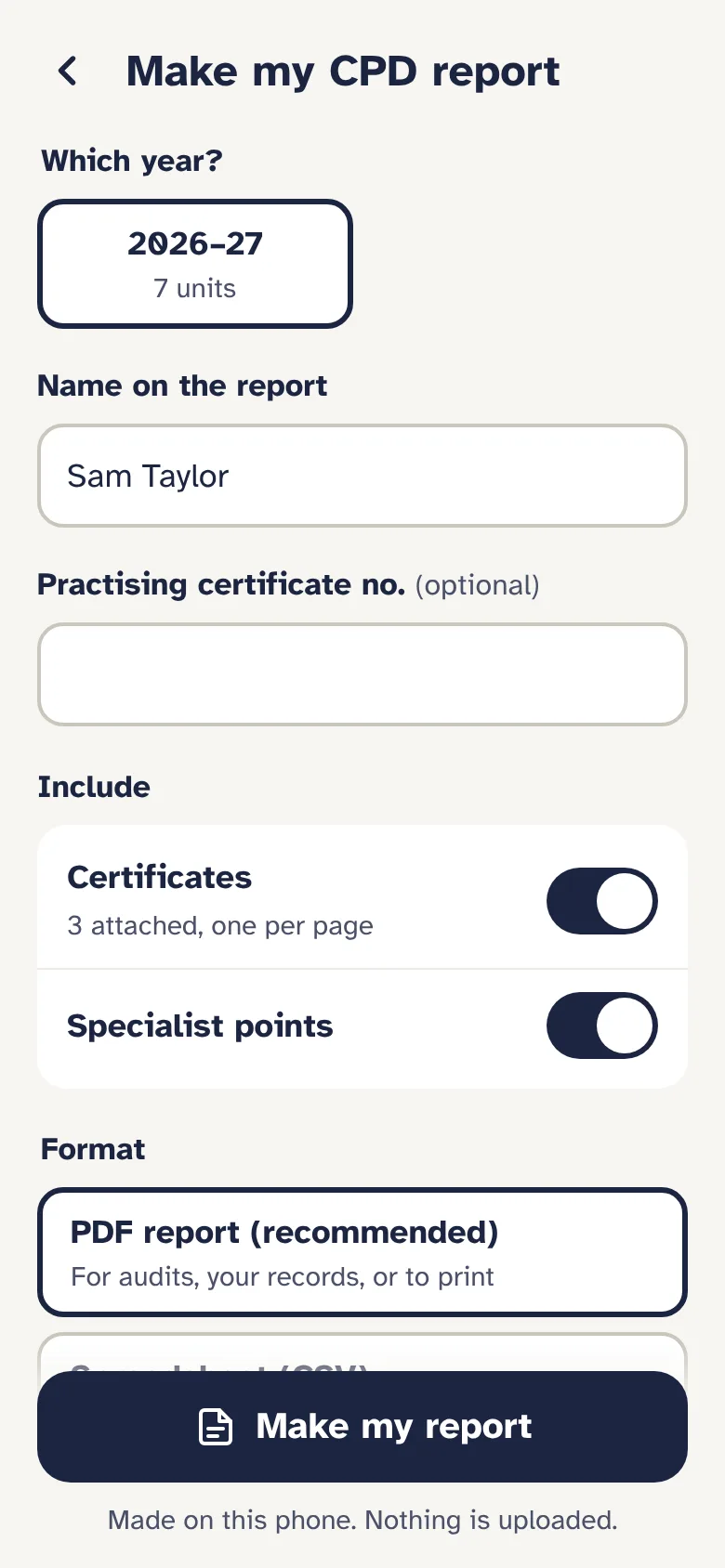
A summary page, every activity with its date, provider, format, field and units, and each certificate on its own page after it. Made on the phone as a PDF, or a spreadsheet for Excel, and handed to your email, Files or the printer.
-
Reminders in your own calendar
A check-in on the first of each month, then every week from January. They go into your phone's calendar, so there's no account and no email list to be on.
-
Year end, on your say-so
After 31 March, a checklist: the units, the four fields, the specialist points, and any certificate still missing. Nothing is archived until you tap Archive, and the new year starts alongside so April courses count where they should.
A look inside
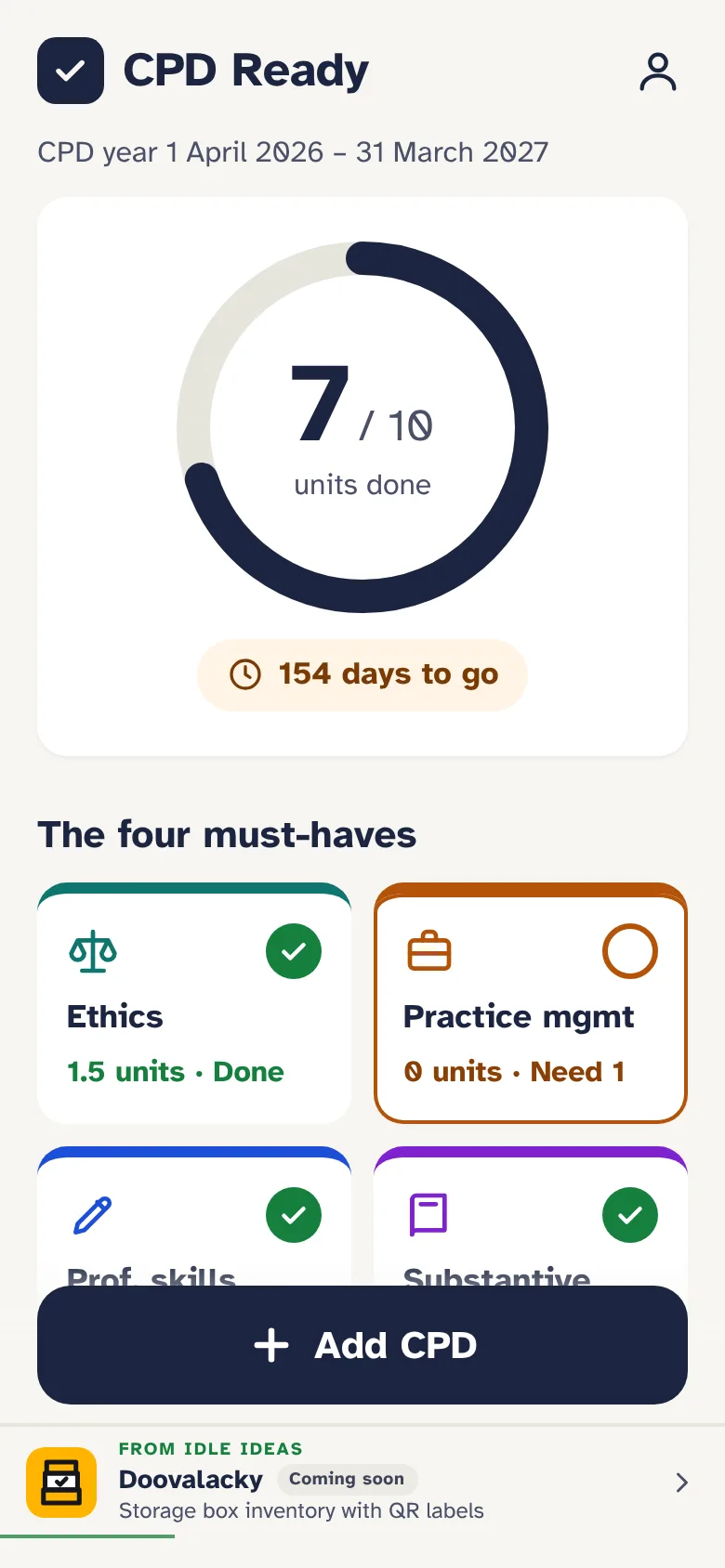
Real screens from CPD Ready, with an example solicitor partway through the year.
How it works
Put it on your phone
Add it to your home screen from the browser. A minute of setup: your practice areas, any accreditation, and what you've already done this year.
Add CPD as you go
Pick the course from the list, or add your own. The units land in the right field.
Snap the certificate
A photo or the PDF, now or when it arrives. Home reminds you of any that are missing.
Make the report
One tap for the year's PDF, certificates attached. Then archive the year when you're ready.
Pricing
One price for the CPD year, with every feature. No tiers.
CPD Ready
A$4.99 a CPD year
For 1 April to 31 March: the tracking, the course list, your certificates, calendar reminders and the PDF report. The whole price, with no GST on top.
Later: Pro
Planned
Your records on your computer as well as your phone, with certificates backed up online. It isn't built yet, and CPD Ready works fully without it.
Where your data lives
- Your activities, certificates, name and practising certificate number are stored in your browser on your device
- There is no account, no database and no sign-in
- A backup is one file, saved to iCloud Drive, Files or emailed to yourself
- The report, spreadsheet and calendar reminders are made on the phone and go only where you send them
- The course list is downloaded from CPD Ready's own site; nothing of yours goes with it
What it isn't
- Approved by the Law Society. CPD is self-assessed: you decide what you claim and which field it counts toward. CPD Ready keeps the record and does the sums. It isn't affiliated with the Law Society of NSW or any course provider.
- A booking service. Course links open the provider's own page; you book and pay them directly.
- For other states yet. The rules it counts by are New South Wales solicitors'.
Put it on your phone
CPD Ready is a web app that installs like a normal app. No app store needed, and it works with no signal.
iPhone or iPad
- Open CPD Ready in Safari.
- Tap the Share button.
- Choose Add to Home Screen, then Add.
Android
- Open CPD Ready in Chrome.
- Tap the three-dot menu.
- Choose Add to Home screen or Install app.
Laptop or desktop
- Open CPD Ready in Chrome or Edge.
- It works in the browser tab as it is.
- Your records on a computer are separate from your phone's, until Pro.
Questions
Does the Law Society accept it?
There's nothing to accept: CPD in New South Wales is self-assessed, and you keep your own records. CPD Ready is a tidy way to keep them. Its report lists each activity with the date, provider, format, field and units claimed, and puts the certificates after it, which is what you'd want in front of you if you were audited.
Which courses are in the list?
Upcoming seminars, webinars and on-demand courses from NSW providers, including the Law Society of NSW, Legalwise, the College of Law and the University of Sydney's CPD series. It's updated every week, and daily from January to March. The field shown is the provider's suggestion or ours; you can change it.
My CPD wasn't from a course provider.
Add it yourself: a law society dinner talk, a private seminar, in-house training, postgraduate study. Give it a name, the date, the hours and the field, and attach whatever proof you have.
Does it know the 5-unit cap on recorded study?
Yes. Anything marked recorded counts toward it, Home shows how much you've used, and units over the cap aren't counted in your total.
I'm an accredited specialist.
Turn it on in Settings and pick your area, or more than one. Specialist points get their own ring on Home and their own table in the report, and an hour counts toward either your practising certificate or your specialist points, never both.
I started part-way through the year.
Tell it the month you started and the target drops to the Law Society's pro rata number. The compulsory fields still count once the target is four units or more.
What happens if I lose my phone?
Your records were only on that phone, so you'd restore from your last backup: one file, saved wherever you like. Make one from Settings now and then, and after you add certificates.
CPD Ready is looking for testers.
It's being tried by a few NSW solicitors before it opens. If you're a NSW solicitor and want to try it on this CPD year, email cpdready@idleideas.com.au and say what kind of practice you're in.