

For small catering businesses
From the first enquiry
to the paid invoice.
Enquiries, quotes, menus costed to the cent, the day's sheets for the kitchen and the floor, food-safety records and invoices, on your phone, tablet or computer. Every client, event, recipe and record lives on your own device — no cloud account, and nothing about your clients or their guests sent anywhere.
14 days free from when you add your business or first client, then AU$99 a year. Cancel any time. Works offline.
- Today's board: what's on, which enquiries are waiting, what's owed, what's due.
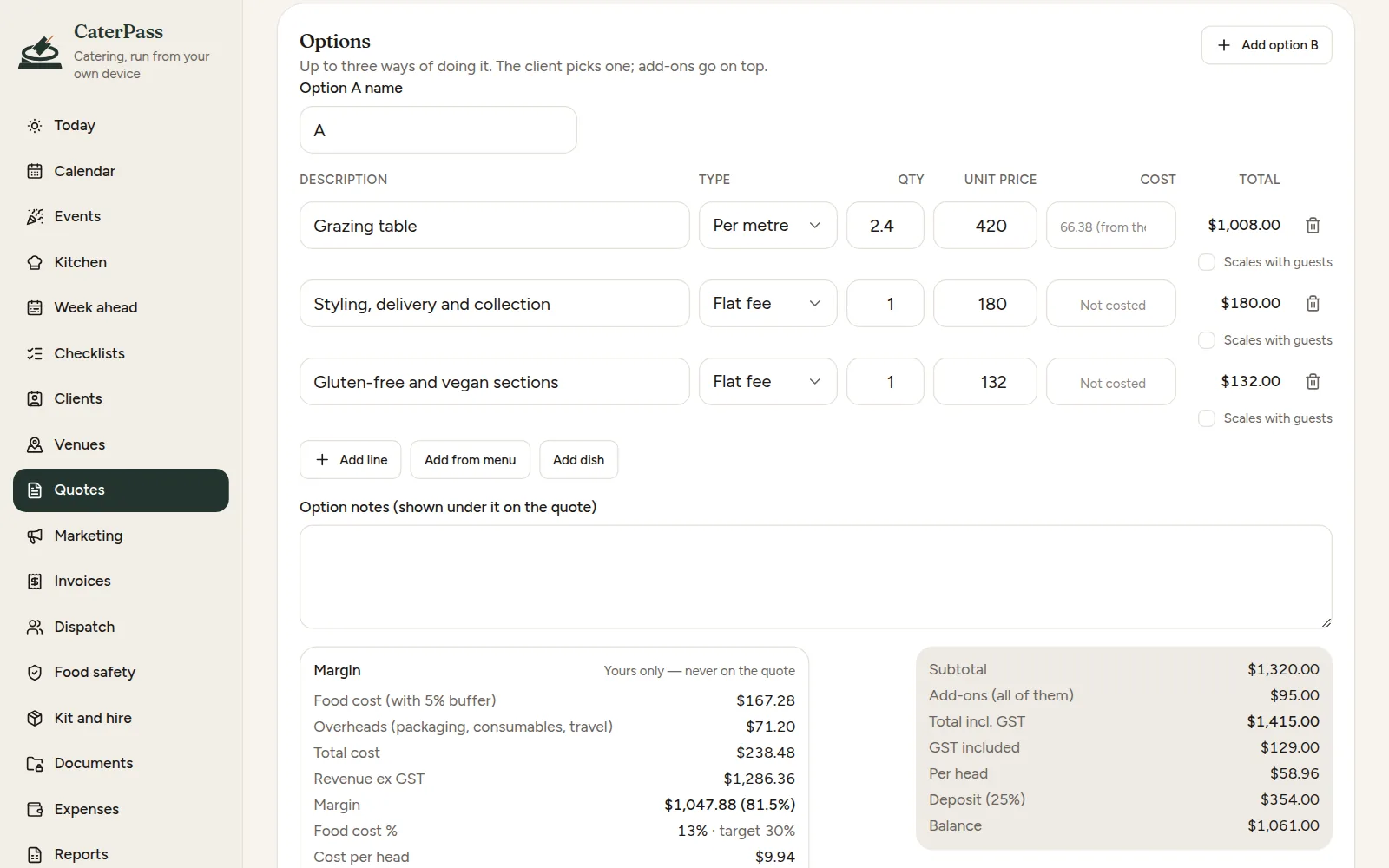
- Quotes with options and add-ons, and a live margin only you see.
- Menus and dishes costed from your recipes and ingredient prices.
- Event sheets, call sheets, shifts and timesheets for the day itself.
- Food-safety records kept, with the limits beside each reading.
- Every byte stays on your device. Export a backup any time.
On the phone, the tablet or the laptop
Every screen fits whatever you've got: a phone at the venue, a tablet on the pass, or the laptop at night when the quotes and invoices go out.
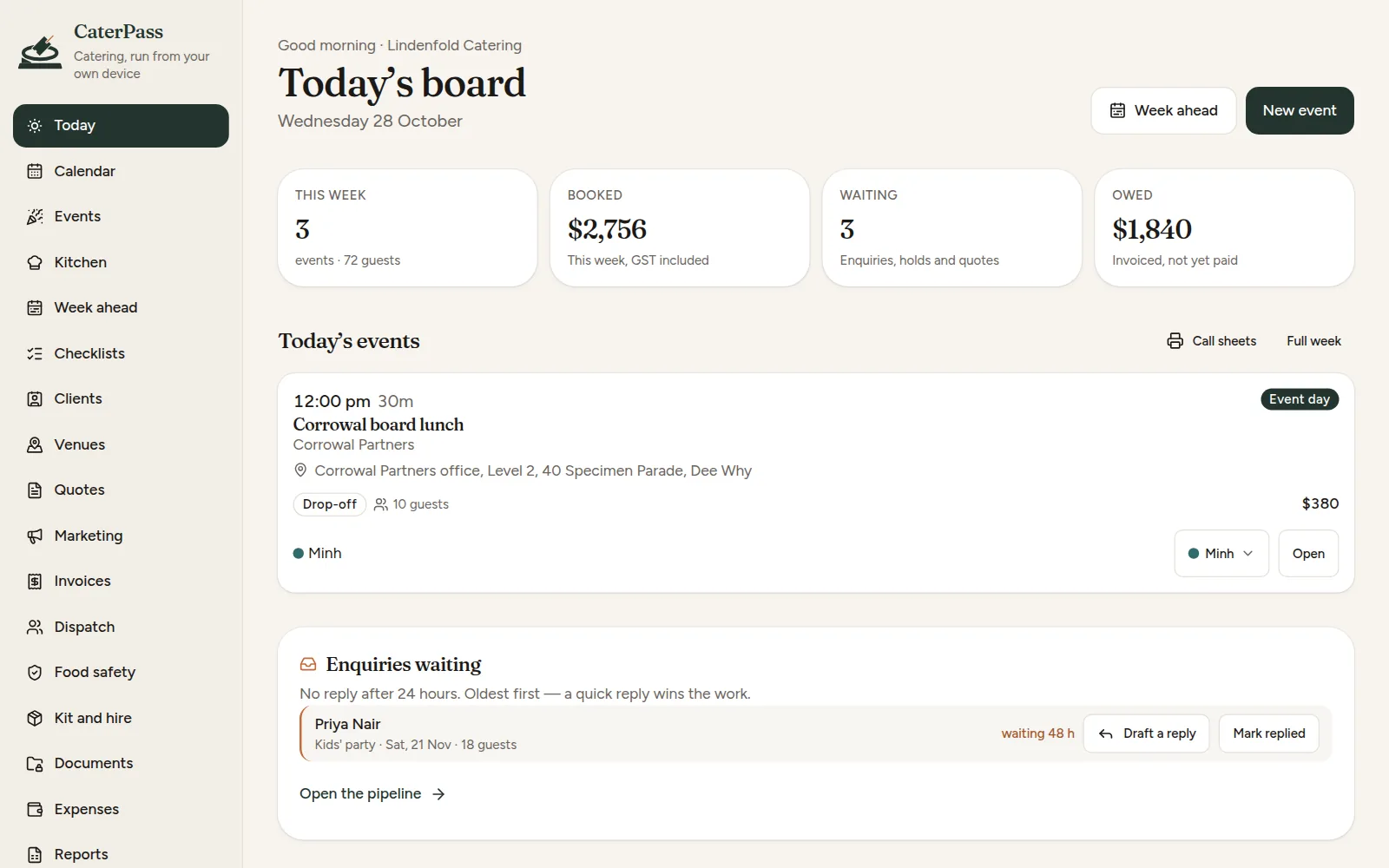
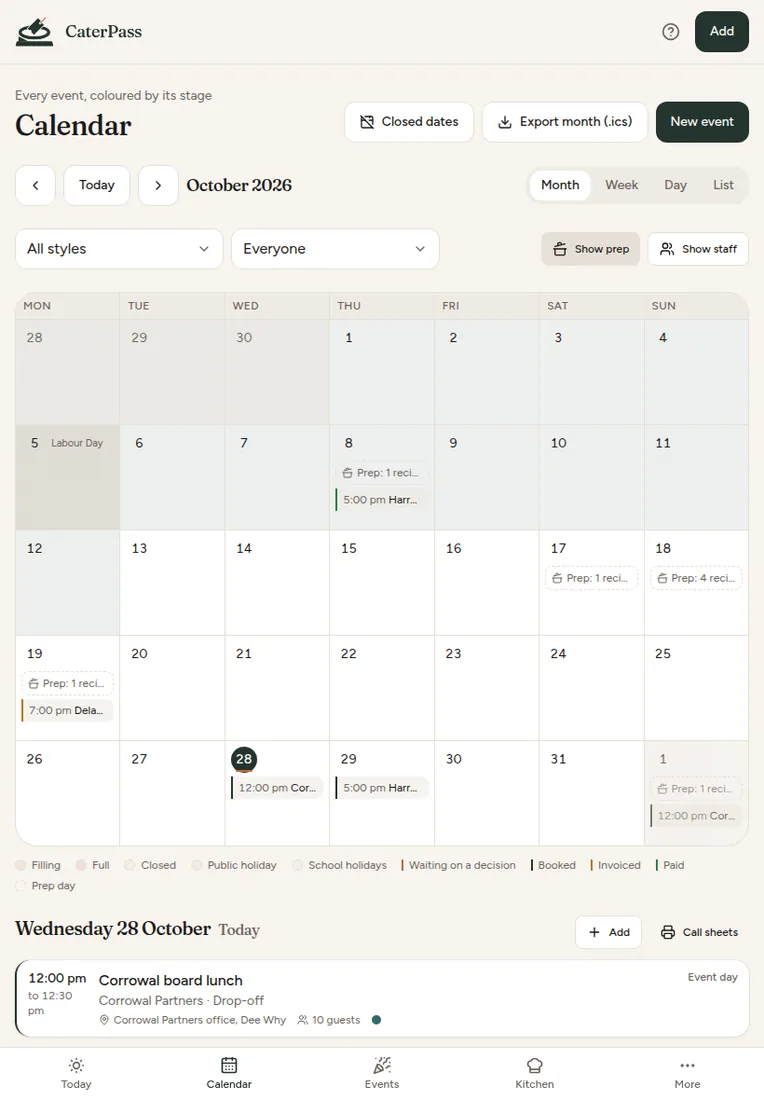
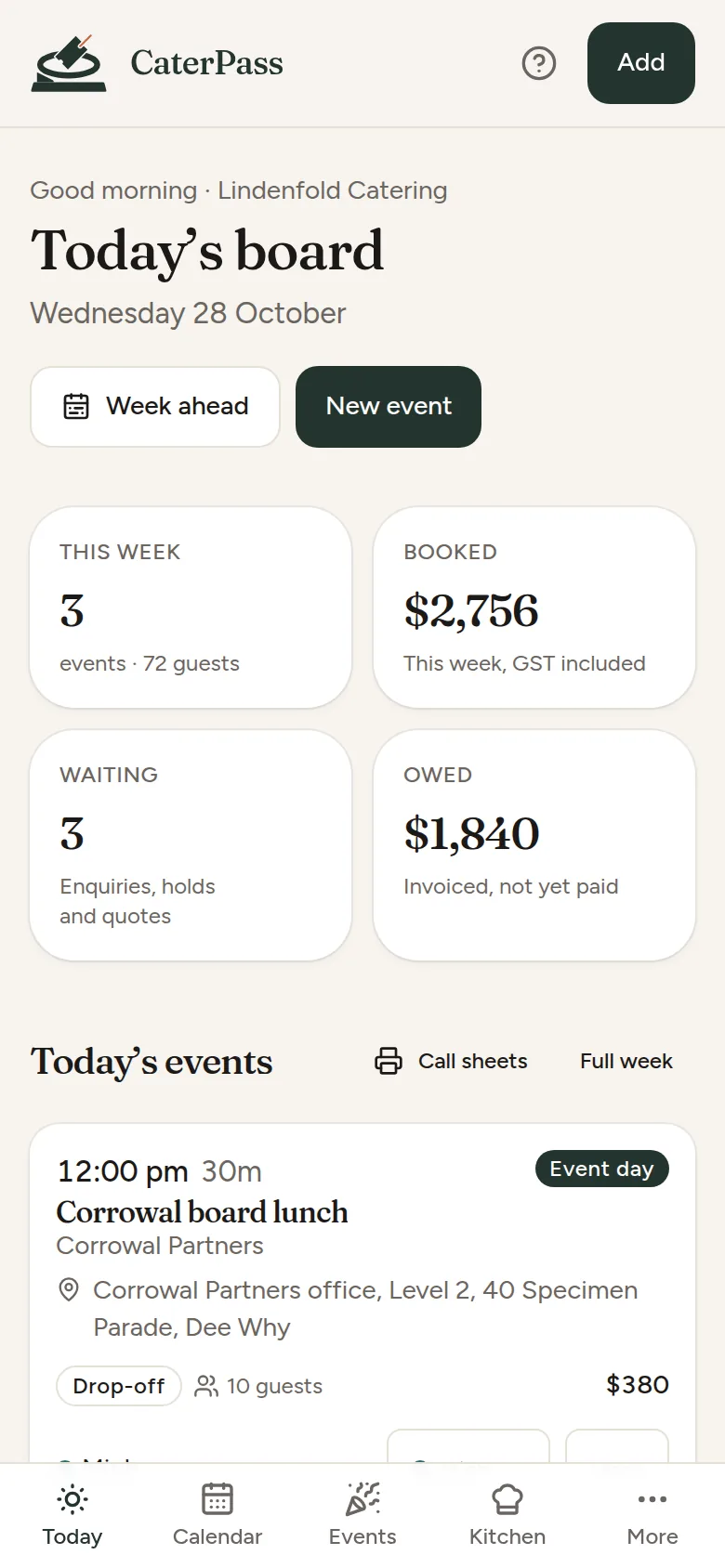
The same made-up example business on a laptop, a tablet and a phone: today's board, and the month with every event and prep day. Tap any screen to see it full size.
A one-minute look around
A quick walk through a made-up catering business: today's board, an enquiry and a quote, recipe costing, an event's sheets, the kitchen screen, call sheets on a phone, a food-safety record, the printable kit and reports.
A one-minute tour with captions and no sound, so you can watch it anywhere. Every business, client, venue and event in it is made up.
What it does
The parts of a caterer's week that usually live in an inbox, a spreadsheet, a whiteboard and a clipboard by the cool room.
-
Enquiries that don't go cold
Paste a website form, a text or a DM and it fills the enquiry in. It checks the date against how busy you already are, and Today shows who's waiting for a reply, oldest first, with a reply drafted for you.
-
Quotes with a live margin
Per head, per piece, per platter or per metre, with options A, B and C, add-ons, peak-date surcharges and your terms. The margin and food cost sit beside it while you build it, and never print.
-
Menus costed to the cent
Ingredients with pack prices and yields, recipes with sub-recipes, dishes costed from them. When a supplier puts a price up, it tells you which dishes have slipped past their food-cost target.
-
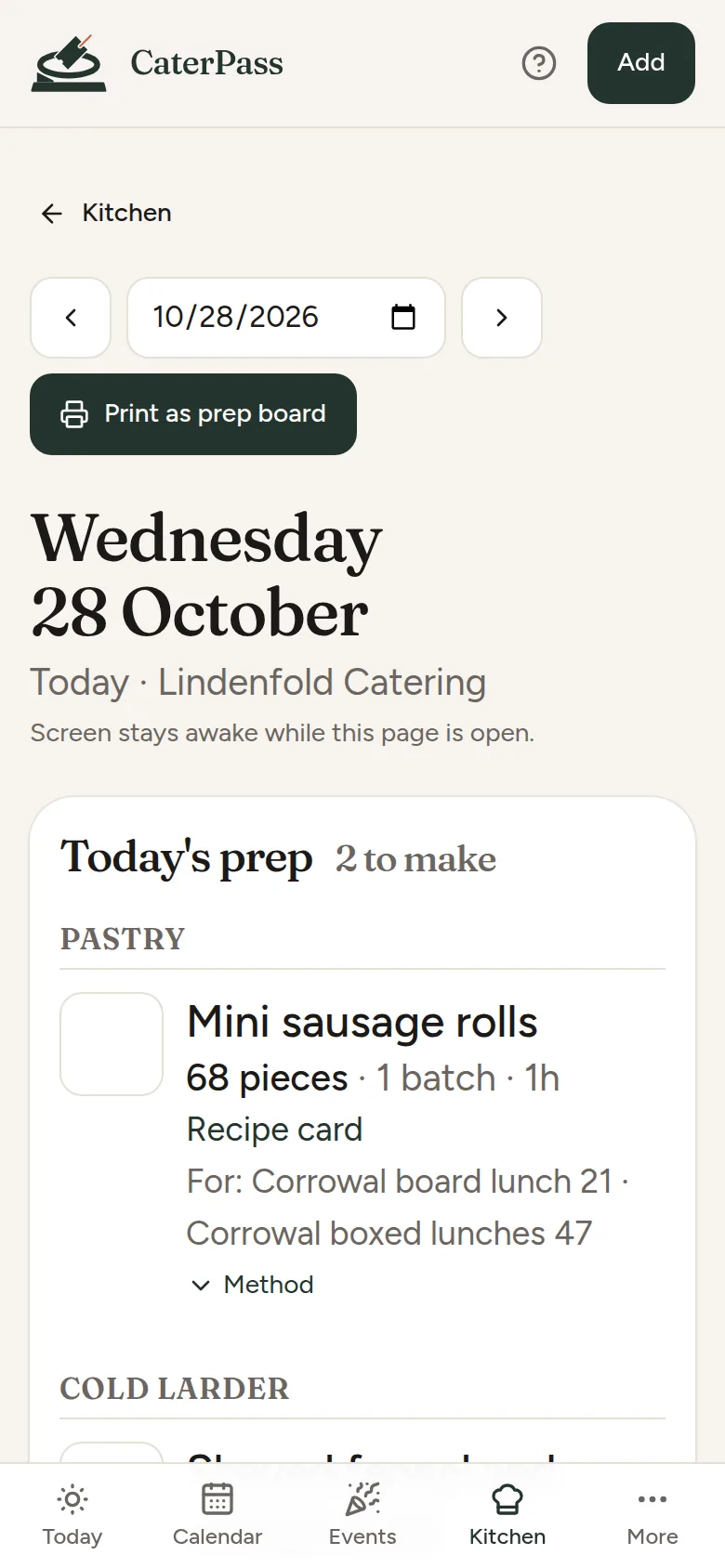
Prep, shopping and the kitchen screen
Prep and shopping lists written from the week's menus, a big-type kitchen screen for an iPad on the pass that stays awake, scaled recipe cards, and 2-hour/4-hour and cooling timers.
-
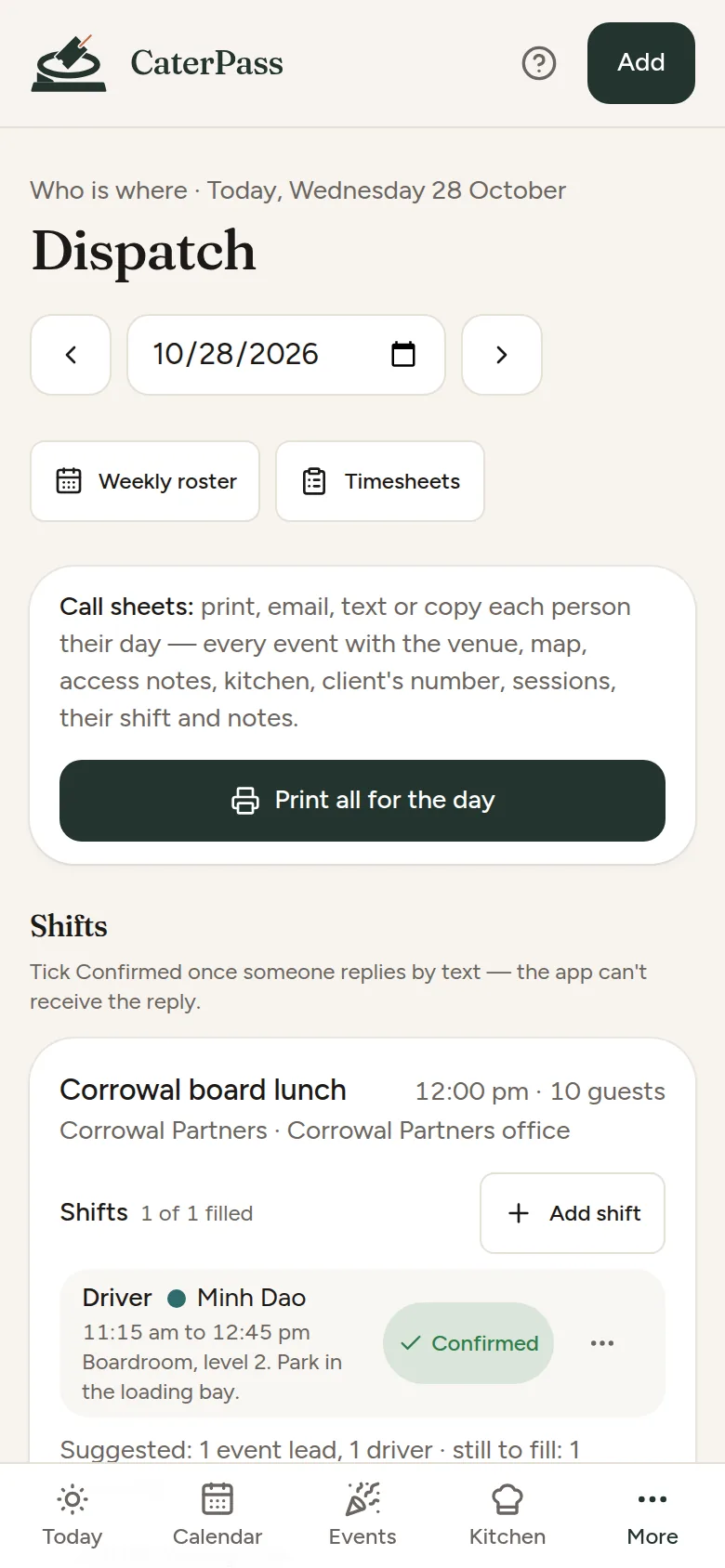
The day, the team and the sheets
Event sheets, run of show, pack lists, dietary lists and labels. Shifts with roles and call times, a weekly roster, and a call sheet for each person to print, email, text or copy. Timesheets go out as a file for your payroll software.
-
Food-safety records
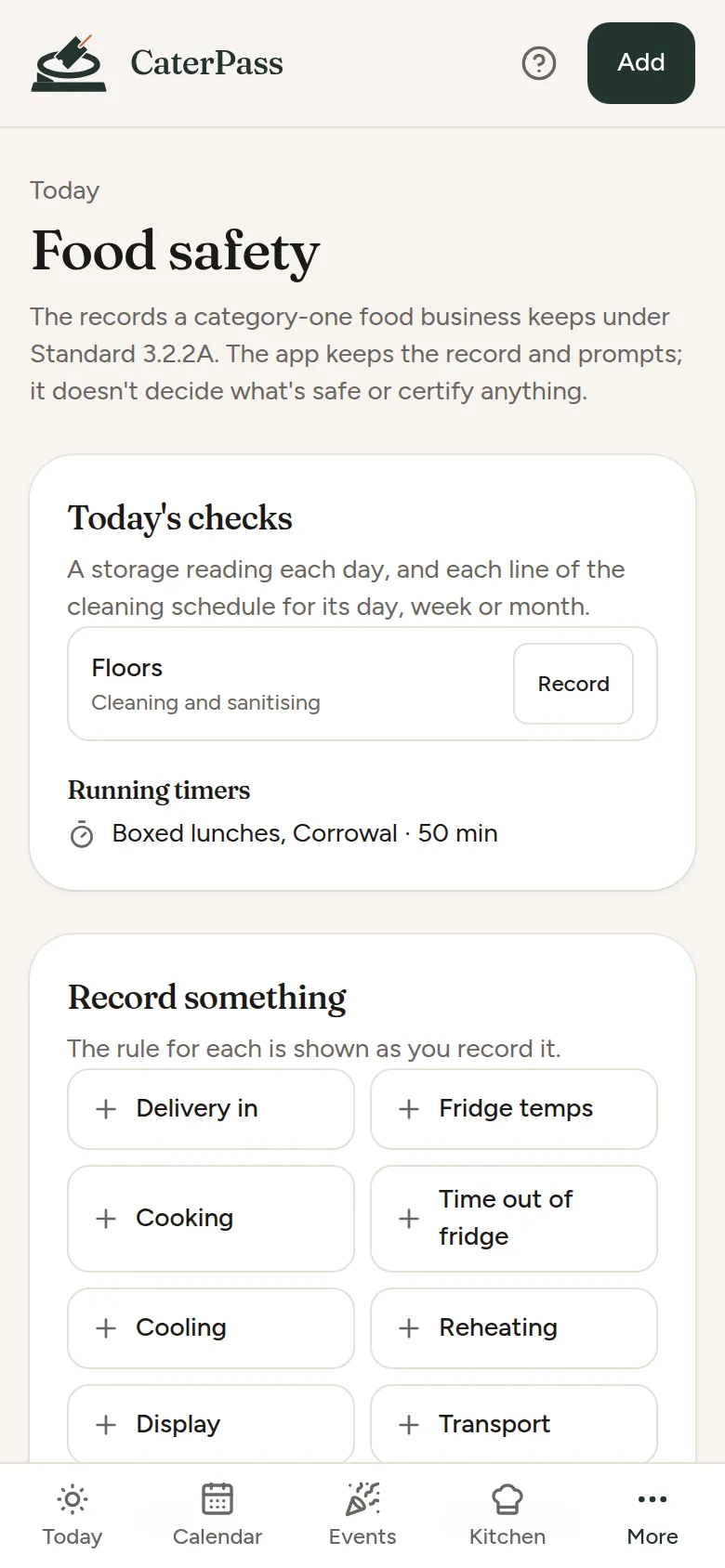
Deliveries, fridge temperatures, cooking, cooling, reheating, display, transport and cleaning, with the published limit shown beside each reading. Corrective actions, incidents and a printout for an inspector.
-
Kit, hire and suppliers
Your own platters, urns and hot boxes allocated by date and counted out and back. Hire orders with delivery and collection times, and purchase orders written straight from the shopping list.
-
Marketing, drafted for you
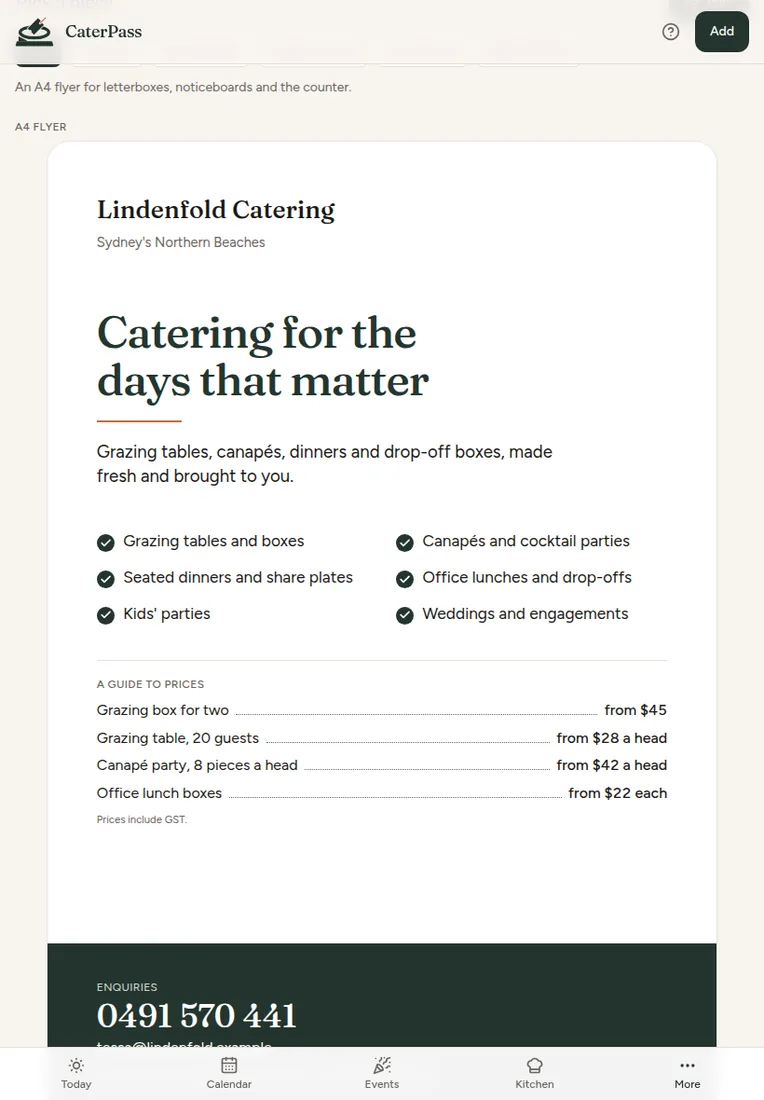
A post calendar, seasonal campaigns counted back from Christmas or Mother's Day, re-booking nudges, testimonials, referral partners, and a printable kit: flyers, price cards, vouchers and party invitations with your logo.
-
Reports and your books
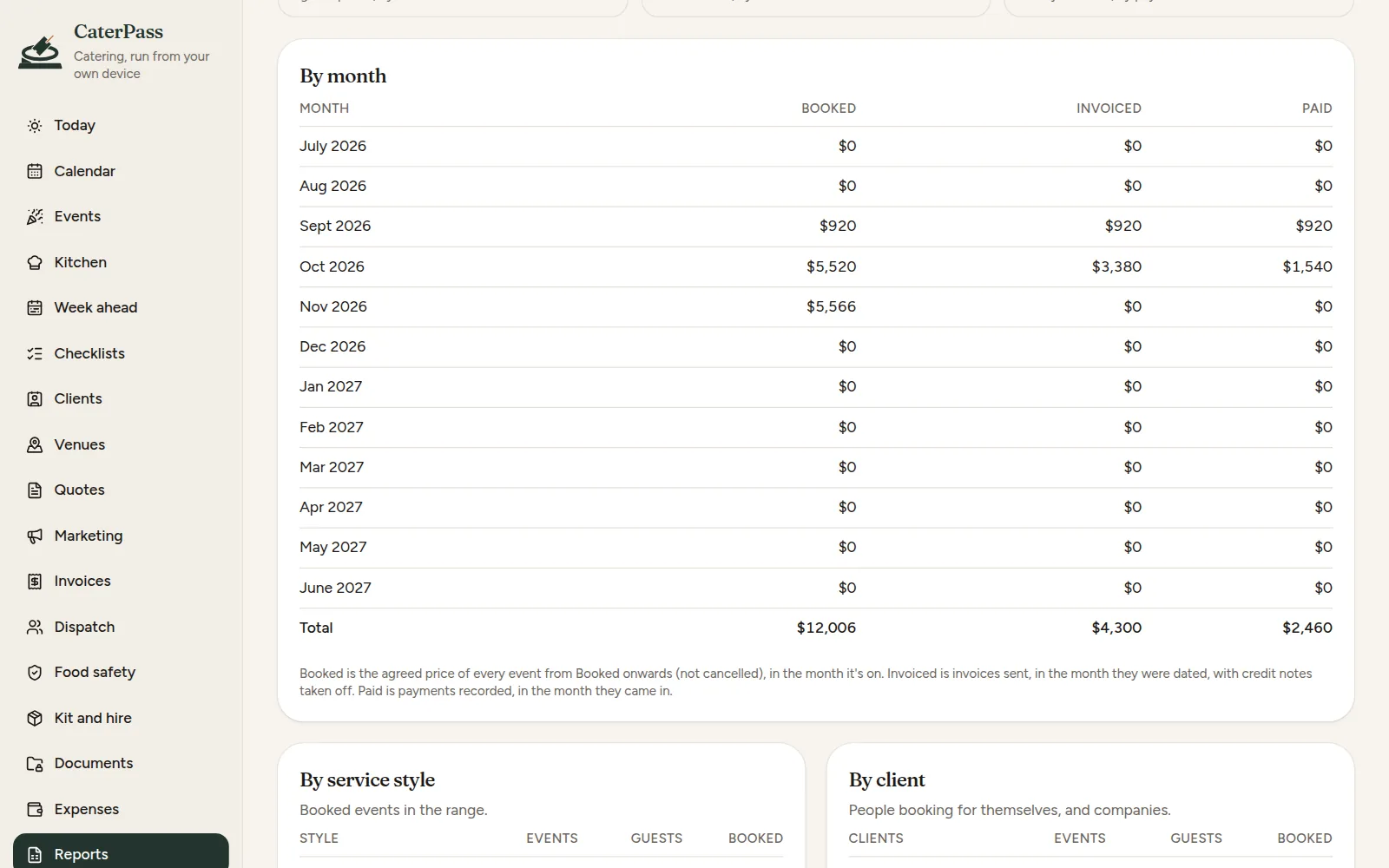
Revenue, which events actually paid, spend per head, where enquiries come from, staff hours, seasons, a GST guide and food safety. Each one prints, and invoices, payments and clients go out as files for Xero or QuickBooks.
A look inside
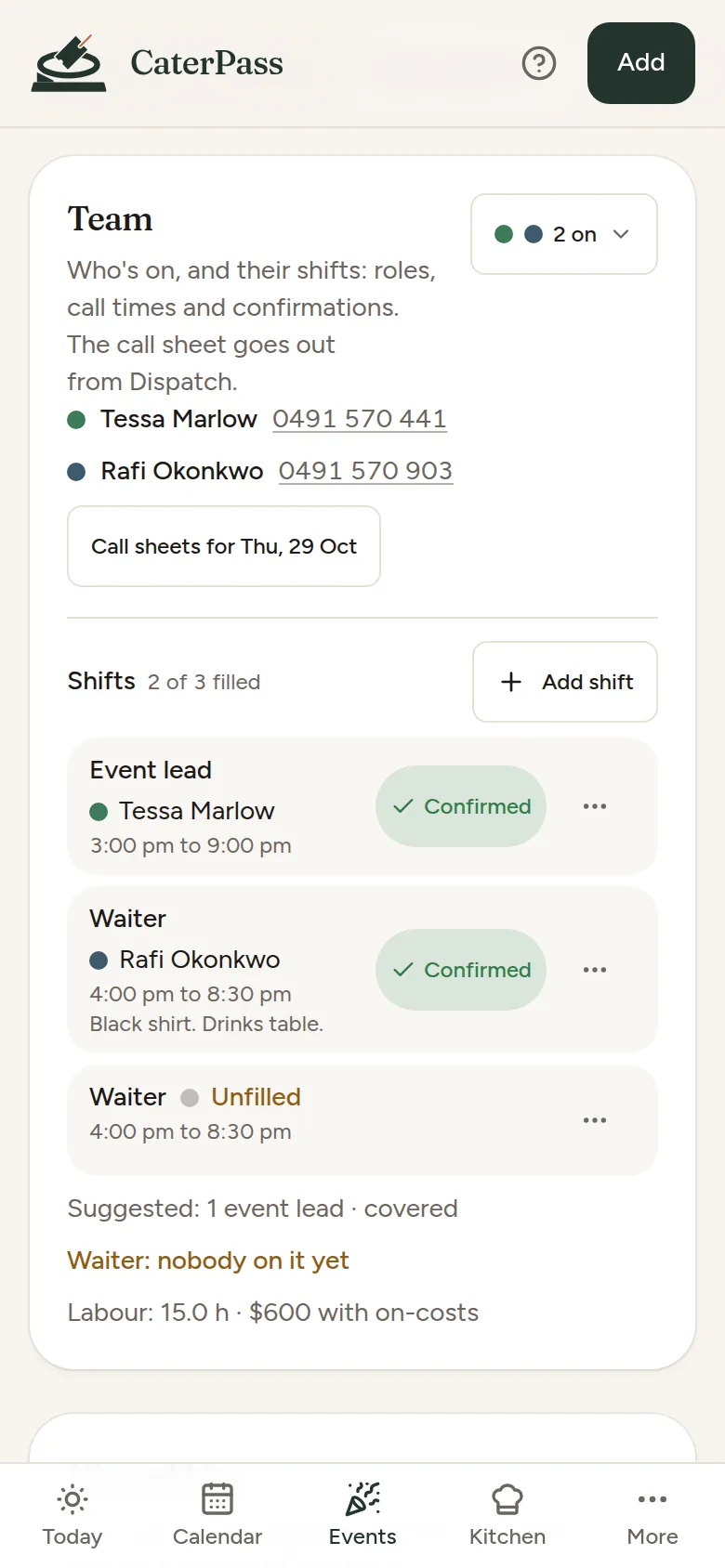
Real screens from CaterPass, showing its made-up example business. Tap any of them to see it full size.
How it works
Set up
Your business details and logo, your pricing and payment terms, then your dishes and menus. Add recipes and ingredient prices when you're ready, and costing switches on.
Win the work
Paste or type an enquiry, check the date, quote with options, and follow up. When the client says yes, the deposit invoice is one tap away.
Run the day
Prep and shopping lists, the event sheet, shifts and call sheets, the pack list ticked at load-out, and the food-safety readings as you go.
Get paid and back up
The final invoice subtracts the deposit, payments are recorded as they land, and a thank-you goes out with your review link. Export a backup now and then; it's the only copy that exists.
Pricing
One plan, billed once a year. No per-user fee, no surprise tiers.
Trial
Every feature 14 days
Every feature, no card, no sign-up. The 14 days start when you add your business details or your first client — not when you open the app, and looking around the example business doesn't use them up.
Subscription
AU$99 per year
The whole price — no GST on top. Renews automatically once a year, with a reminder email seven days before. Cancel any time in the billing portal or from your receipt email, with no fee. Without a subscription CaterPass goes read-only: nothing is deleted, and everything stays on your device to view, print and back up.
Where your data lives
- Every client, event, quote, invoice, recipe and record is stored in your browser on your device
- Guests' dietaries and allergies, your staff's details and your photos stay on the device too, never uploaded
- Quotes, invoices, sheets and messages are made on the device and sent from your own email or messages app
- There is no account, no database and no sign-in
- The only outside call is checking your licence key once you've bought one — plus, only if you switch it on, reading one photo of a handwritten recipe or invoice with AI
- Export makes a full backup file you keep wherever you like
What it isn't
- A cloud service. Nothing syncs live between devices; a laptop and a phone are kept in step by sending a backup across.
- A food-safety certificate. It keeps your records and prompts; it never certifies anything
- Payroll, accounting or tax software. Pay is hours times your own rates, not award pay
- Something your clients log into. They get PDFs, emails and texts from you
Put it on your phone
CaterPass is a web app that installs like a normal app on a phone, a tablet or a computer. No app store needed, and it works with no signal — a marquee in a paddock, a basement function room, the lot.
iPhone or iPad
- Open CaterPass in Safari.
- Tap the Share button.
- Choose Add to Home Screen, then Add.
Android phone or tablet
- Open CaterPass in Chrome.
- Tap the three-dot menu.
- Choose Install app or Add to Home screen.
Laptop or desktop
- Open CaterPass in Chrome or Edge.
- Click the install icon at the right of the address bar.
- It opens in its own window from then on.
Help sheets
Step-by-step sheets with a picture for every step. Print them, or keep them on the phone.
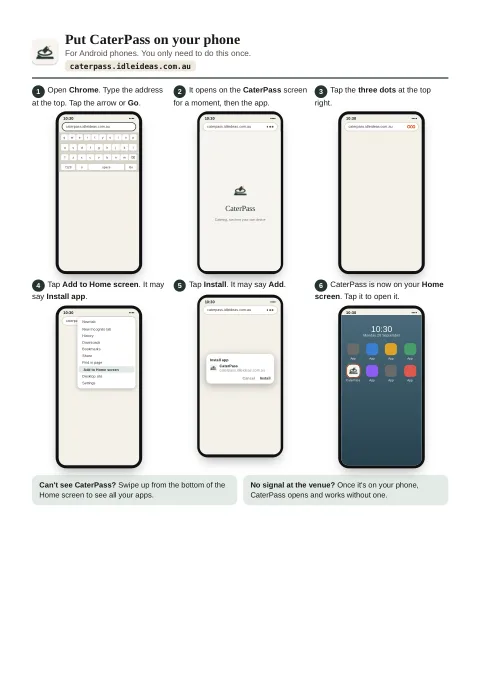
Put CaterPass on your phone
Six steps for Android, then six for iPhone and iPad, from opening the browser to CaterPass's icon on your Home screen.
Open the sheetPDF, two A4 pages, 389 KB.
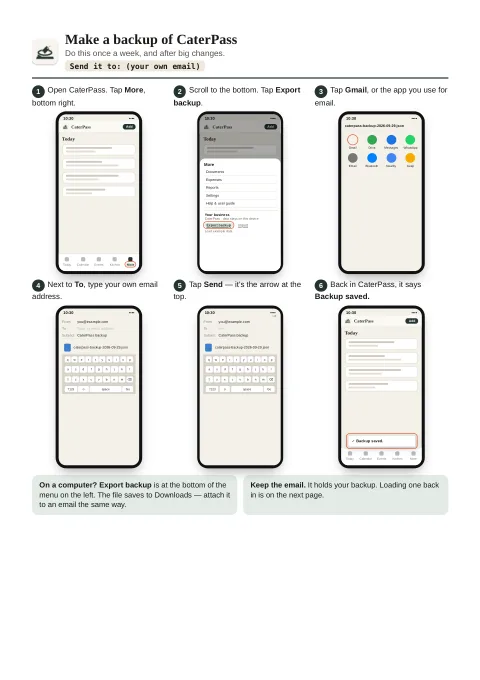
Backups: make one, load one
Page one emails a backup to yourself. Page two puts it back, on the same phone or a new one.
Open the sheetsPDF, two A4 pages, 423 KB.
Questions
When does my free trial start?
When you add your business details or your first client — not when you first open the app. Looking around the example business, and changing things in it, don't count. CaterPass tells you when the 14 days have started, and the start date goes into your backups, so restoring on a new device carries on the same trial rather than starting another.
Do my clients see CaterPass?
No. Quotes and invoices go out as PDFs, prints, emails or texts from your own apps, carrying your logo and business name. Nothing links back to CaterPass or to your website.
Can my team see the same events?
Not live. CaterPass has no server, so each device holds its own copy. Run it on one phone, tablet or laptop and send each person their call sheet from there: print, email, text or copy, with the venue, map, access notes, their shift and the client's number. To keep a laptop and a phone in step, Export backup on one and Bring in changes on the other: the two are combined, so new things on either both stay, and nothing goes through us. Making changes needs the licence on one device at a time.
Does it certify my food safety?
No. It keeps the records a category-one business keeps under Standard 3.2.2A, shows FSANZ's published limit beside a reading as a hint, and records whether the person who took it judged it OK. It doesn't decide what's safe, and it doesn't replace your food safety program, your Food Safety Supervisor or your council's requirements.
Where do guests' allergies go?
Into the guest list on the event, on your device only. They show in red on the dietary list, labels and table cards, and they never go into a marketing export. You can paste a guest list straight from a spreadsheet.
Does it work out award pay?
No. Shifts are costed at your own rates for each role and day, plus the on-costs you set, so you can see what an event costs in labour. The timesheet is a file for Xero Payroll or Deputy; award pay, tax and super stay with them or your accountant.
What's the AI bit?
Optional and off until you switch it on. CaterPass reads a photo of a supplier invoice or a recipe card on your device. For handwriting it can't manage, you can tick a box and send that one photo to be read by AI, which returns the words and keeps nothing. Everything else works without it.
Does it work with no signal?
Yes. Once it's installed it runs fully offline — the whole app and all your data are already on the device. You only need a connection to open it the very first time and to activate your licence; being offline never locks you out.
What happens after the 14-day trial?
CaterPass becomes read-only until you subscribe. Nothing is deleted: everything stays on your device to view and print, you can still send what you've already written and record payments, food-safety records still go in, and Export still makes a full backup.
What happens if I lose my phone?
Your data was only on that phone, so you'd restore from your last Export file. CaterPass nudges you weekly to make one — it's a single file you can keep in email, Drive or iCloud.
CaterPass is looking for testers.
It's in private testing before it opens. If you run a small catering business and want to try it on your own events, email caterpass@idleideas.com.au and say what kind of catering you do.